68
3 STANDARD MEASUREMENT MODE
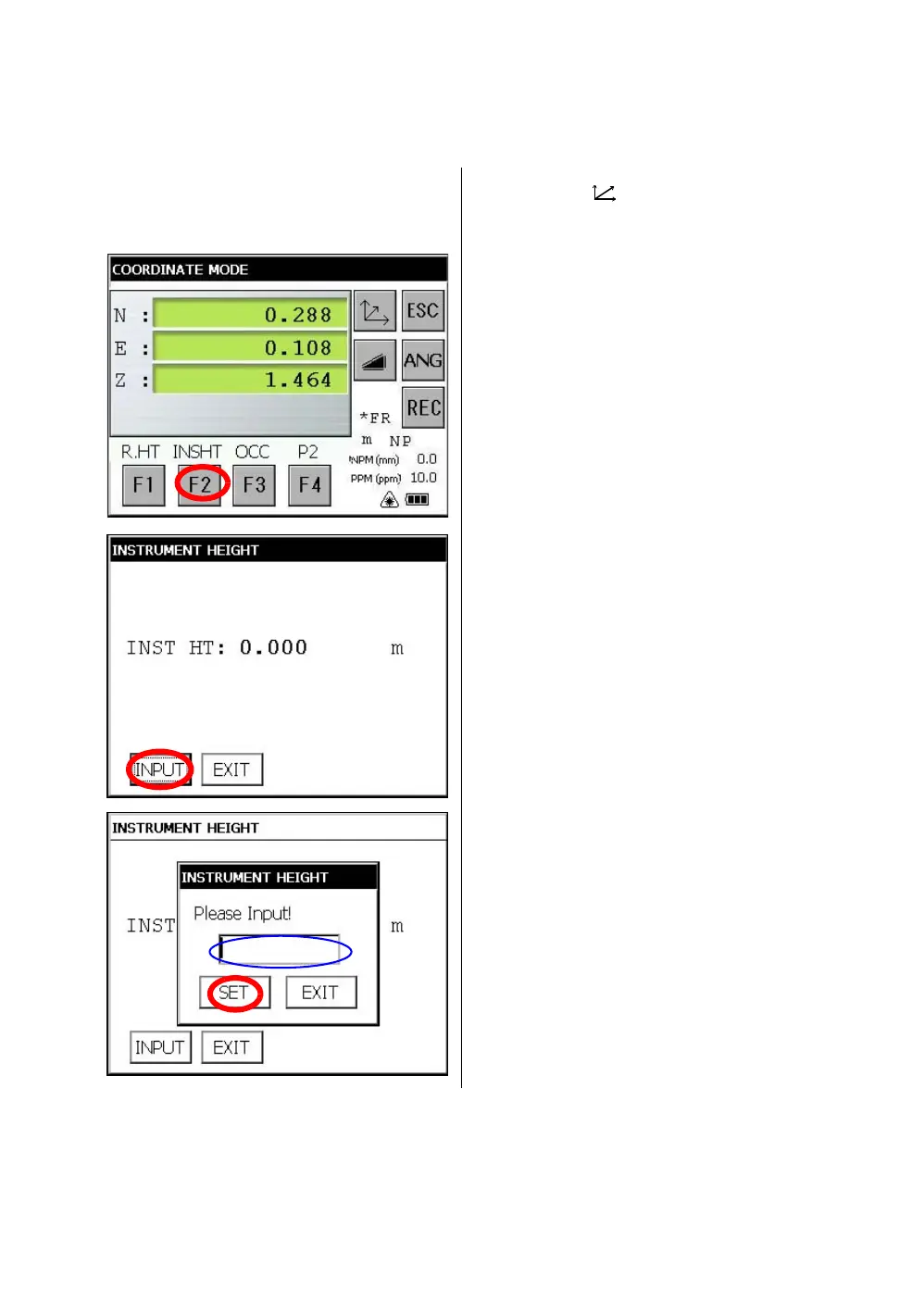
3.3.2 Setting of the Instrument Height / Reflector(Prism) Height
Measure the coordinates by entering the instrument height / reflector height, coordinates of unknown
point will be measured directly.
[Example] : Instrument height
Confirm the angle measurement mode.
1 Press the [ ] key.
2 Press the [F4] key to get the function as in
page 2.
3 Press the [F2] key .
The previous data will be shown.
4 Press the [INPUT] key.
5 Input instrument height, and press [SET]
key.*1)
6 Press the [EXIT] key.
The display returns to coordinate
measurement mode.
*1)To return to the previous mode, press the [EXIT] key.



 To Next Page
 Loading...
