36
1 NOMENCLATURE AND FUNCTIONS
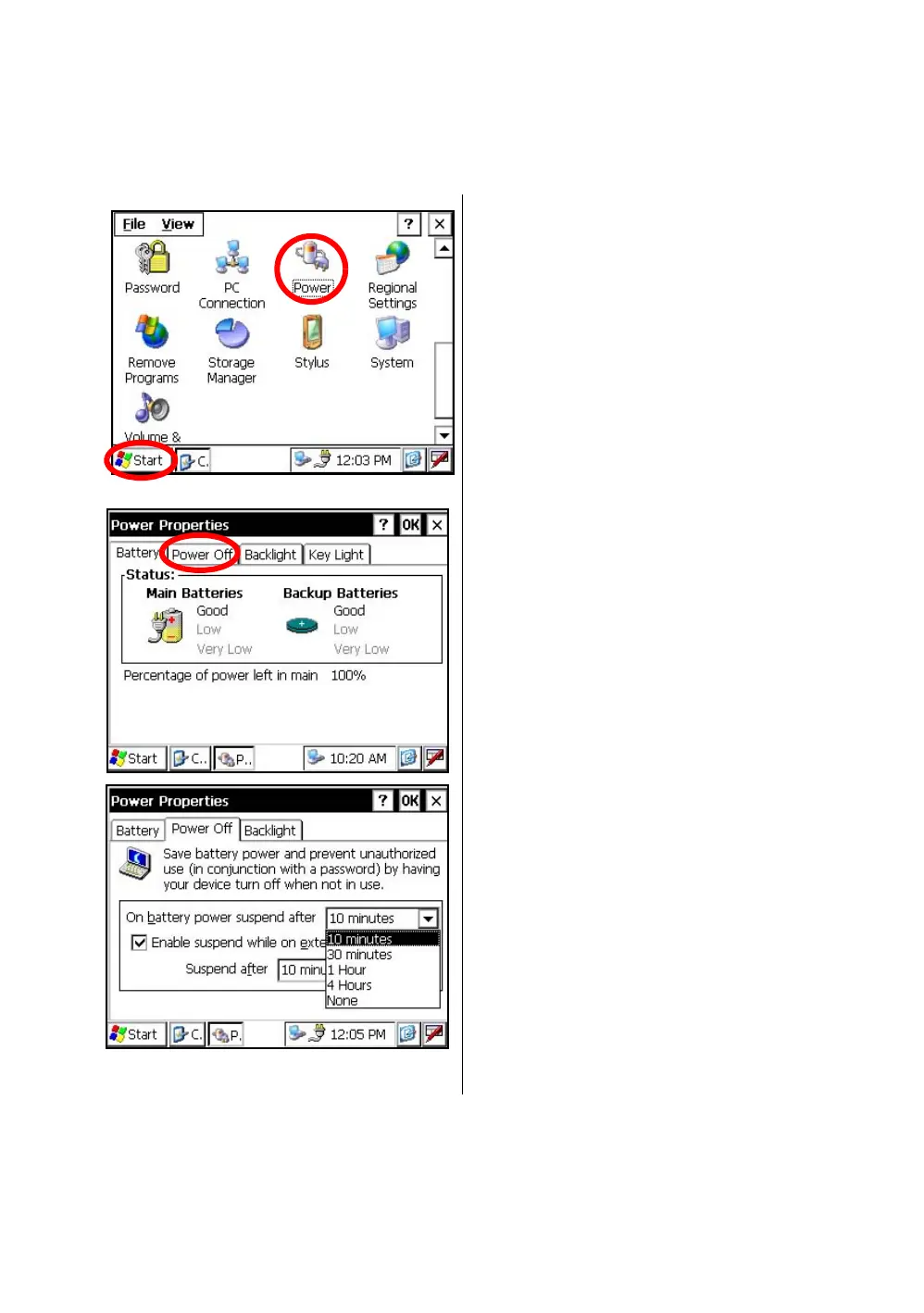
1.12 Auto Power Off
To save battery power, the GTS-750/GPT-7500 would automatically turn the power off (suspend) by
itself
when it’s not in use. You can adjust the settings of this function.
• How to adjust the settings of auto power off function
1 Press the icon [Start]-[Settings]-
[Control Panel]-[Power].
You can see the "Power Properties" screen on
Display.
2 Press the tab “Power Off”.
3 Press the time-menu down arrow to select the
auto power off time.
(Factory setting is '10 minutes' as default)



 To Next Page
 Loading...
