60
3 STANDARD MEASUREMENT MODE
3.2.4 Distance Measurement (Continuous Measurement)
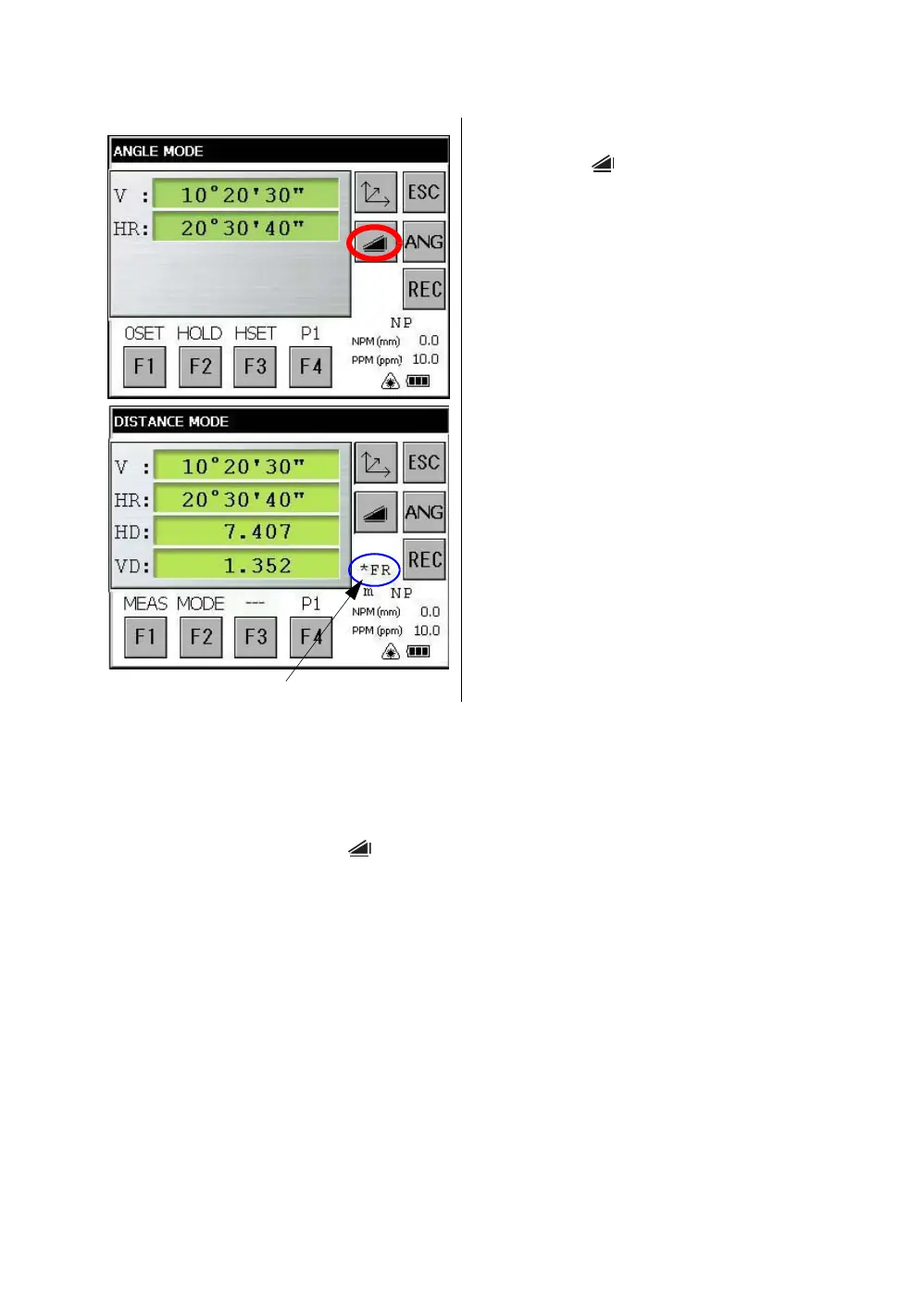
Make sure the mode displays angle measurement.
1
Collimate the center of prism.
2 Press the [ ] key.
*1),*2)
[Example]:
Horizontal distance / Relative elevation mode
The result are shown.*3) ~ *7)
*1)The following characters will be shown on the 4th line right hand of the display to represent measurement
mode.
F=Fine; C=Coarse; t=Tracking ; R=Continuous (Repeat); S=Single; N=N-times
*2)When EDM is working, the " *" mark appears in the display.
*3)The result is shown with buzzer sound.
*4)Measurement may repeat automatically if the result is affected by shimmer etc..
*5)To change single measuring, press the [F1] key.
*6)To change SD/HD&VD, press the [ ] key.
*7)To return to the angle measurement mode, press the [ANG] key.



 To Next Page
 Loading...
