47
2 PREPARATION FOR MEASUREMENT
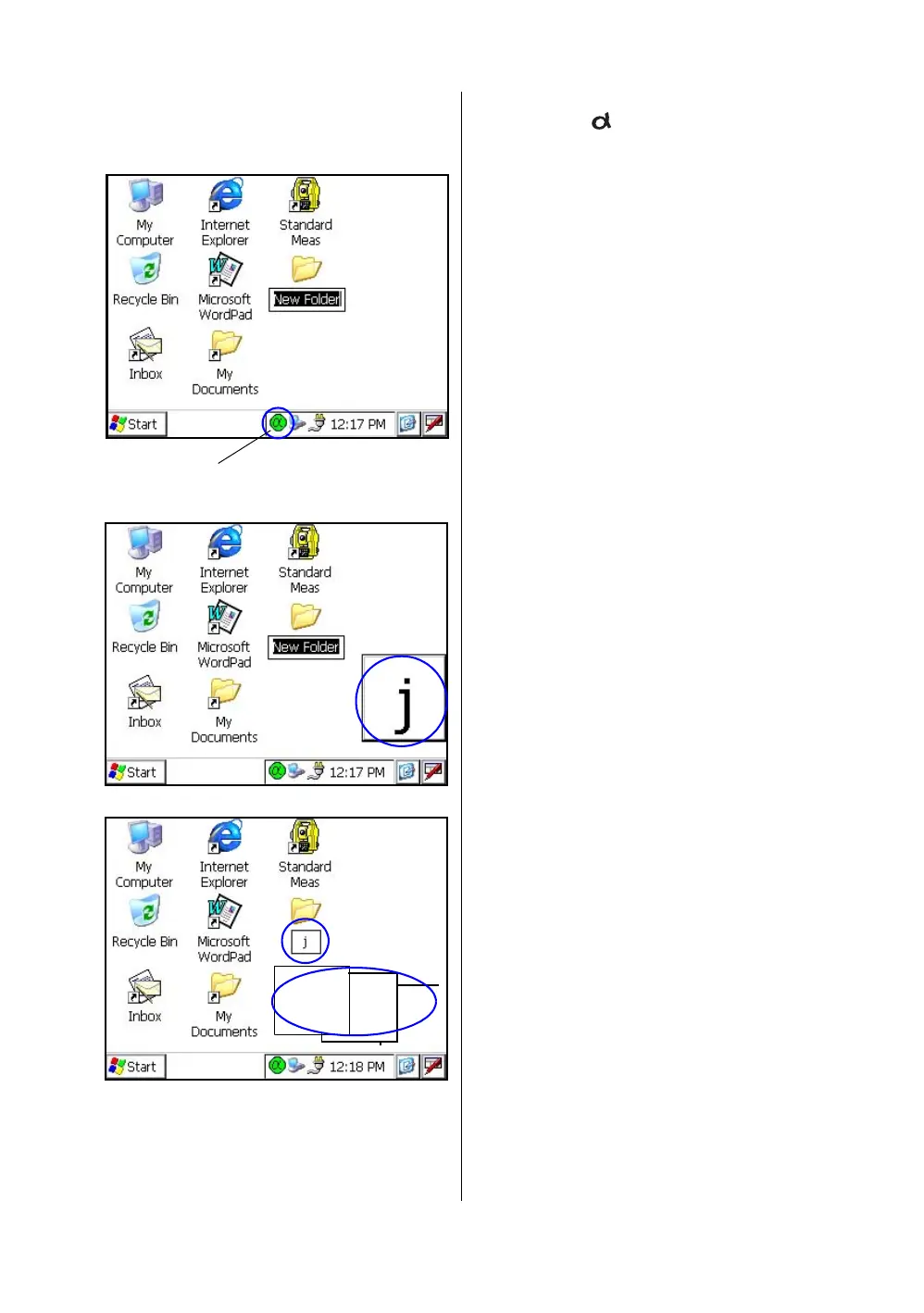
3 Press the [ ] key to be entering alphabet
letter mode.
Alphabet letter mode indicator will be appeared
on the task bar.
4 Enter Alphabets.
Input 'j',
Press [4](JKL)key, then the sub window
featuring 'j' character will appear on the display
which indicate a entering character.
Then ‘j’ will be displayed.
5 Input 'o',
Press [5](MNO),[5],[5].
The character in the sub window will be altered
'm', 'n', 'o'.
Then ‘o’ will be appended after ‘j’.
6 Input ‘b’,
Press [7](ABC), [7].The character in the sub
window will be altered 'a', 'b'.
Then ‘b’ will be appended after ‘jo’.
7 Input ‘_’,
Press [3](YZ_), [3], [3].
The character in the sub window will be altered
'y', 'z', ‘_’.
Then ‘_’ will be appended after ‘job’.
Alphabet letter mode indicator



 To Next Page
 Loading...
