74
4 PROGRAM MODE
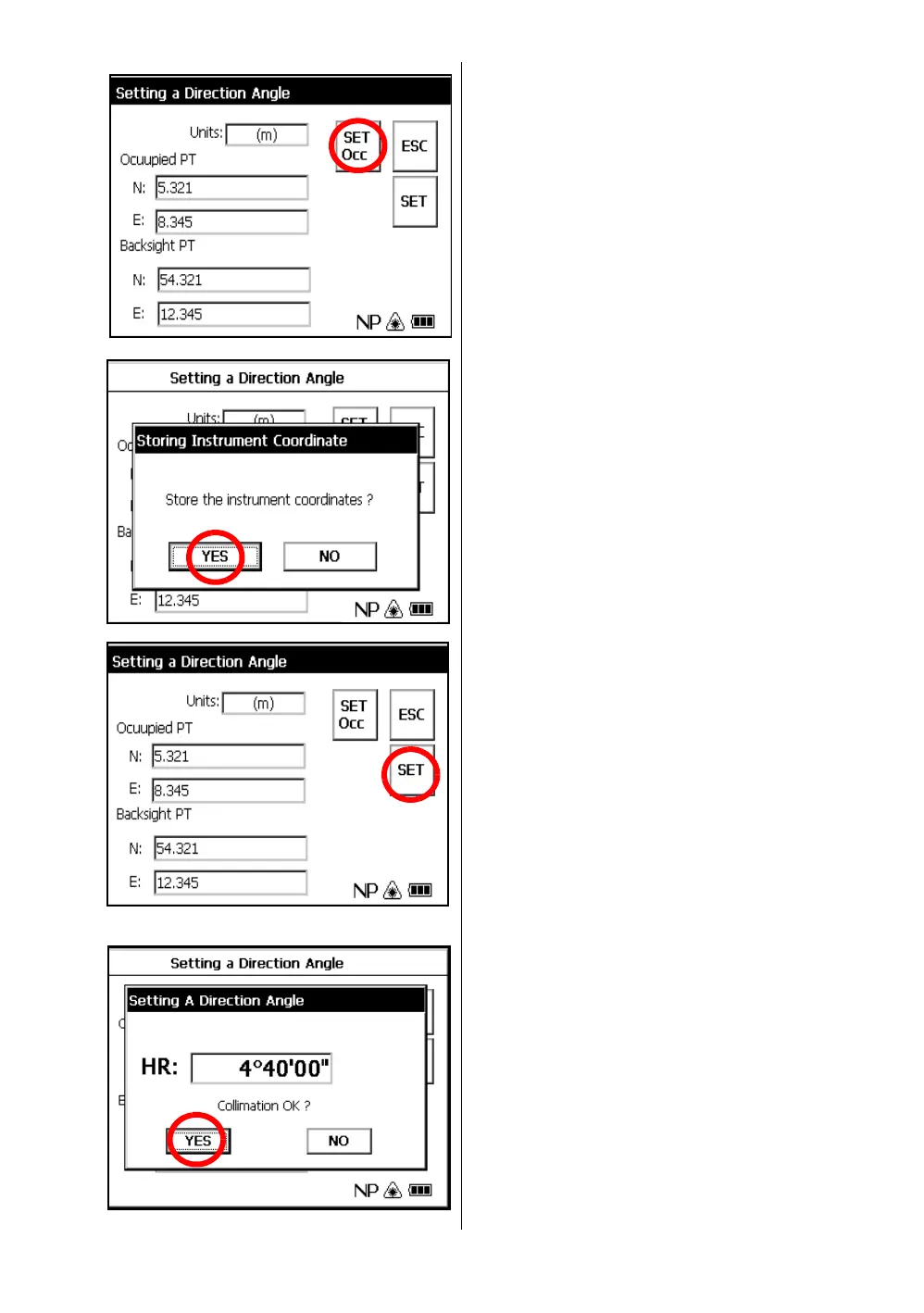
2 Input N and E coordinate of occupied point C.
Example : N coordinate; 5.321m
: E coordinate; 8.345m
3 Input N and E coordinate of backsight point A.
Example : N coordinate; 54.321m
: E coordinate; 12.345m
4 To memorize the occupied point, press the
[SET OCC] key.
5 Press the [YES] key.
6 Press the [SET] key.
7 Collimate the backsight.
8 Press the [YES] key.
The display returns to Program mode menu.



 To Next Page
 Loading...
