54
CHART FUNCTIONS UNIQUE TO THE MC-4S
3 Size of VA indicator
Set the size of the visual acuity value that is displayed at the rightmost side of the chart. Select
from "Small", "Large" and "Disable". When you select "Disable", the visual acuity value is not
displayed on the MC-4S screen.
4 Masked chart layout
Set the chart display position when setting "Vertical mask", "Horizontal mask" and "Character
mask" that are valid for the visual acuity chart.
Select "Fixed position", and part of the chart is displayed without changing the chart's display
position when setting the mask.
Select "Center position", and part of the chart, which is displayed when setting the mask, is dis-
played at the center of the screen.
5 Language
The language, which is set currently on the MC-4S, is displayed.
Language setting is linked with the setting of the CV-5000 system. You cannot change the lan-
guage setting here.
Color adjustment
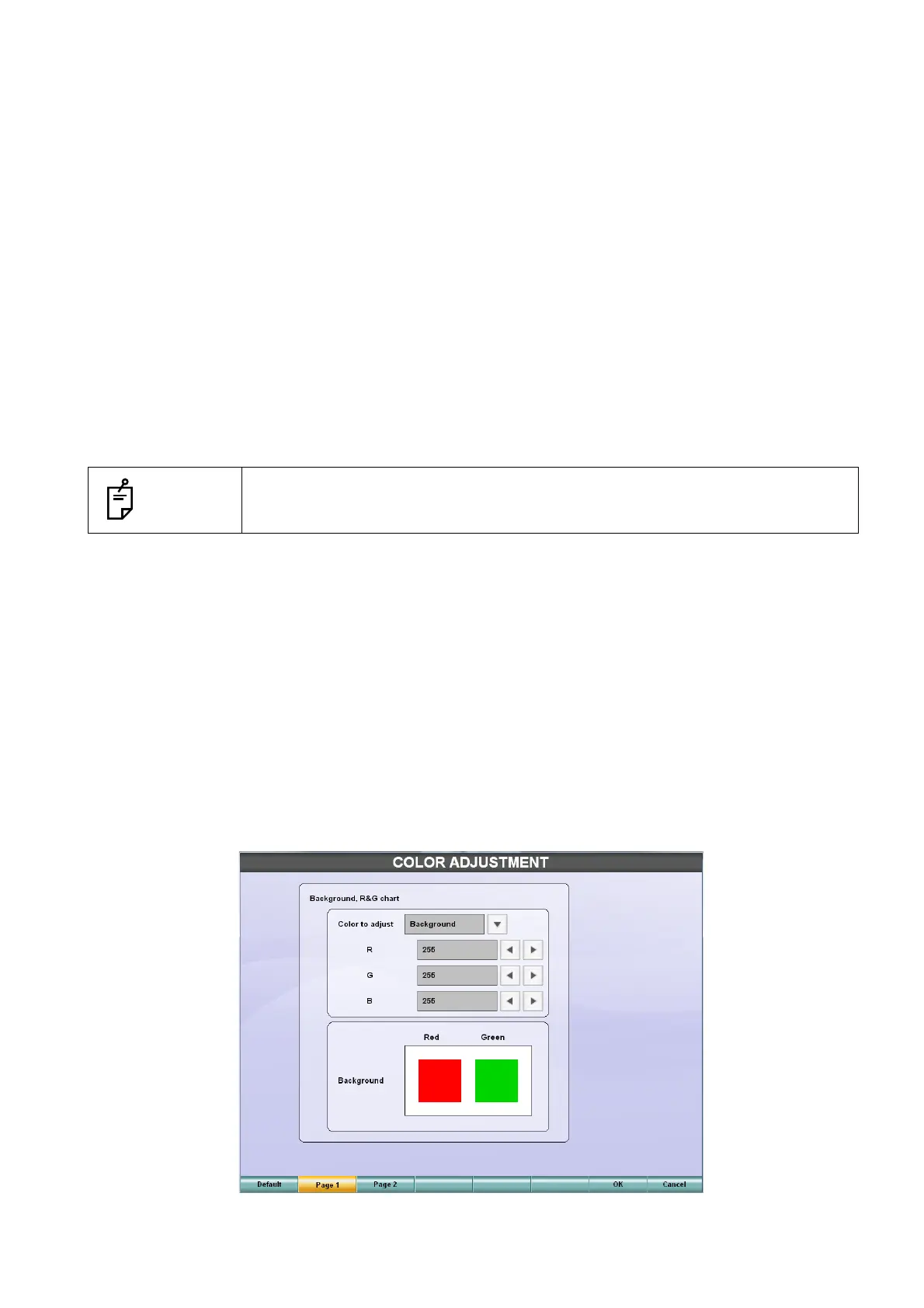
Touch the [Color adjustment] button on the "SETTING" menu of the MC-4S, and the "COLOR
ADJUSTMENT" screen appears.
You can adjust the chart color on the "COLOR ADJUSTMENT" screen.
Background, R&G chart
Touch the [Page 1] button among the function buttons, and this adjustment screen appears.
You can adjust the background color of the chart having the normal white background and the red and
green of the Red/Green chart.
When this screen appears, the display to check the adjusted color appears on the MC-4S screen.
NOTES
Touch the [Default] button among the function buttons. The set data for the
chart is returned to the setting when shipped.



 To Next Page