139
22. CHECKS AND ADJUSTMENTS
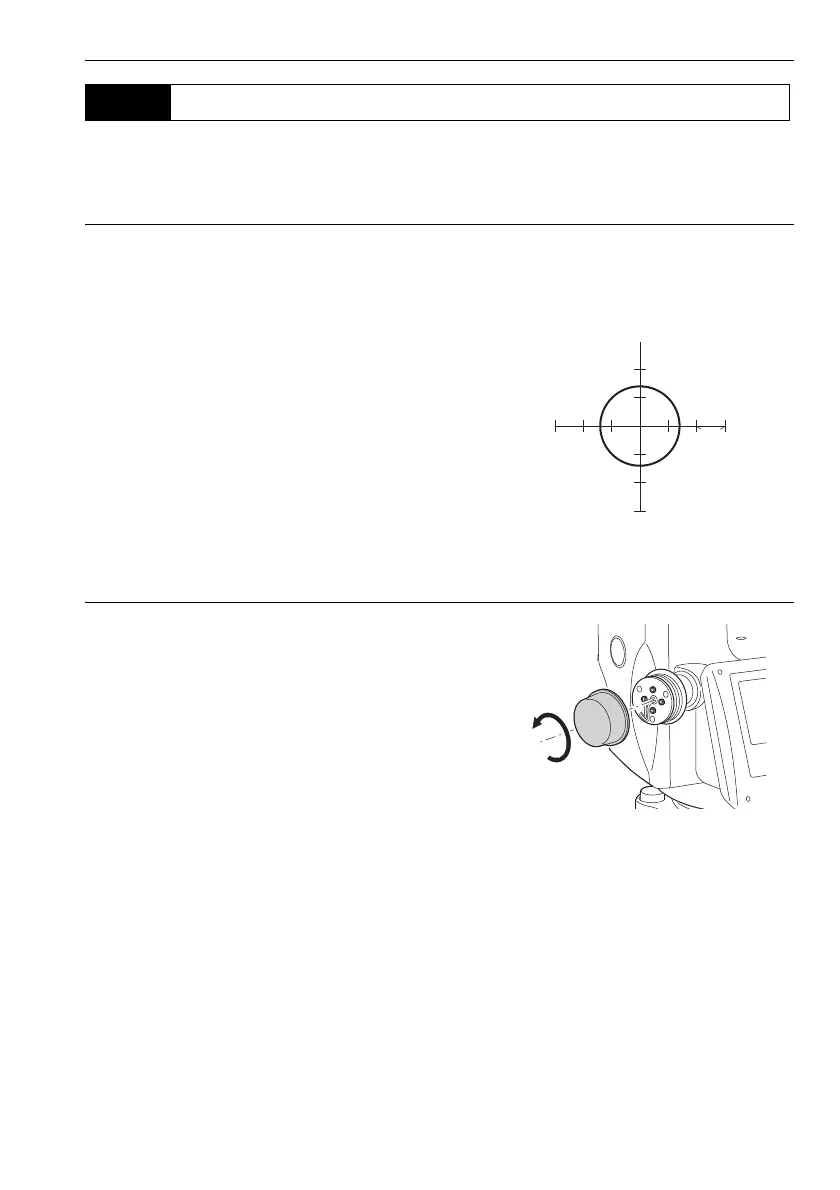
Checks and adjustments are performed using an adjustment target. Make an enlarged or reduced
copy of it.
PROCEDURE Checking
1. Level the instrument and emit the laser plummet
beam.
8.2 Levelling
2. Rotate the upper part horizontally and place a
target so that it is aligned with the center of the
circle created by the rotating laser plummet
beam.
• Laser beam remains centered on the center of
the target – No adjustment necessary
• Laser beam strays from the center of the target
– Adjustment necessary.
• Laser beam draws a circle outside the target
circle – Contact your local dealer.
PROCEDURE Adjusting
1. Turn the laser plummet adjustment cap
anticlockwise and remove.
2. Emit the laser plummet beam.
3. Note the current position (x) of the laser beam.
22.7 Laser Plummet (Option)



 To Next Page