23
4.4 pH Calibration
A “
∗
” in place of the decimal point indicates that the pH readout is not calibrated, or a past
calibration has failed. The “
∗
” will be removed once at least a two-point pH calibration has been
successfully performed.
1. Plug the pH sensor into the pH/mV/Ion BNC socket and the temperature sensor into the
Temperature socket. Switch the meter on.
2. Select the desired pH resolution (see section 4.1).
3. Ensure that temperature has already been calibrated, or manually set (see sections 7.1 and 7.4).
NOTE: For real temperature readings, the decimal point is shown by a “
∗
∗∗
∗
”, when the
temperature readout is not calibrated.
4. Remove the wetting cap from the pH sensor. Rinse the pH and Temperature sensors in distilled
water and blot them dry.
5. Ensure that the primary and secondary buffers to be used have been correctly selected for
automatic buffer recognition. See section 4.2.
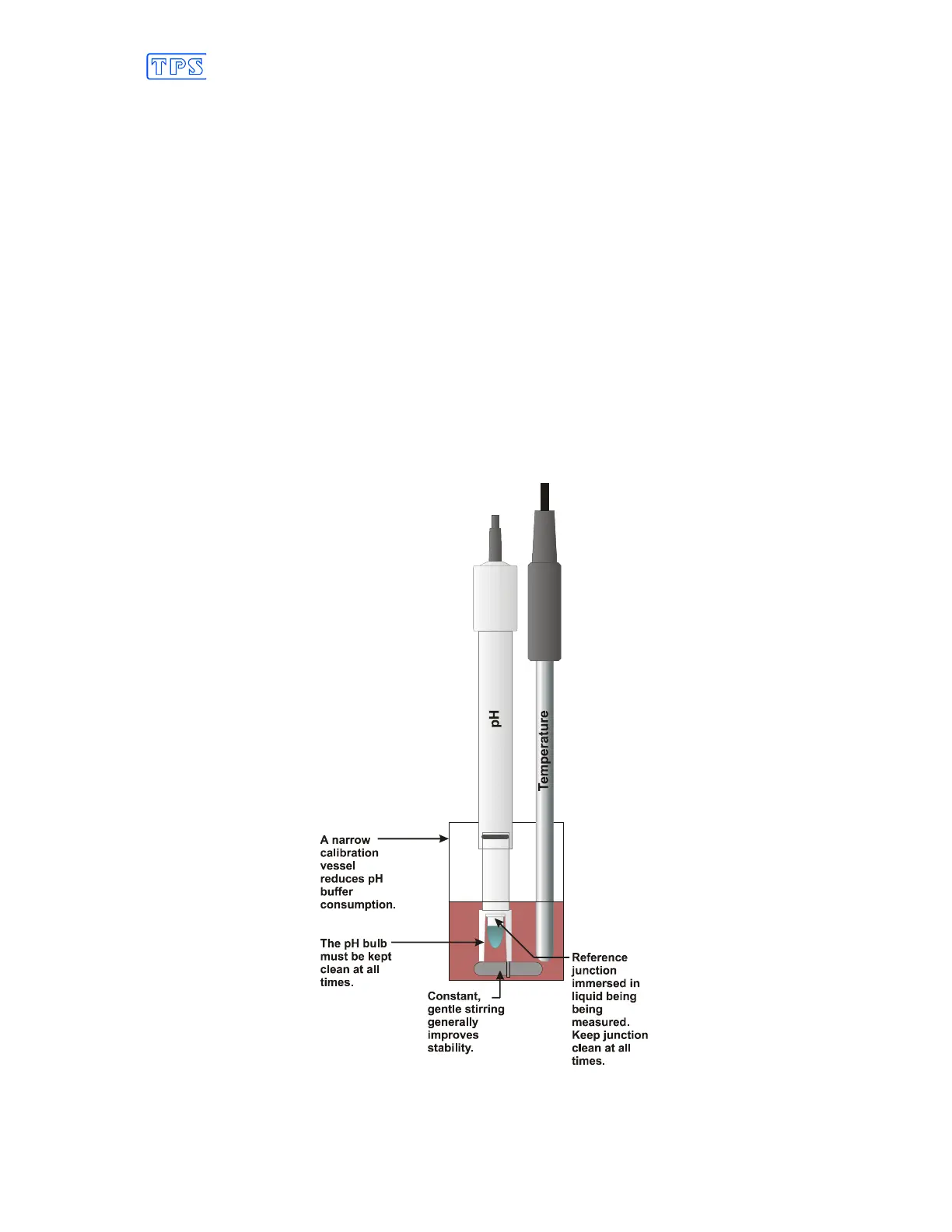
6. Place both sensors into a small sample of buffer so that the bulb and reference junction are both
covered as per the diagram below. Choose the buffer to be used according to the details in
section 4.3.
DO NOT place the electrodes directly into the buffer bottle.



 To Next Page