3.2 Setting up the apparatus for Automatic Titrations
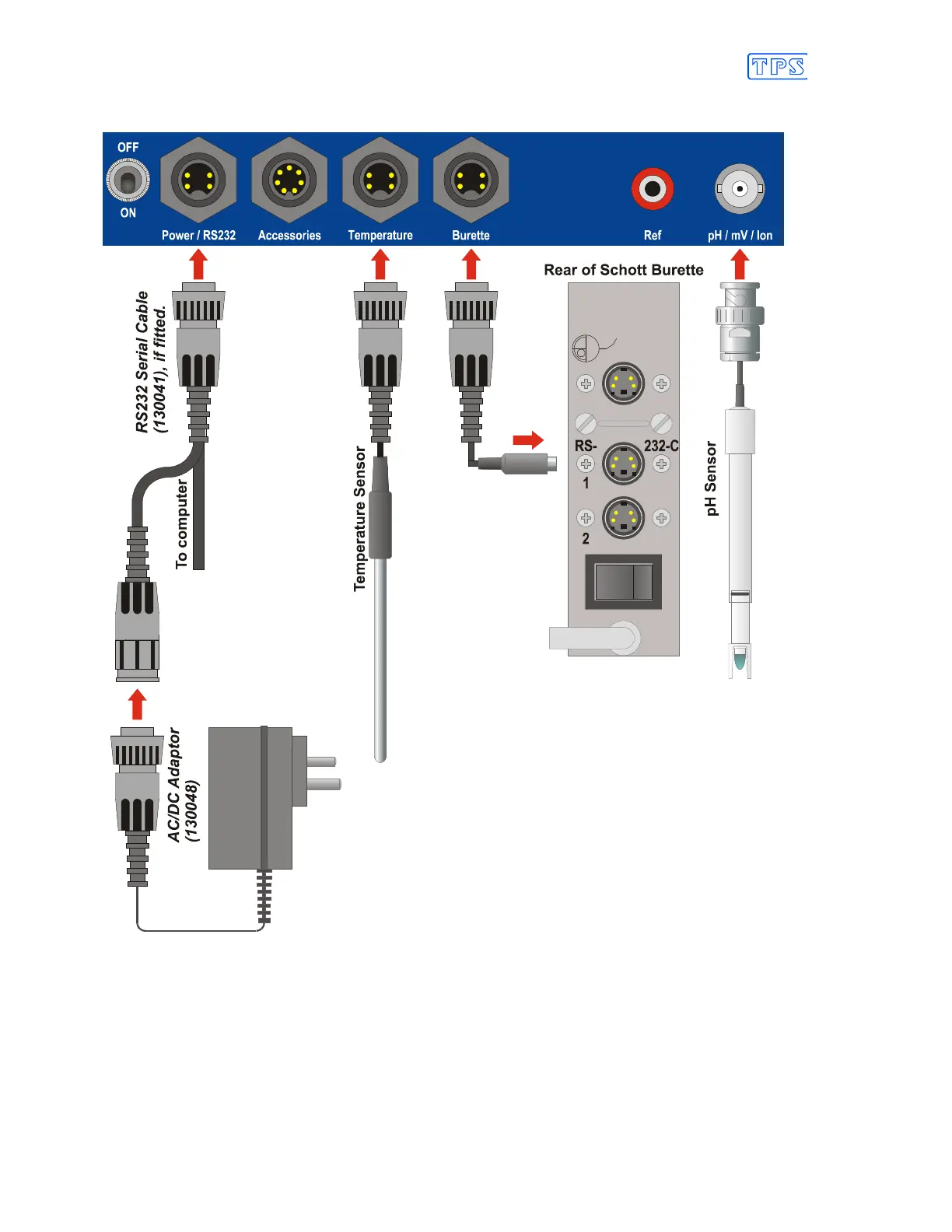
Illustration of connections for smartCHEM-Titro Standard Titration setup…
1. Select a flat Benchtop with enough free space to fit the entire Titration apparatus.
2. If computer interfacing is desired, connect the Serial cable (130041) to the
Power / RS232
socket of the smartCHEM-Titro.
3. Connect the AC/DC Adaptor (130048) to the
Power / RS232
socket of the smartCHEM-
Titro. If the Serial cable is connected, connect the AC/DC Adaptor in the spare in-line socket
of the Serial cable.
Continued over the page…



 To Next Page