27
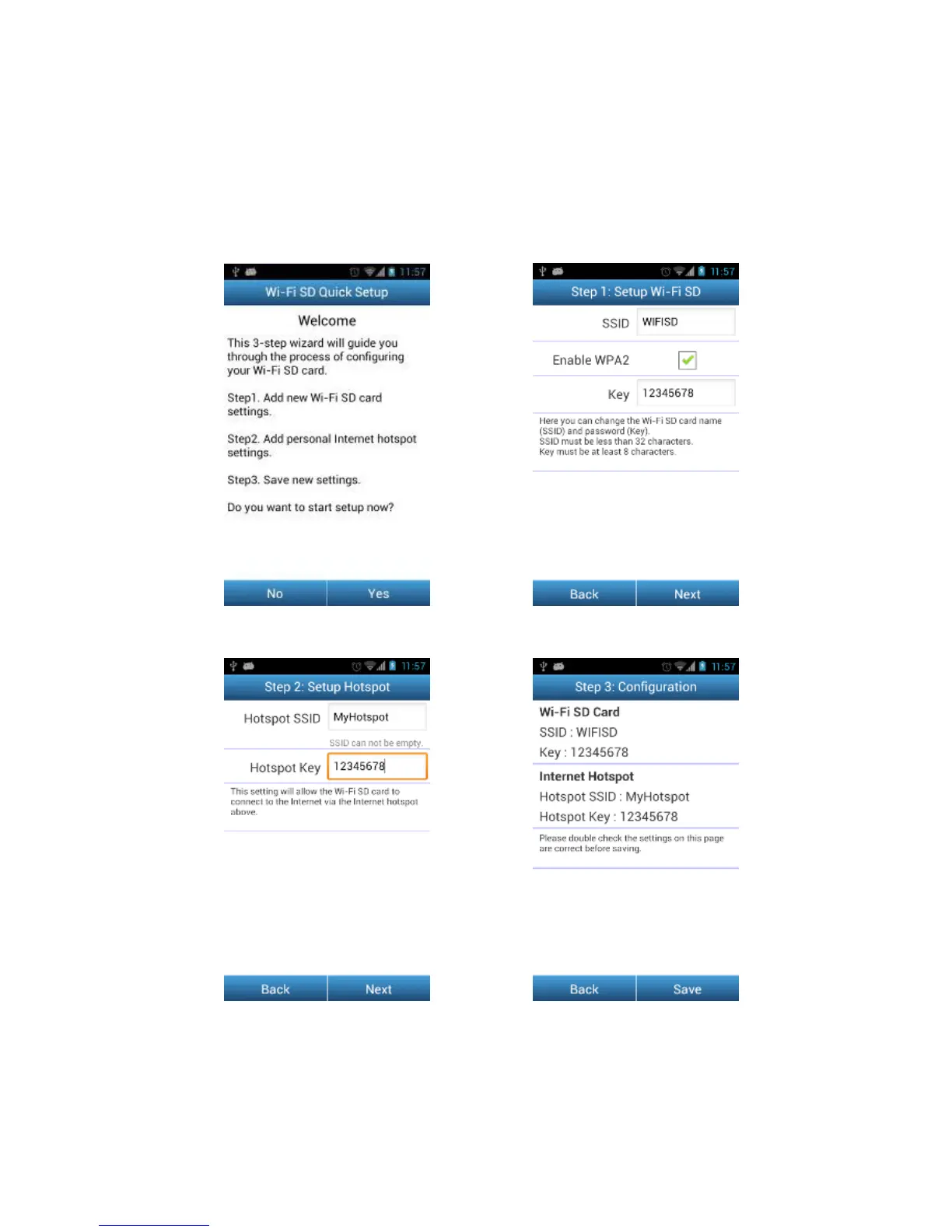
First Time Quick Setup
When the Wi-Fi SD App is launched for the first time while connected in Direct Share
mode, the Quick Setup Wizard will appear and guide you through the Wi-Fi SD setup
process. The quick setup guide appears on first use only, however you can change
the settings and add an Internet hotspot at any time via the settings menu.
Tap Yes to start the Quick Setup Wizard
Step1. Modify the Wi-Fi SD SSID and
Key or tap Next to skip this step
Step2. Add an Internet Hotspot SSID and
security key, then tap Next
Step3. Tap Save to save the
configuration















 To Next Page