33
Share Photos Directly to Facebook/Twitter/Flickr/Sina
Weibo
Note: You must be a registered Facebook/Twitter/Flickr/Sina Weibo user to use this
function. Facebook App / Sina Weibo App must be installed first. (Requires:
Facebook App version 1.9.10 / Sina Weibo App version 3.3.5 or later)
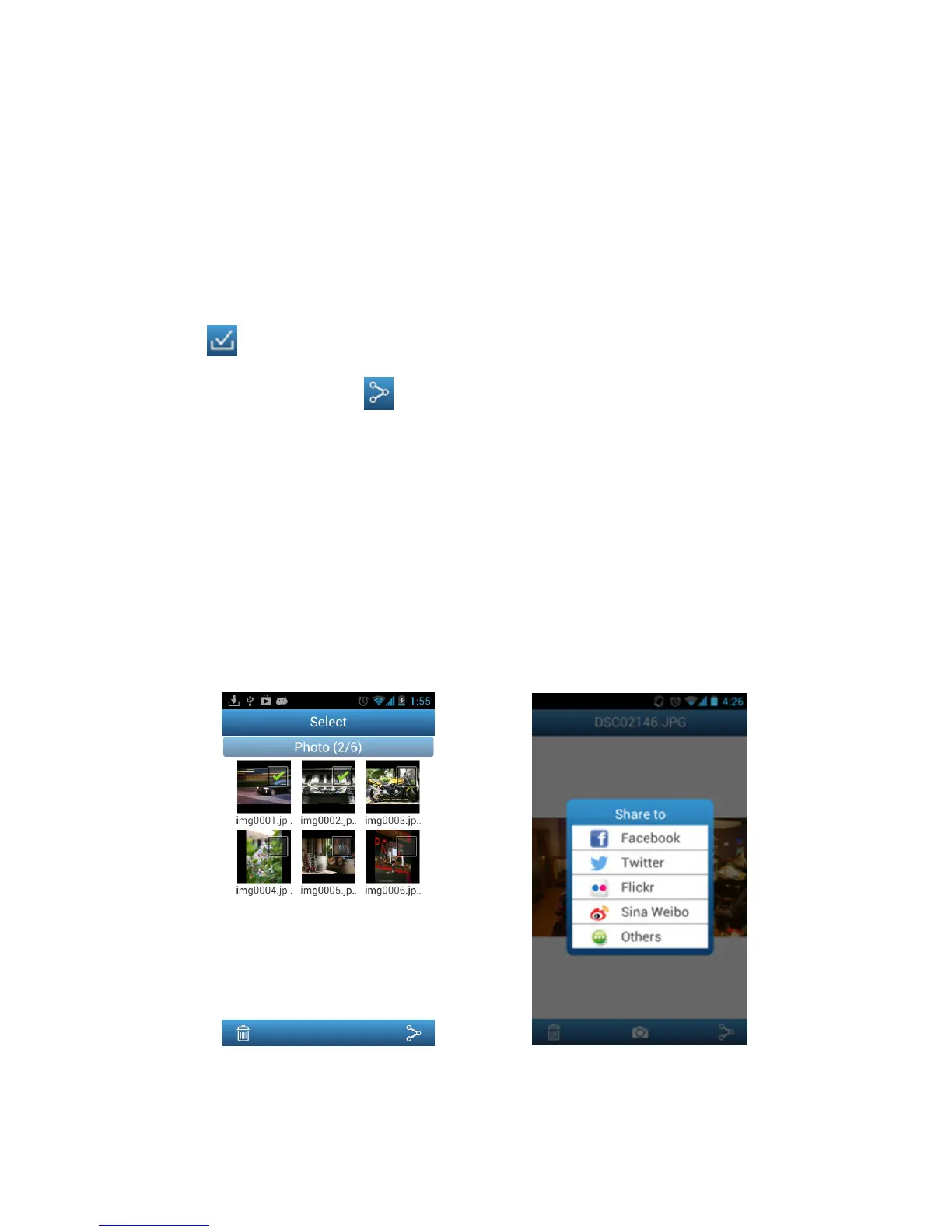
1. To share photos on Facebook/Twitter/Flickr/Sina Weibo, tap the Select button
in the file list.Tap the check box next to each photo that you want to share.
2. Tap the share button and then choose a social networking service.
Note: the Share button only appears in Internet Mode
3. On first time use only, the authorization screen will appear. Please login to your
account and authorize the Transcend Wi-Fi App.
(For Facebook users, tap Allow All on the Facebook permission request
screen.)
4. Type a comment for the selected photos, and then tap Upload.
5. For Facebook, the photo will be uploaded to the album “Transcend Wi-Fi SD” in
your Facebook account.
For Twitter/Sina Weibo, the photo will be posted in a tweet/weibo.
For Flickr, the photo will be uploaded to your photostream.
Select desired photos from the photo
gallery and tap the Share button
Select the social networking service you
wish to share photos to















 To Next Page