18
Downloading Files to Your iOS Device
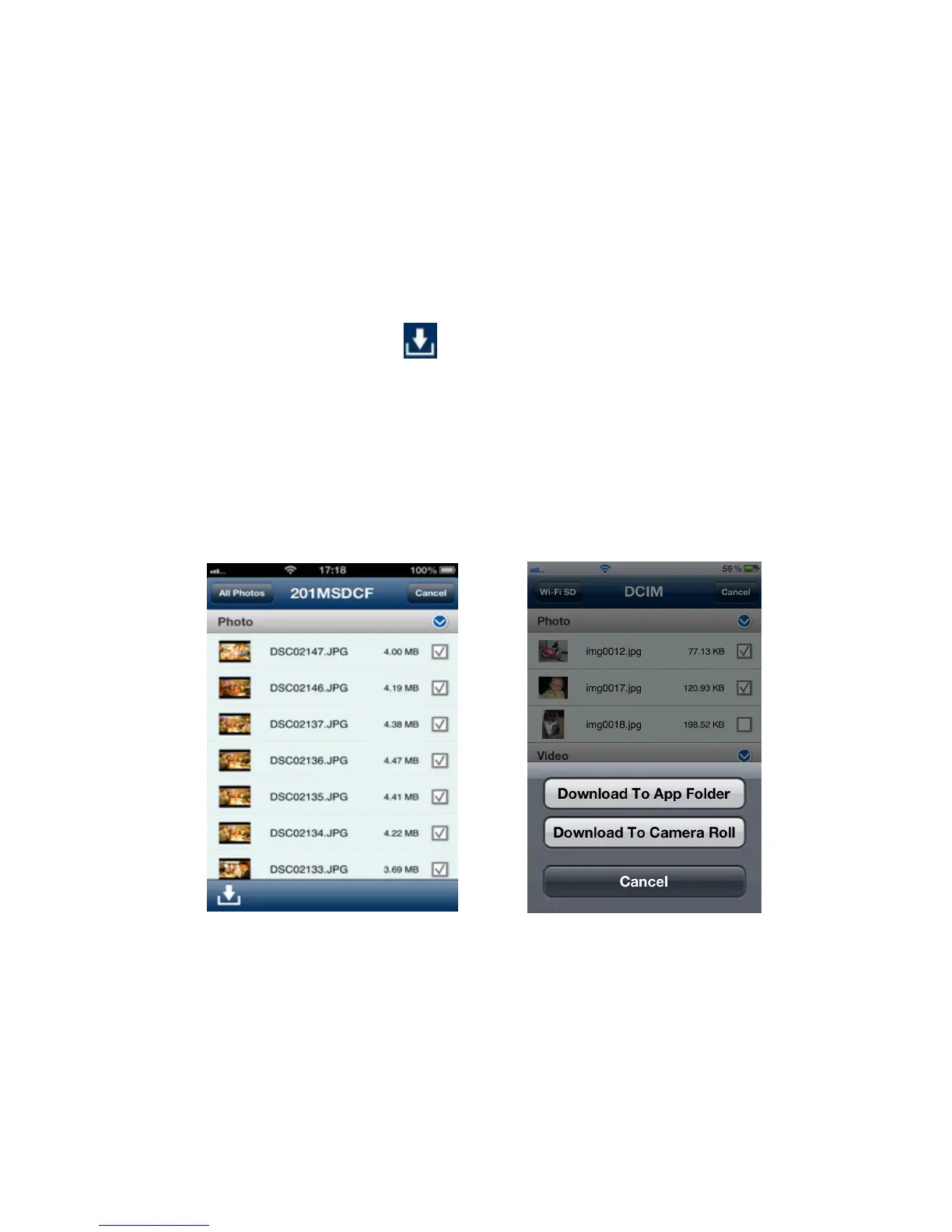
The Wi-Fi SD App allows you to select multiple files to download to the App folder for
playback when not connected to the Wi-Fi SD card’s wireless network.
1. From the file list, tap the Select button.
2. Select the desired files to download by tapping the check box next to each file or
tap All Photos to select all files.
3. Tap the Download button
to display the download menu and then tap
Download To App Folder for playback when not connected to the Wi-Fi SD card.
(To view files downloaded to the App folder, please see the next chapter on
Switch Between Wi-Fi SD/Local Mode)
Or
Tap Download To Camera Roll to download it from the Wi-Fi SD card to the iOS
device camera roll.
Select desired photos from the file list Select a download option
The Wi-Fi SD App also features a function menu that allows you to download
individual files to the App Folder or to the iOS device camera roll.
1. From the file list, tap the photo you want to download.















 To Next Page