54
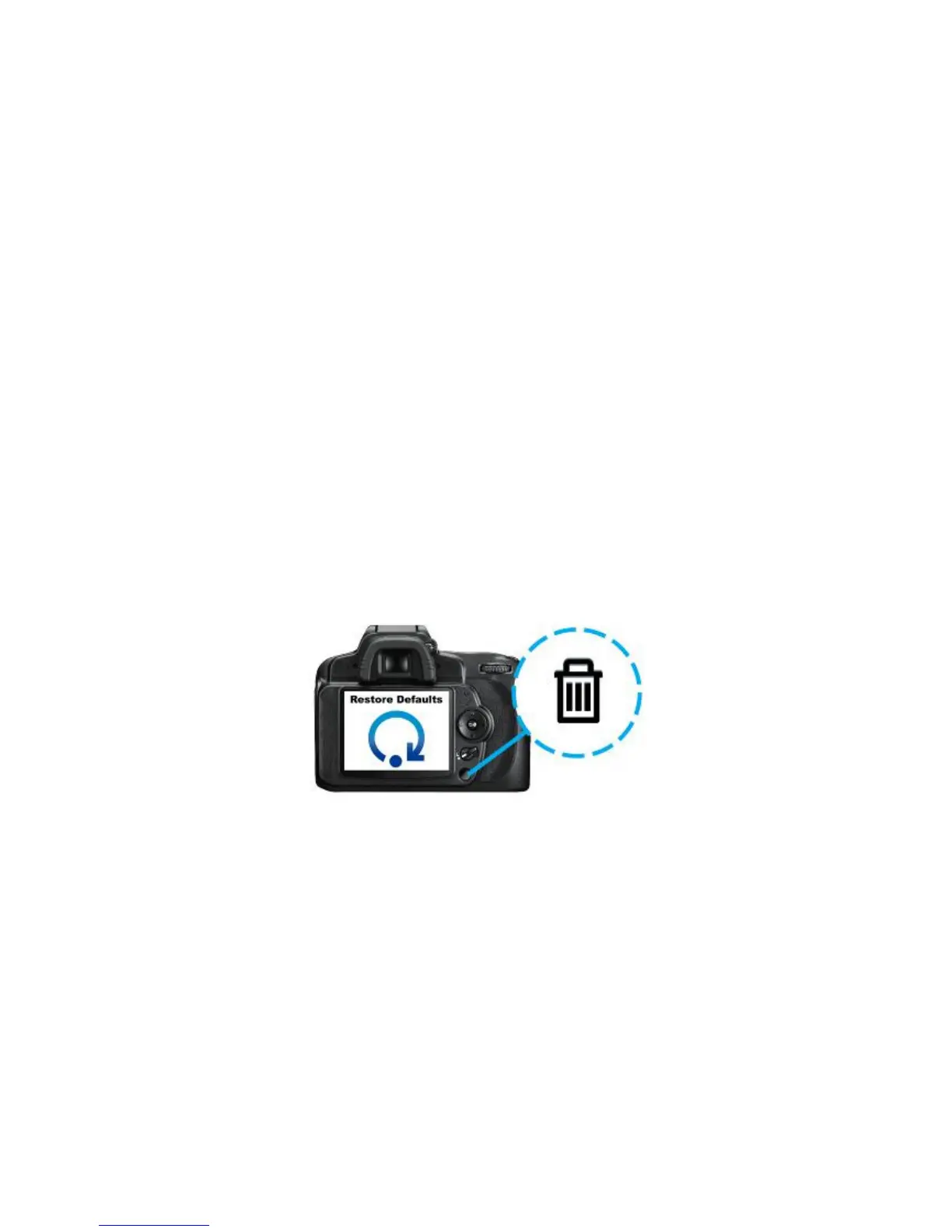
Restore Defaults (Return to Original Settings)*
This function allows you to reset the Wi-Fi SD card wireless settings to the original
factory defaults. None of the files stored on the Wi-Fi SD card are deleted when
performing this action.
(On your camera)
1. Insert the Wi-Fi SD card into your camera. (For directions on inserting an SD card
into your camera, please see your camera’s user manual.)
2. Power-on the camera and press the display button to view camera images. (For
directions on viewing images on your camera, please see your camera’s user
manual.)
3. Scroll to the Restore Defaults image and press the delete button to delete the
image. Deleting the image will reset the Wi-Fi SD card wireless settings to the
original factory defaults. (For directions on deleting images from your camera,
please see your camera’s user manual.)
4. After deleting image, please power-off your camera and reinsert the Wi-Fi SD
card again. All settings will be reset to their defaults.
*The Restore Defaults option is not supported in firmware version 1.7 or later. To
restore default settings, you must upgrade the Wi-Fi SD Card firmware. See the
following chapter for more details.















 To Next Page