29
Playing Videos
1. From the Wi-Fi SD App home page, tap Browse.
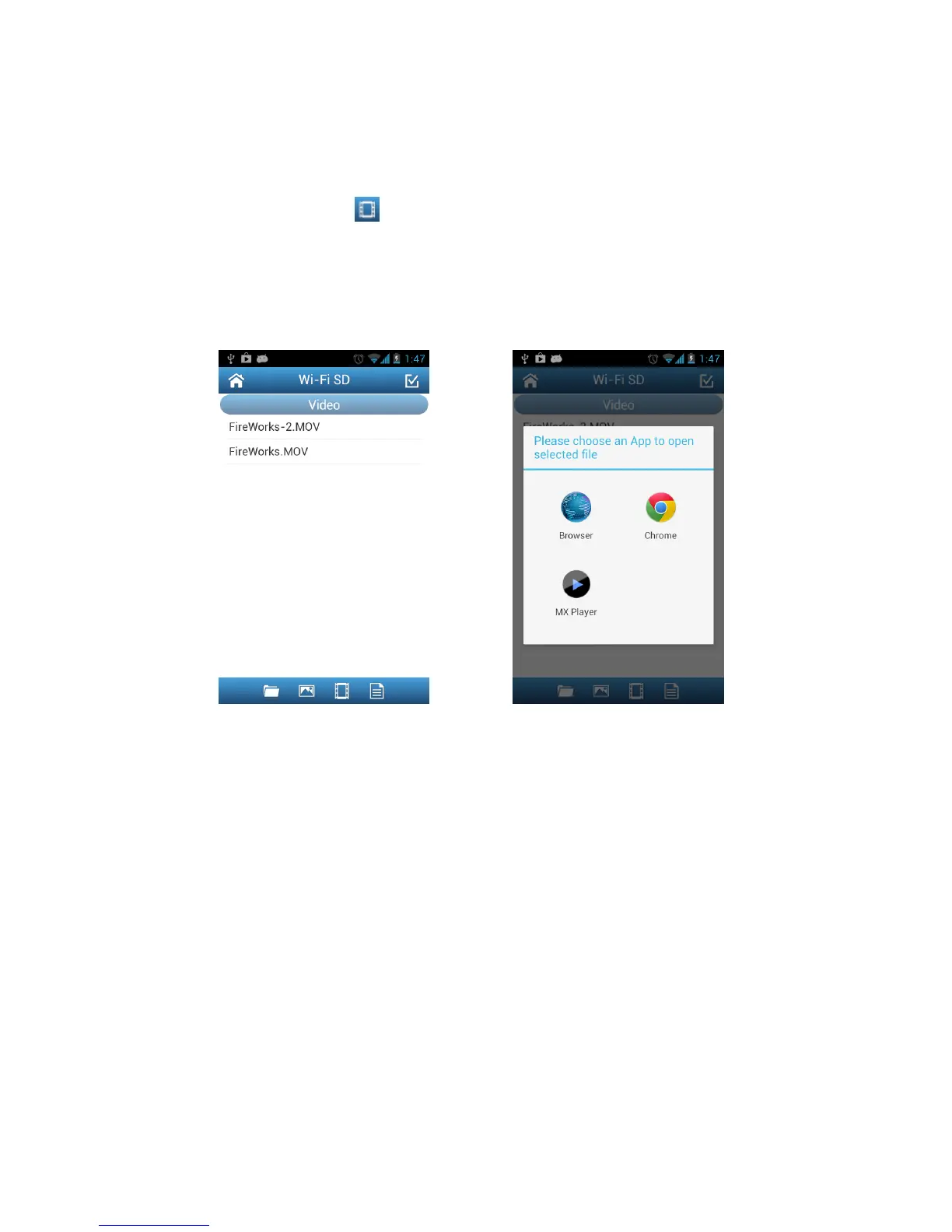
2. Tap the videos icon on the tool bar and select the desired video to view.
3. Choose one of the video player Apps installed on your device to play the video.
Note: If the selected App cannot play the file, please download and install a suitable
video player App from Google Play.
Browse the video file list, tap to select Choose an installed video player App
to play the video















 To Next Page