48
Settings
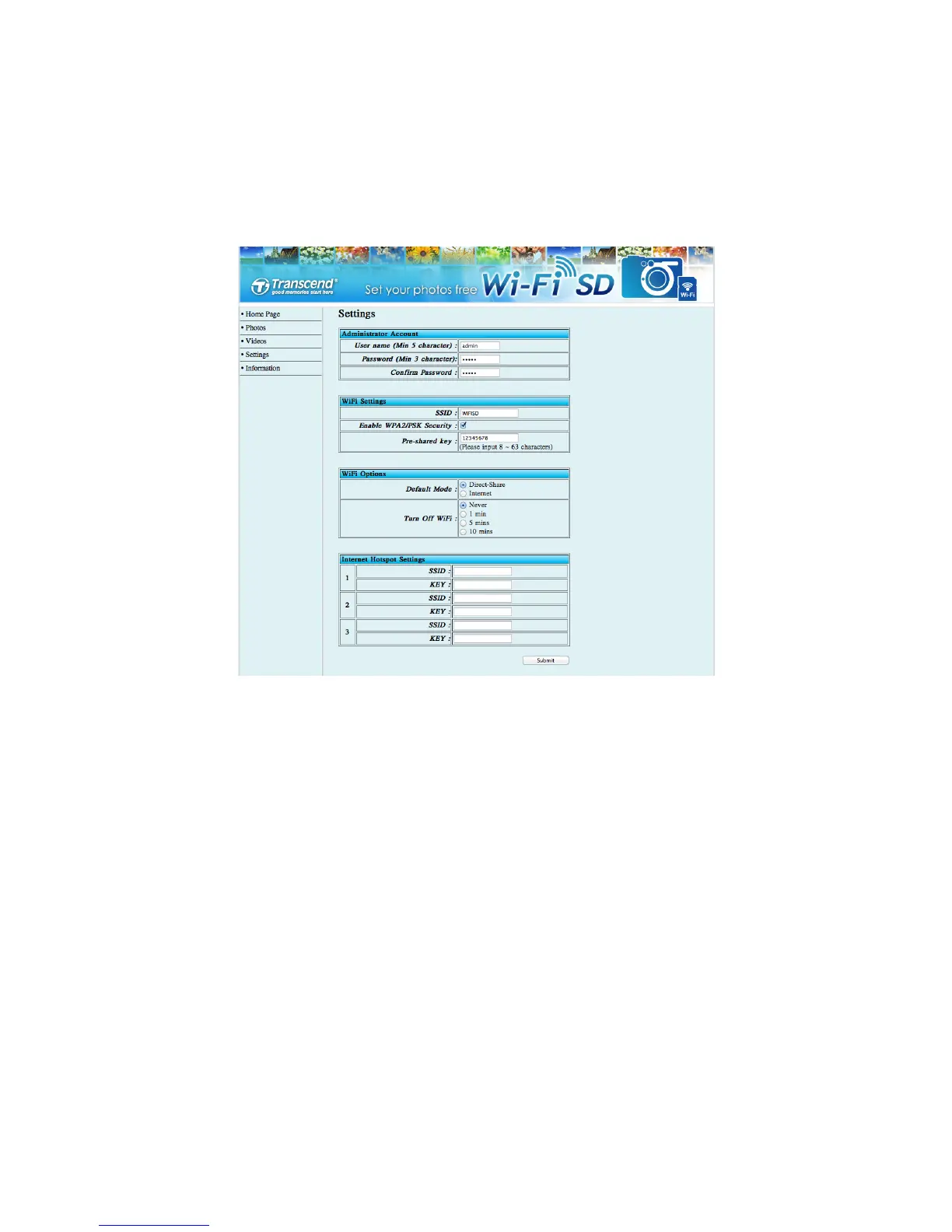
This menu lets you manage important functions of the Wi-Fi SD card such as, setting
wireless preferences, wireless security, and setting administrator password.
Internet browser Wi-Fi SD card Settings
Administrator Account
-
Set up new Username and Password.
Wi-Fi Settings
-
For Direct Share Mode: setup a new Wi-Fi SD
SSID and WPA2 security key
Wi-Fi Options
-
Select Default Mode and Turn Off Wi-Fi timer
Internet Hotspot Settings
-
For Internet Mode: setup Internet hotspot
information.
Tap Submit to submit any changes.
Note: You must turn the camera off and back on to save any changes.















 To Next Page