To set the frequency range
1. Ensure that the host device is in command mode.
2. Enter Command #647XXX – where XXX is a hexadecimal value from 000 to 118 and press ENTER.
Refer to command “647XXX Select RF Operating Frequency” on page 5–77 for a complete listing
of the hexadecimal values and the corresponding frequencies.
3. To verify that the RF has been changed to the proper setting, type in Command #527 to see the
current frequency setting.
Caution
Contact TransCore if your application requires a frequency outside of the authorized frequency
range.
RF Transmission
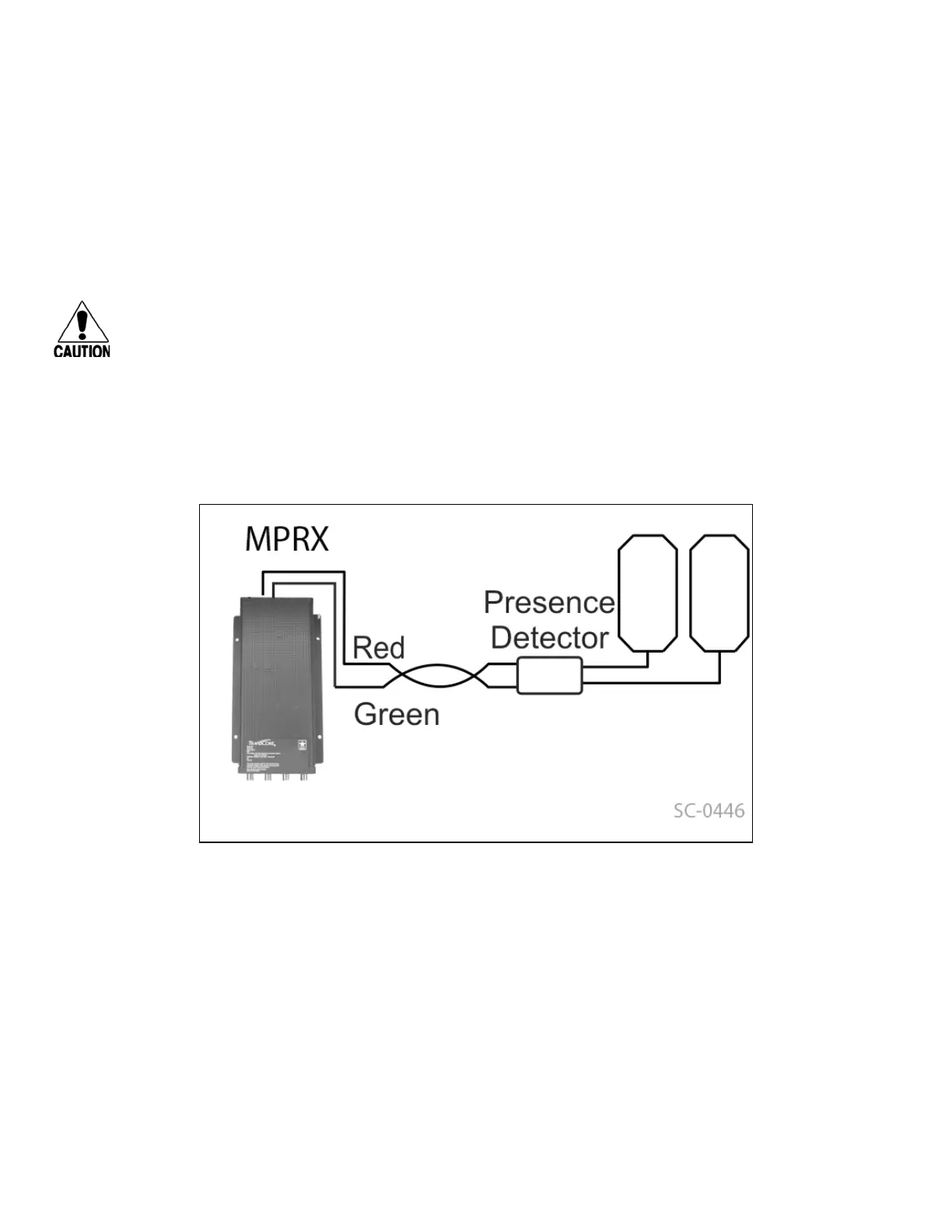
The RF transmission can be controlled by connecting a presence detector to the SENSE 0 circuit.
As a factory default, the MPRX is configured to control the RF power with a presence detector. Figure 23
illustrates the methods of controlling RF sense output.
Presence Detector Controlling RF Transmission
The presence detector can be a loop detector, a track circuit, an infrared sensor, an ultrasonic sensor, or
another presence detection device that is connected to sense input0 to turn on the MPRX RF transmitter.
In Figure 23, Option A shows a presence detector controlling the RF transmitter. This operation is ensures
that the RF is “on” only when a train is in the MPRX read zone. Command #641 Select RF-by-Input
Control (factory default) must be enabled.
To set the option of the presence detector controlling the MPRX
• Ensure that the host device is in command mode.
Figure 23 MPRX RF Control Options
MPRX User Guide
TransCore Proprietary
6–94



 To Next Page