Chapter 2 Test Procedures
TransCore Proprietary
2–35
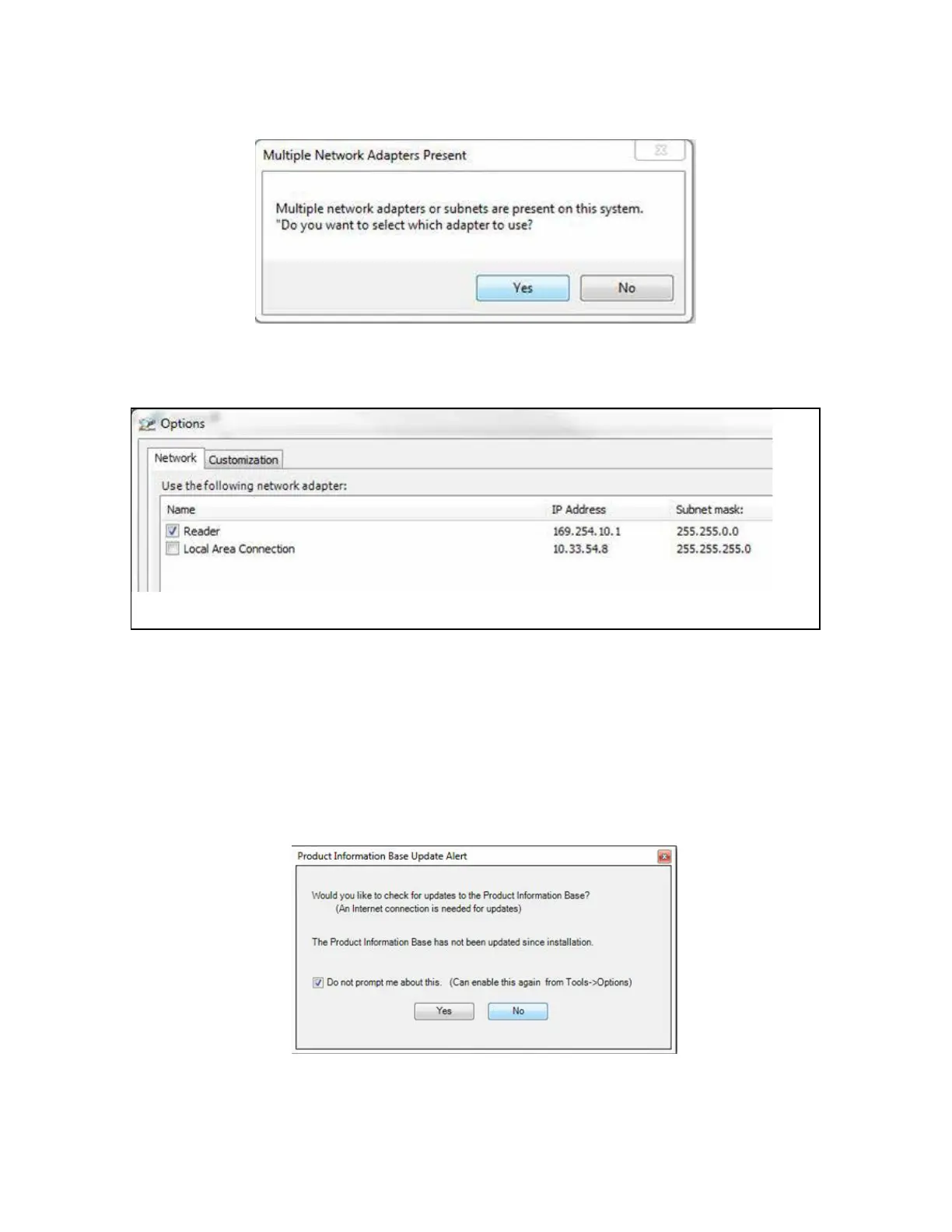
2. If the computer has multiple NIC cards, a prompt may appear as shown in Figure 16. Select YES.
3. At the next prompt, choose the desired adapter (Figure 17). If necessary, the selection can be
changed at a later time through the OPTIONS menu.
For the direct-connect to the computer’s Ethernet port option, choose the network adapter with
the 169.254.10.1 address.
To connect to the corporate network, choose the Local Area Connection.
4. The next screen prompts for an update (Figure 18). Select NO.
Figure 16 Multiple NIC Cards
Figure 17 Adapter Options
Figure 18 Check for Updates Screen



 To Next Page