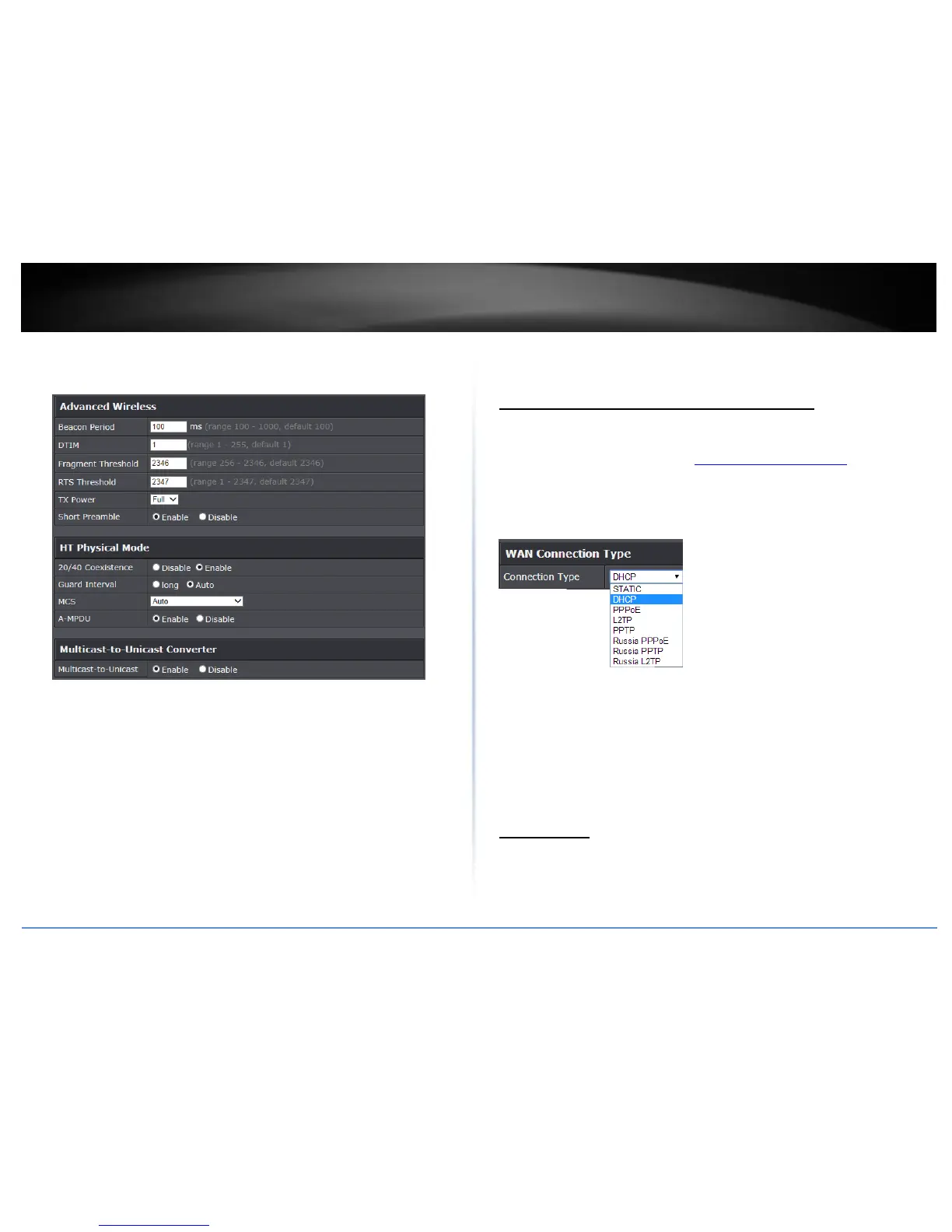
A-MPDU: Using Aggregate Multiple Protocol Data Unit will allow the all frames
transmitted to be aggregated into larger size A-MPDU formatted frames before
sending and receiving potentially increasing the overall throughput.
Advanced Settings
Manually configure your Internet connection
Advanced > Setup > WAN Settings
1. Log into the management page (see “Access your management page” on page 7).
2. Click on Advanced and click on Setup, then click on WAN Settings.
3. Under Internet Connection Type in drop-down list, select the type of Internet
connection provided by your Internet Service Provider (ISP).
4. Complete the fields required by your ISP.
5. Complete the optional settings only if required by your ISP.
6. To save changes, click Apply.
Note: If you are unsure which Internet connection type you are using, please contact
your ISP.
IPv6 Settings
Advanced > Setup > IPv6 Settings
IPv6 (Internet Protocol Version 6) is a new protocol that significantly increases the
number of available Internet public IP addresses due to the 128-bit IP address structure
versus IPv4 32-bit address structure. In addition, there are several integrated















 To Next Page