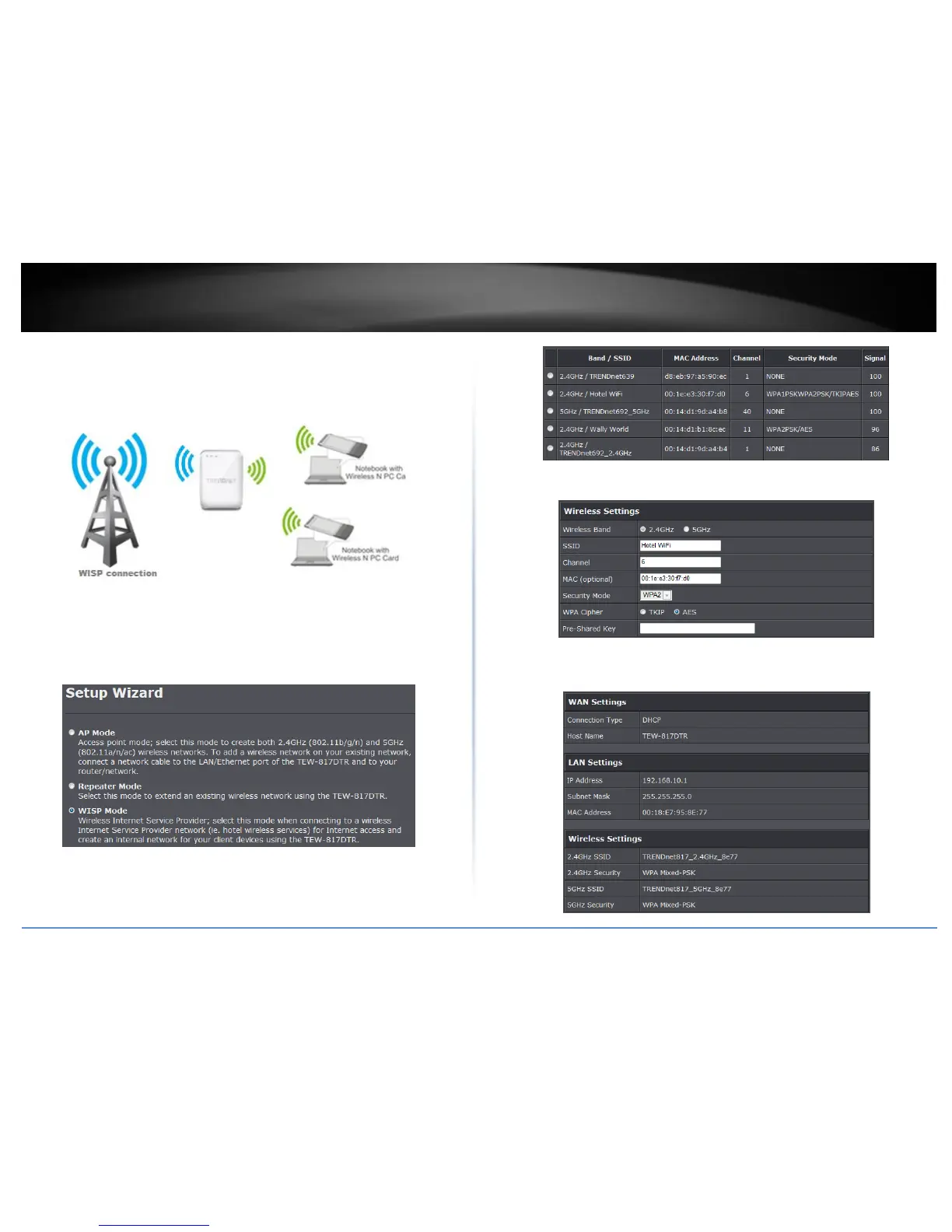
WISP Mode
In WISP (Wireless Internet Service Provider) mode, the TEW-817DTR creates your
network (wired and wireless) while connecting to your wireless internet service. Please
note that the TEW-817DTR does not support captive portal services.
Setup Wizard
1. Once logged into the management page click Wizard on the left hand side of the
window.
2. Select WISP Mode and click Next.
3. Select your WISP network and click Next. Please contact your network admin if you
uncertain which network to connect to.
3. Enter the wireless security settings provided by your network admin and click Next.
4. Verify your settings and click Apply. To change your wireless settings, refer to
Wireless Settings in this section.















 To Next Page