MAC Address: ___:___:___:___:___:___ Clone your PC MAC Address (Optional)
4. PPTP - Standard & Russian
Type (Dynamic IP/DHCP or Static IP)
PPTP IP Address: _____. _____._____._____ (e.g. 215.24.24.129)
PPTP Subnet Mask: _____. _____._____._____ (e.g. 255.255.255.0)
PPTP Gateway:_____. _____._____._____ (e.g. 215.24.24.1)
PPTP Server: _____________________ (e.g. 215.24.24.150)
Username: _________
Password: ________________
Reconnect Mode: Always / On Demand / Manual (Optional)
DNS Servers Address 1 (Static IP): _____. _____._____._____
DNS Servers Address 2 (Static IP): _____. _____._____._____ (Optional)
MTU:_______ (Default: 1500, change if required by ISP)
MAC Address: ___:___:___:___:___:___ Clone your PC MAC Address (Optional)
MPPE (Microsoft® Point-to-Point Encryption) w/ MS-CHAPv2 Enabled:____(Yes or No)
5. L2TP - Standard & Russian
Type (Dynamic IP/DHCP or Static IP)
L2TP IP Address: _____. _____._____._____ (e.g. 215.24.24.129)
L2TP Subnet Mask: _____. _____._____._____ (e.g. 255.255.255.0)
L2TP Gateway:_____. _____._____._____ (e.g. 215.24.24.1)
L2TP Server: _____________________ (e.g. 215.24.24.150)
Username: _________
Password: ________________
Reconnect Mode: Always / On Demand / Manual (Optional)
DNS Servers Address 1 (Static IP): _____. _____._____._____
DNS Servers Address 2 (Static IP): _____. _____._____._____ (Optional)
MTU:_______ (Default: 1500, change if required by ISP)
MAC Address: ___:___:___:___:___:___ Clone your PC MAC Address (Optional)
MPPE (Microsoft® Point-to-Point Encryption) w/ MS-CHAPv2 Enabled:____(Yes or No)
Router Mode Installation
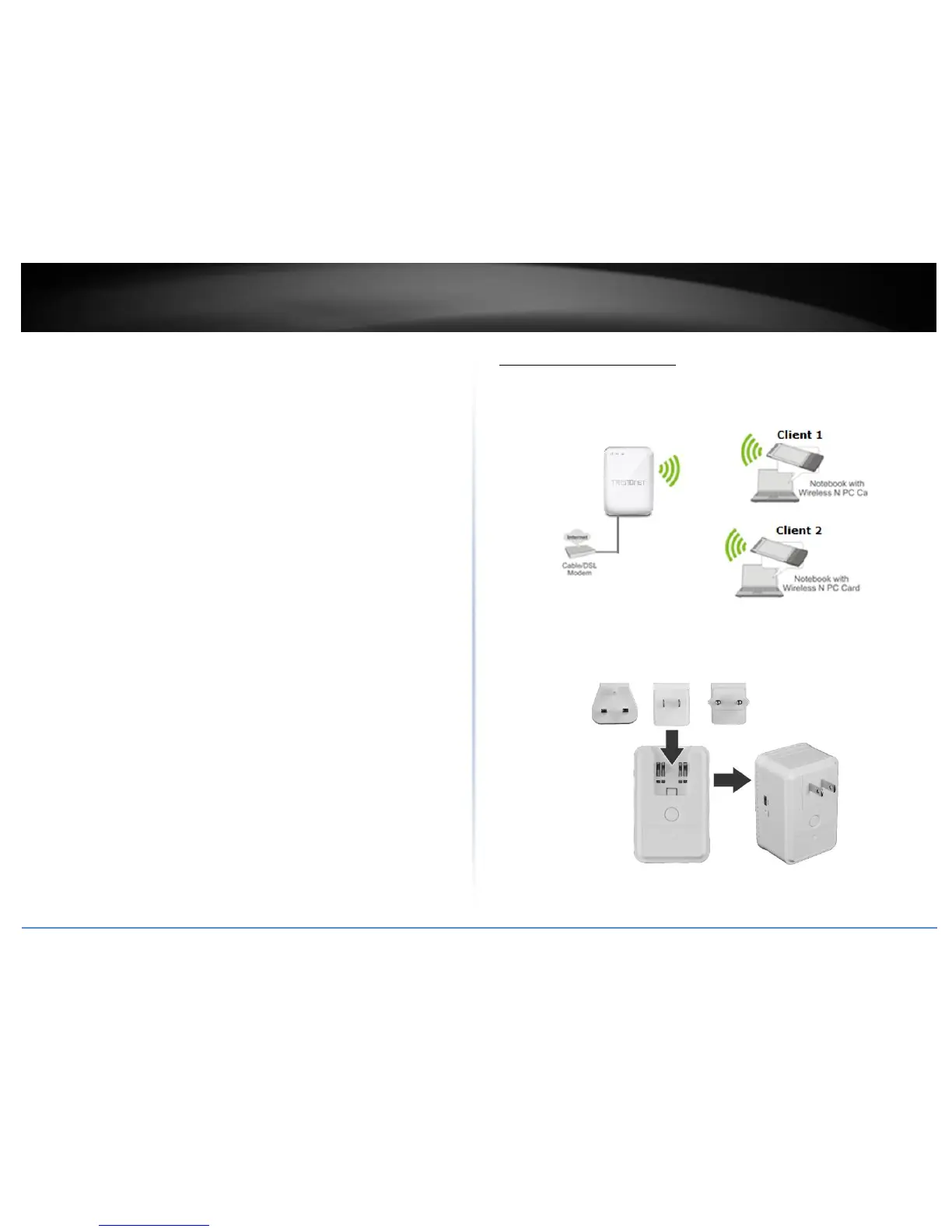
In router mode, the TEW-817DTR serves as your typical network router. In this mode the
TEW-817DTR offers advance configurations from setting specific WAN types to opening
certain ports for your applications.
1. Verify that you have an Internet connection when connecting your computer directly
to your Internet connection port.
2. Attached the appropriate power adapter for your region.
3. Make sure the switch on the unit is set to Router mode.















 To Next Page