© Copyright 2015 TRENDnet. All Rights Reserved.
There are two methods that can be used to reset your router to factory defaults.
Reset Button – Located on the side panel of your router, see “Product Hardware
Features” on page 2. Use this method if you are encountering difficulties with
accessing your router management page.
OR
Router Management Page
1. Log into the management page (see “Access your management page” on page 7).
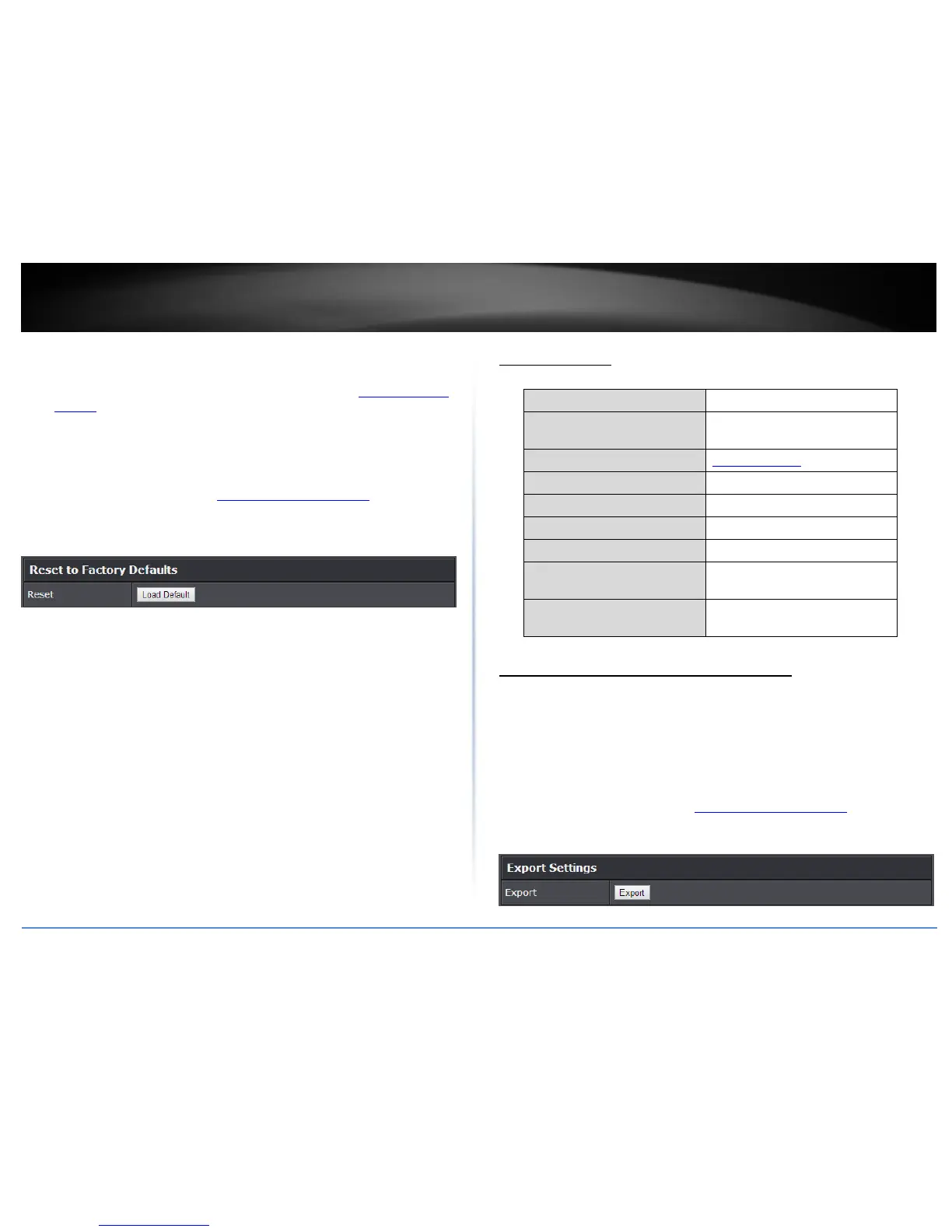
2. Click on Advanced and click on Administrator, then click on Settings Management.
3. Next to Reset to Factory Default Settings and Reset, click Load Default. When
prompted to confirm this action, click OK.
Default Settings
Please refer to sticker or device
label
192.168.10.101-192.168.199
Wireless 2.4GHz Network
Name/Encryption
Please refer to sticker or device
label
Wireless 2.4GHz & 5GHz Guest
Network
Backup and restore configuration settings
Advanced > Administrator > Settings Management
You may have added many customized settings to your router and in the case that you
need to reset your router to default, all your customized settings would be lost and
would require you to manually reconfigure all of your router settings instead of simply
restoring from a backed up router configuration file.
To backup your router configuration:
1. Log into the management page (see “Access your management page” on page 7).
2. Click on Advanced and click on Administrator, then click on Settings Management.
3. Next to Export Settings section and Export, click Export.















 To Next Page