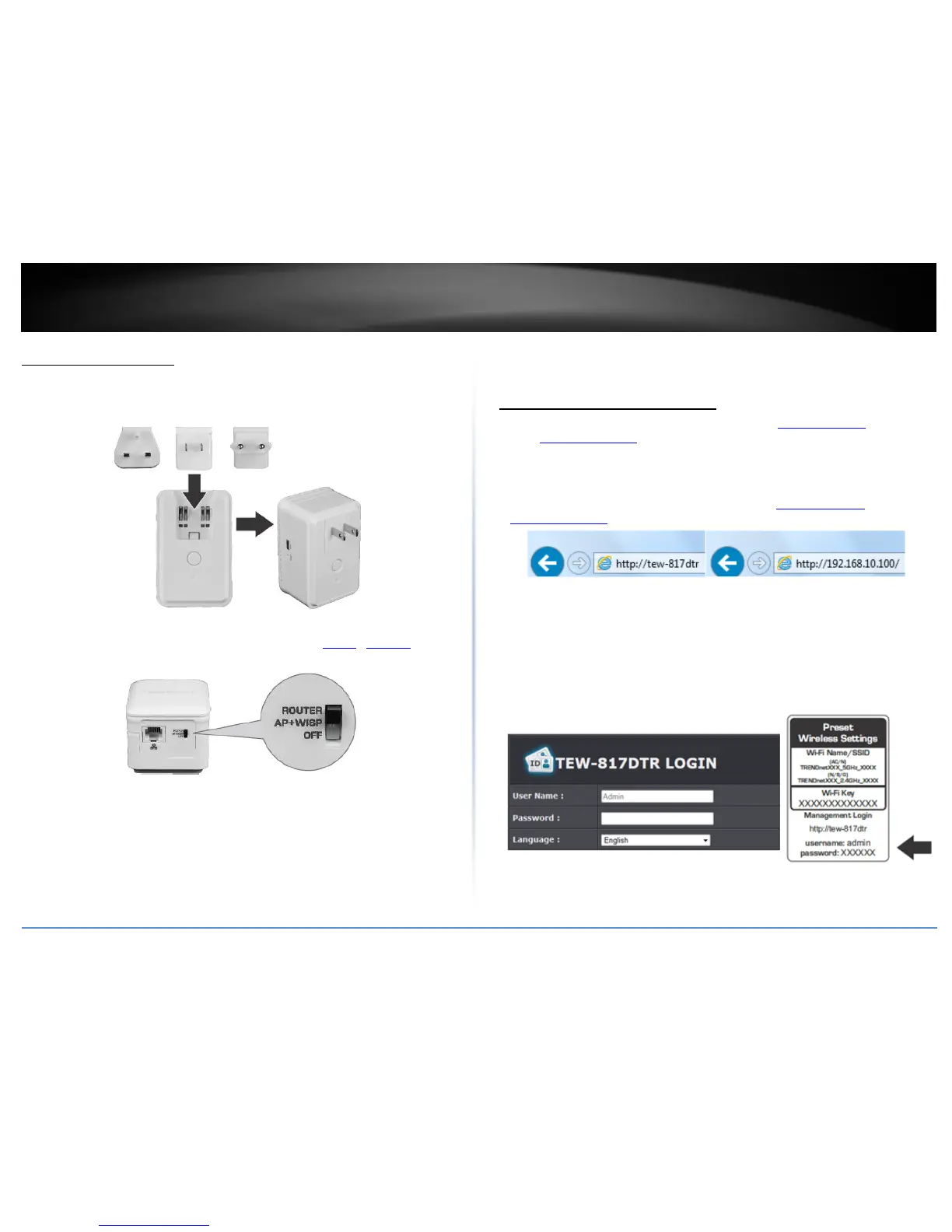
Hardware Installation
1. Verify that you have an Internet connection when connecting your computer directly
to your Internet connection port.
2. Attached the appropriate power adapter for your region.
3. Make sure the switch on the unit is set to the appropriate (Router / AP+WISP) mode.
Please refer to the specific mode section for proper installation.
4. Plug the TEW-817DTR into a power outlet.
8. Verify that the LED indicators on the front of the unit are illuminated: Power, and
Internet.
Basic Settings
Access your management page
Note: Your router management page URL/domain name http://tew-817dtr or IP
address http://192.168.10.1 is accessed through the use of your Internet web browser
(e.g. Internet Explorer®, Firefox®, Chrome™, Safari®, Opera™) and will be referenced
frequently in this User’s Guide.
1. Open your web browser and go to URL/domain name http://tew-817dtr or IP address
http://192.168.10.1. Your router will prompt you for a user name and password.
2. For added security, the router is preconfigured with a unique password. You can find
the Password on a sticker on the side of the router and on the label on the bottom of
the router. Enter your Username and Password, select your preferred language, and
then click Login.
User Name: admin
Password: (xxxxxxxx)
Note: User Name and Password are case sensitive.















 To Next Page