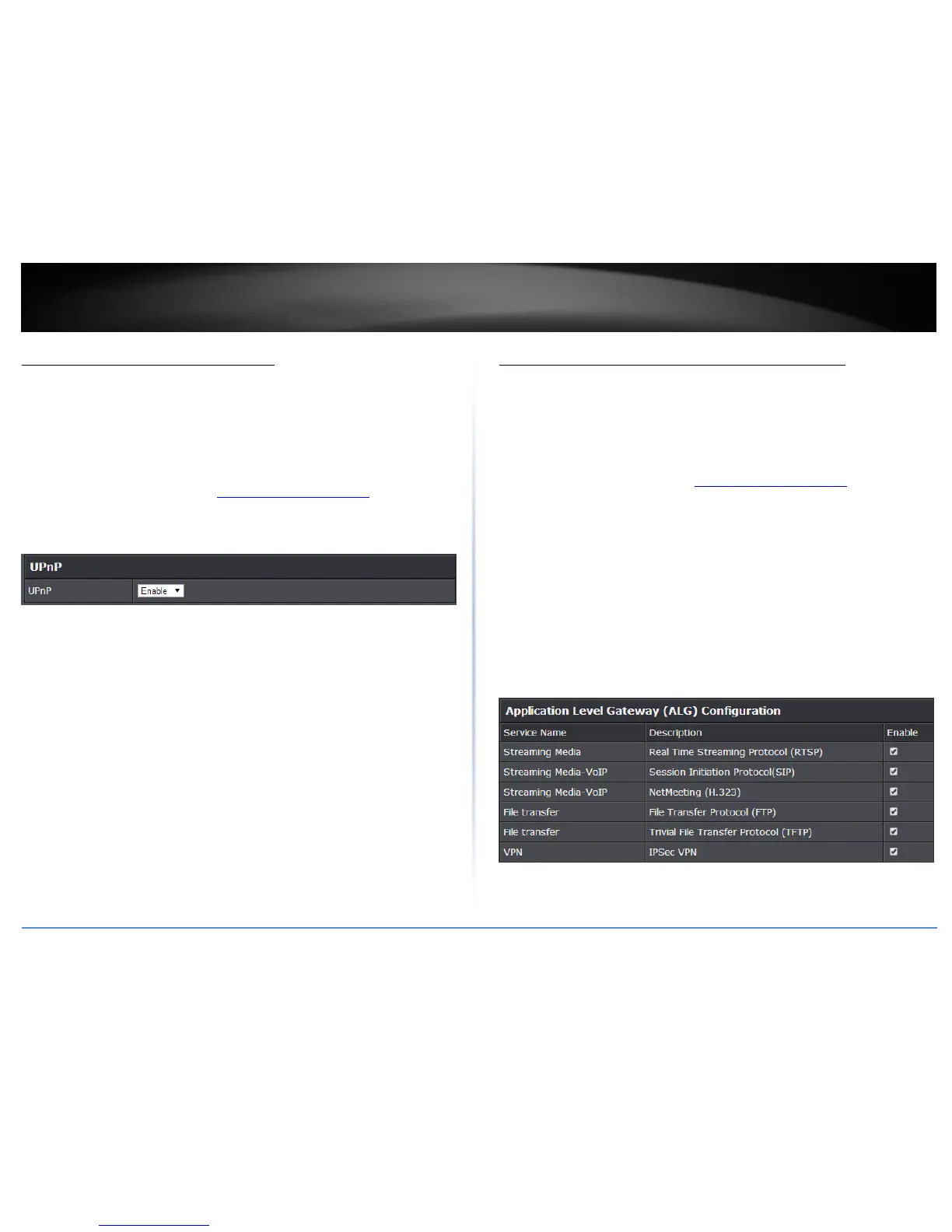
Enable/disable UPnP on your router
Advanced > Administrator > Advanced Network
UPnP (Universal Plug and Play) allows devices connected to a network to discover each
other and automatically open the connections or services for specific applications (e.g.
instant messenger, online gaming applications, etc.) UPnP is enabled on your router by
default to allow specific applications required by your computers or devices to allow
connections through your router as they are needed.
1. Log into the management page (see “Access your management page” on page 7).
2. Click on Advanced and click on Administrator, then click Advanced Network.
3. Under the UPnP section, check the option to enable UPnP or uncheck to disable
UPnP.
Note: It is recommended to leave this setting enabled, otherwise, you may encounter
issues with applications that utilize UPnP in order allow the required communication
between your computers or devices and the Internet.
4. To save changes, click Apply.
Enable/disable Application Layer Gateways (ALG)
Advanced > Firewall > ALG
You may want to configure your router to allow computers the use of specific high layer
applications or service sessions to pass through. Application Layer Gateways (ALG)
allows you to easily enable or disable these applications to pass through your router.
Note: It is recommended to leave these settings enabled.
1. Log into the management page (see “Access your management page” on page 7).
2. Click on Advanced and click on Firewall, then click on ALG.
3. Review the applications to enable or disable. Click Apply to save the changes.
Streaming Media (RTSP): Allows RTSP protocol through your router typically used
in streaming media applications.
Streaming Media-VoIP (SIP): Allows SIP protocol through your router typically
used in VoIP applications
Streaming Media-VoIP (H.323): Allows H.323 protocol through your router
typically used in video/audio conferencing applications.
File Transfer (FTP): Allows FTP protocol through your router used for file transfer
over a network or the Internet.
File Transfer (TFTP): Allows TFTP protocol through your router used for file
transfer over a network or the Internet.
VPN IPsec (VPN): Allows IPsec VPN client connections through your router.
4. To save changes, click Apply.
Note: If you would like to discard the changes, click Cancel.















 To Next Page