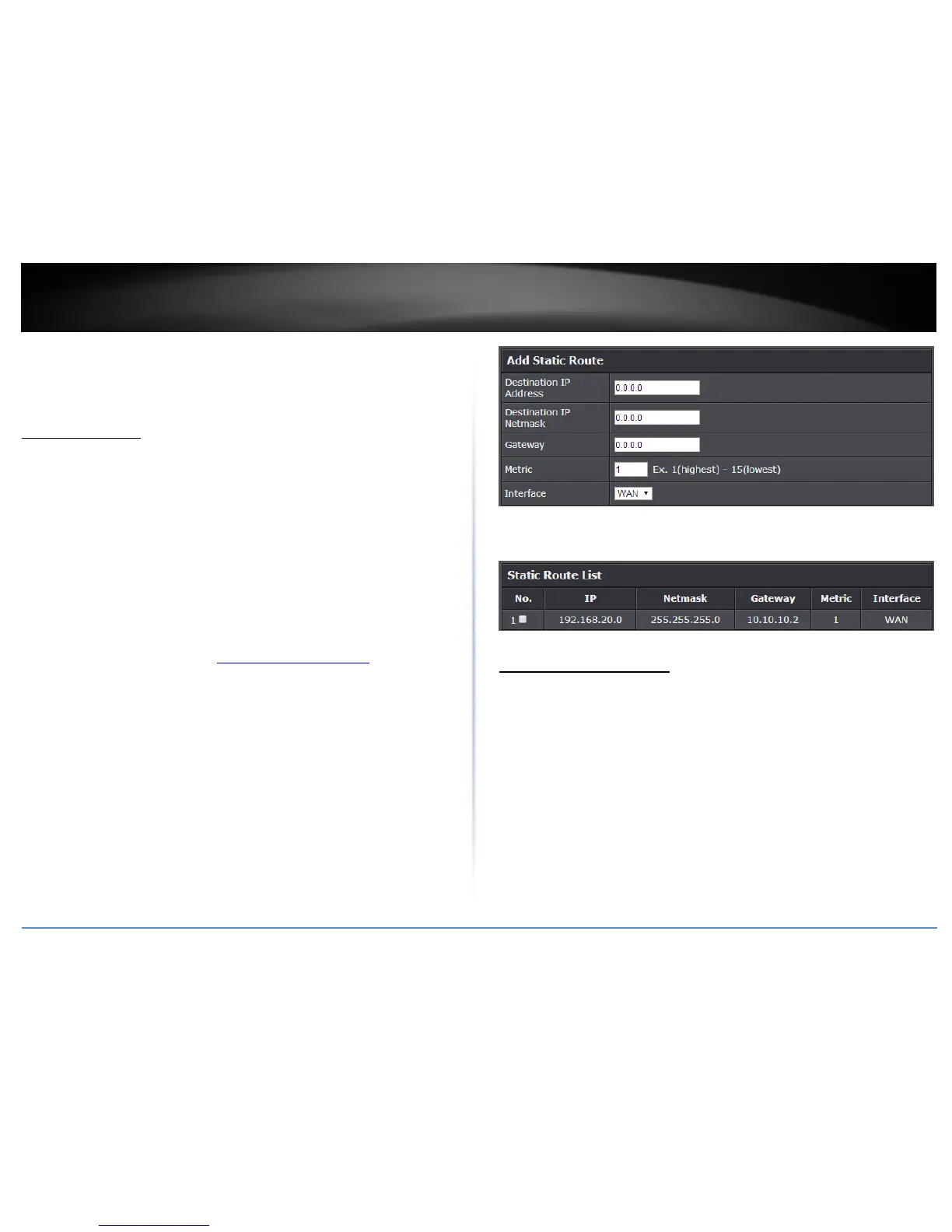
Add static routes
Advanced > Setup > Routing
You may want set up your router to route computers or devices on your network to
other local networks through other routers. Generally, different networks can be
determined by the IP addressing assigned to those networks. Generally speaking and for
the case of an example, your network may have 192.168.10.x IP addressing and another
network may have 192.168.20.x IP addressing and because the IP addressing of these
two networks are different, they are separate networks. In order to communicate
between the two separate networks, static routing needs to be configured. Below is an
example diagram where routing is needed for devices and computers on your network
to access the other network.
Note: Configuring this feature assumes that you have some general networking
knowledge.
1. Log into the management page (see “Access your management page” on page 7).
2. Click on Advanced and click on Setup, then click on Routing.
3. Review the Routing section. Click Add to save settings.
Destination IP Address: Enter the IP network address of the destination network
for the route. (e.g. 192.168.20.0)
Destination IP Netmask: Enter the subnet mask of the destination network for
the route.(e.g. 255.255.255.0)
Gateway: Enter the gateway to the destination network for the route.
(e.g. 192.168.10.2)
Metric: Enter the metric or priority of the route. The metric range is 1-15, the
lowest number 1 being the highest priority. (e.g. 1 )
Interface: Select the interface to assign the route.
When adding static routes, they will appear in the Static Route List. To delete a route,
check the box in the No. column to select which routes to delete, then click Delete.
Enable Dynamic Routing
Advanced > Setup > Routing
You may want set up your router to route computers or devices on your network to
other local networks through other routers. Generally, different networks can be
determined by the IP addressing assigned to those networks. Generally speaking and for
the case of an example, your network may have 192.168.10.x IP addressing and another
network may have 192.168.20.x IP addressing and because the IP addressing of these
two networks are different, they are separate networks. In order to communicate
between the two separate networks, static routing needs to be configured. Below is an
example diagram where routing is needed for devices and computers on your network
to access the other network. If you have other routing devices that support dynamic
routing protocol, you can enable these routing protocols on your router to learn and
automatically generate the routes needed between these networks.
Note: Configuring this feature assumes that you have some general networking
knowledge.















 To Next Page