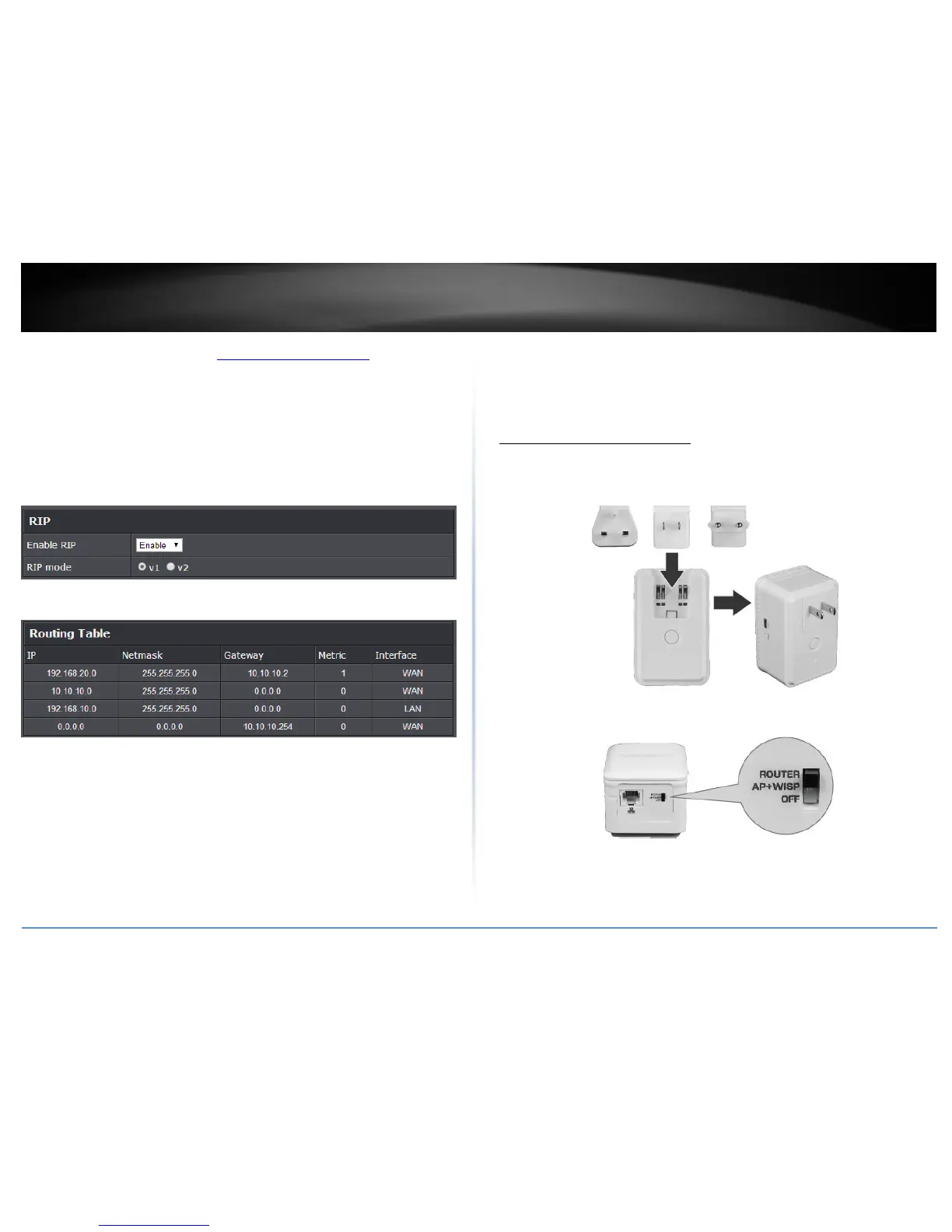
1. Log into the management page (see “Access your management page” on page 7).
2. Click on Advanced and click on Setup, then click on Routing.
3. Review the Routing section. Click Apply to save settings.
Enable RIP: Click the drop-down list to enable or disable RIP dynamic routing
protocol.
RIP mode: Depending on which RIP version dynamic routing protocols your other
routing devices support, click the appropriate version v1 or v2.
Note: If selecting RIP v2, this requires basic password authentication between
routing devices using this protocol. The password must match on all routing
devices connected in order successfully exchange routing information.
You can also view the current routing table under Routing Table.
AP/WISP Mode Setup
When the unit is switch to AP+WISP mode theTEW-817DTR can be configured as an
Access Point, client to your WISP connection or as a Repeater.
AP/WISP Mode Installation
1. Verify that you have an Internet connection when connecting your computer directly
to your router or WISP connection.
2. Attached the appropriate power adapter for your region.
3. Make sure the switch on the unit is set to AP + WISP mode.
4. Plug the TEW-817DTR into a power outlet.















 To Next Page