16
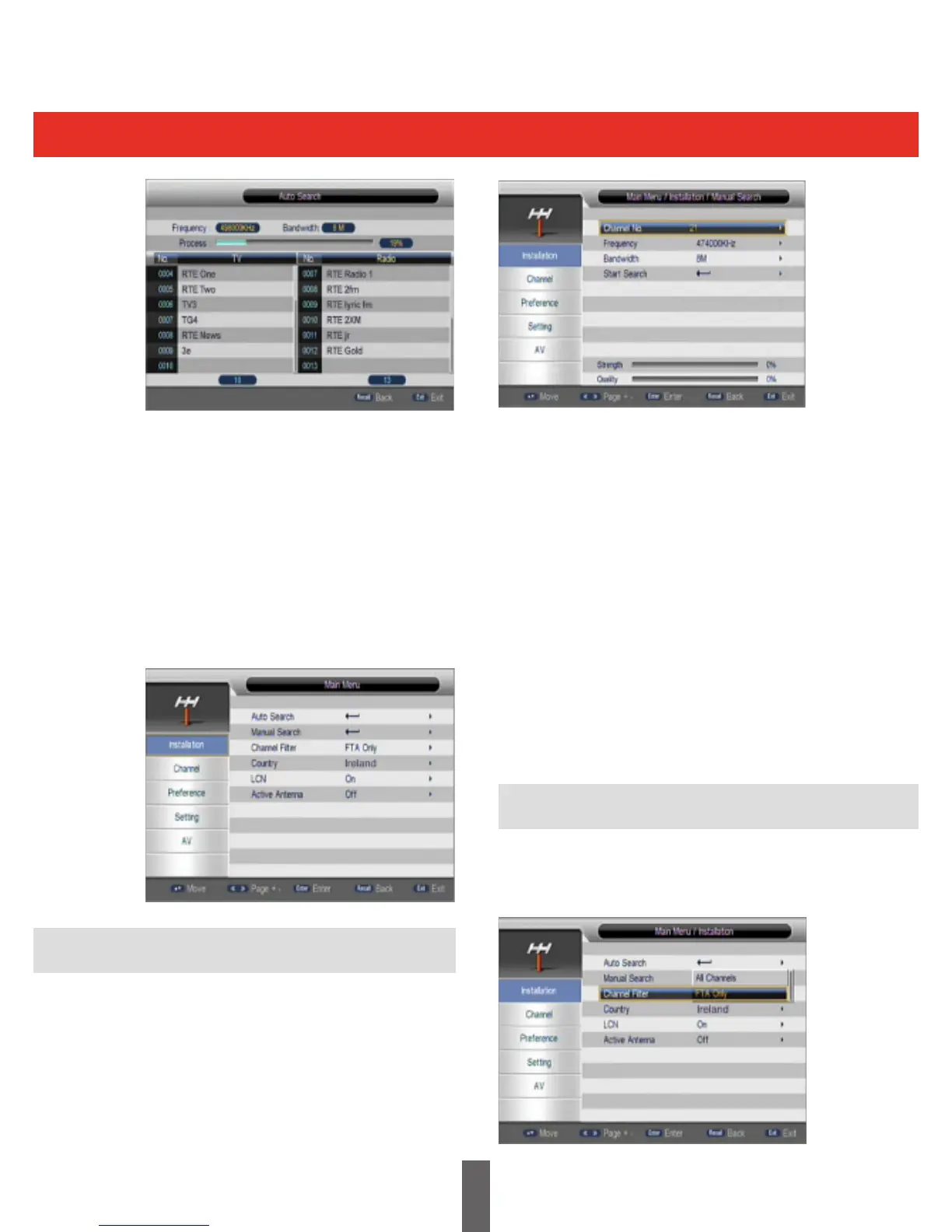
To carry out a manual search, you need to
conguretherelevantparametersincluding:
(1)Enterthechannelnumber,orfrequency(kHz):
The default frequency depends on the selected
country, you can input relevant information to
modify it.
(2) Bandwidth: The default value of bandwidth
depends on the selected country. It can be set to
6MHz,7MHz,or8MHz.
(3)Select‘StartSearch’andpress“OK”keyto
start manual scan.
(4)Pressthe‘EXIT’keytoreturntonormal
viewing.
A scan of all channels or free to air only channels
can be selected, this is illustrated in the picture
below:
Afterselectingthe“AutoSearch”page,the
receiver will scan all frequencies one by one for
the selected country.
Duringscanning,youcanpressthe“EXIT”keyto
stop the scanning process and exit.
If any programmes are detected and the scanning
processhasnishedthesystemwillexitthe
scanning page, save the programmes and return
tothe“installationmenu”,thisisshownbelow:
If you know the frequency of the channels, or
if you want to scan a channel at a particular
frequency, you can select manual search.
Movethecursorto“ManualSearch”usingthe
“UP/DOWN”keywheninthe“installationmenu”,
press“OK”toselectthemanualsearchpage,this
is shown in the picture below:
Manual Search
Channel Filter



 To Next Page