27
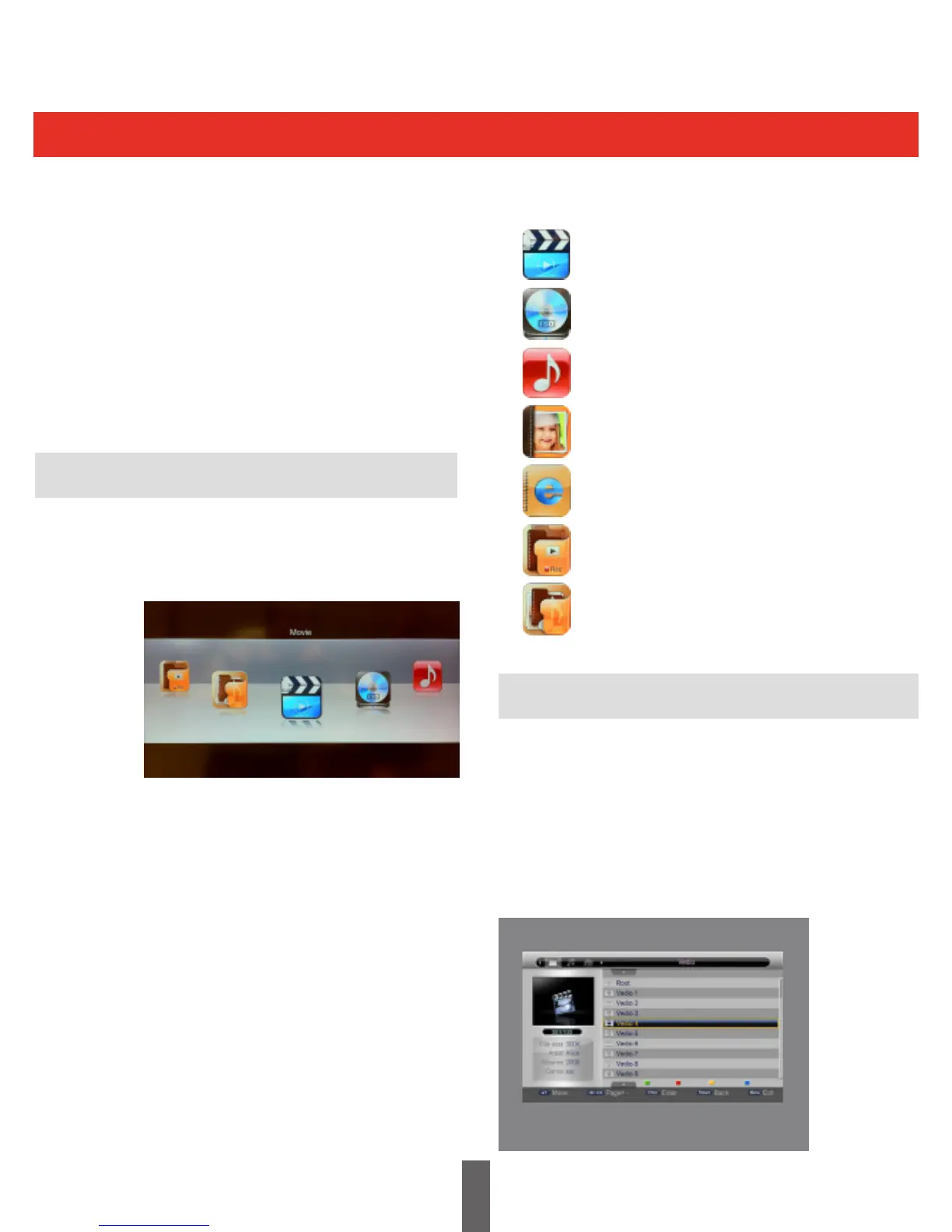
Multimedia - Filter Selection Mode Icons
Multi Media
Media Filter Selection Mode
Movie File Browser
The Triax TR 212 has a USB Interface. This can
be used to connect external equipment such as
Memory Devices, Media Players and can also be
used for system software upgrades. This product
supports MP3, JPEG and MPEG.
To enter the Multimedia Mode press the ‘MEDIA’
key on the Remote Control.
Please note a USB or external hard disk drive
needs to be connected to access the options
on this menu. (not supplied)
This allows the Filter Mode to be changed from
movie to music or from music to photo etc. For
exampleifthecurrentlterselectionismovie,the
image below shows the Filter Selection Menu.
The LEFT / RIGHT keys are used to navigate
within this menu.
Press ‘OK’ to select the required mode
This menu helps the user to select and play
a movie from a list that is stored in the USB
device.
Selecttherequiredfolder/le,thesupportedle
formats are MPG, AVI, VOB, DAT, ASF, MKV, RM,
WMV,TSF,QT.Thefollowingmenushowsthe
“MovieMenu”.
Filterselectionmodeis“Movie”
Filterselectionmodeis”ISO”
Filterselectionmodeis“Music”
Filterselectionmodeis”Photo”
Filterselectionmodeis“Ebook”
Filterselectionmodeis”RecordManager”
Filterselectionmodeis”DiskManager”



 To Next Page