4
Introduction
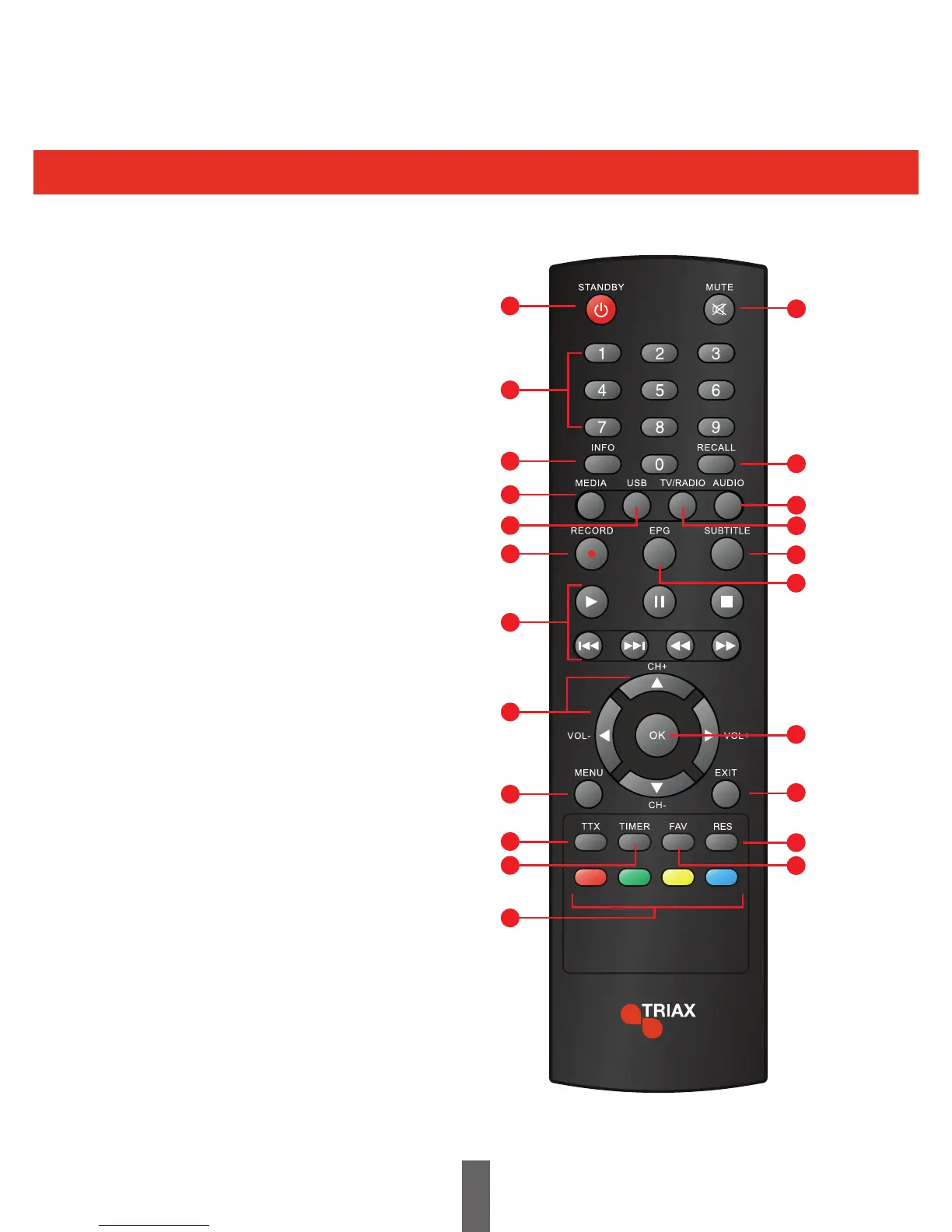
Remote Control Unit
1
2
3
4
5
6
12
7
8
9
10
11
15
18
19
20
21
22
16
13
14
17
1. STANDBY
Switches the receiver into and out of Standby.
2. NUMERICAL KEYS
Allows the user to enter numerical values
such as a channel number.
3. INFO
Press to view channel information.
4. MEDIA
Enter Media Menu
5. USB
Enter USB Menu
6. RECORD
Record a programme
7. PLAYBACK CONTROLS
Play, Pause, Stop, Fast Forward, Rewind, Previous, Next.
8. CURSOR
Ch+ / Ch- / Vol+ / Vol-
9. MENU
Open and Close the Menu screen.
10. TTX
Displays Digital Text, (when available).
11. TIMER
Enter the Timer Menu.
12. RED/GREEN/YELLOW/ BLUE
Function buttons where applicable.
13. MUTE
TurnstheVolumeOn/O.
14. RECALL
Switches to the previous channel.
15. AUDIO
Selects the Audio Channel.
16. TV / RADIO
Switches between TV and Radio channels.
17. SUBTITLE
TurnsSubtitlesOn/O.
18. EPG
Opens the Electronic Programme Guide.
19. OK
Conrmsanaction.
20. EXIT
Exits a Menu screen.
21. RES
Adjusts the resolution of the receiver.
22. FAV
Opens the Favourite Lists.



 To Next Page