3 OrionUI and Gimbal Settings
3.1 Introduction and Installation
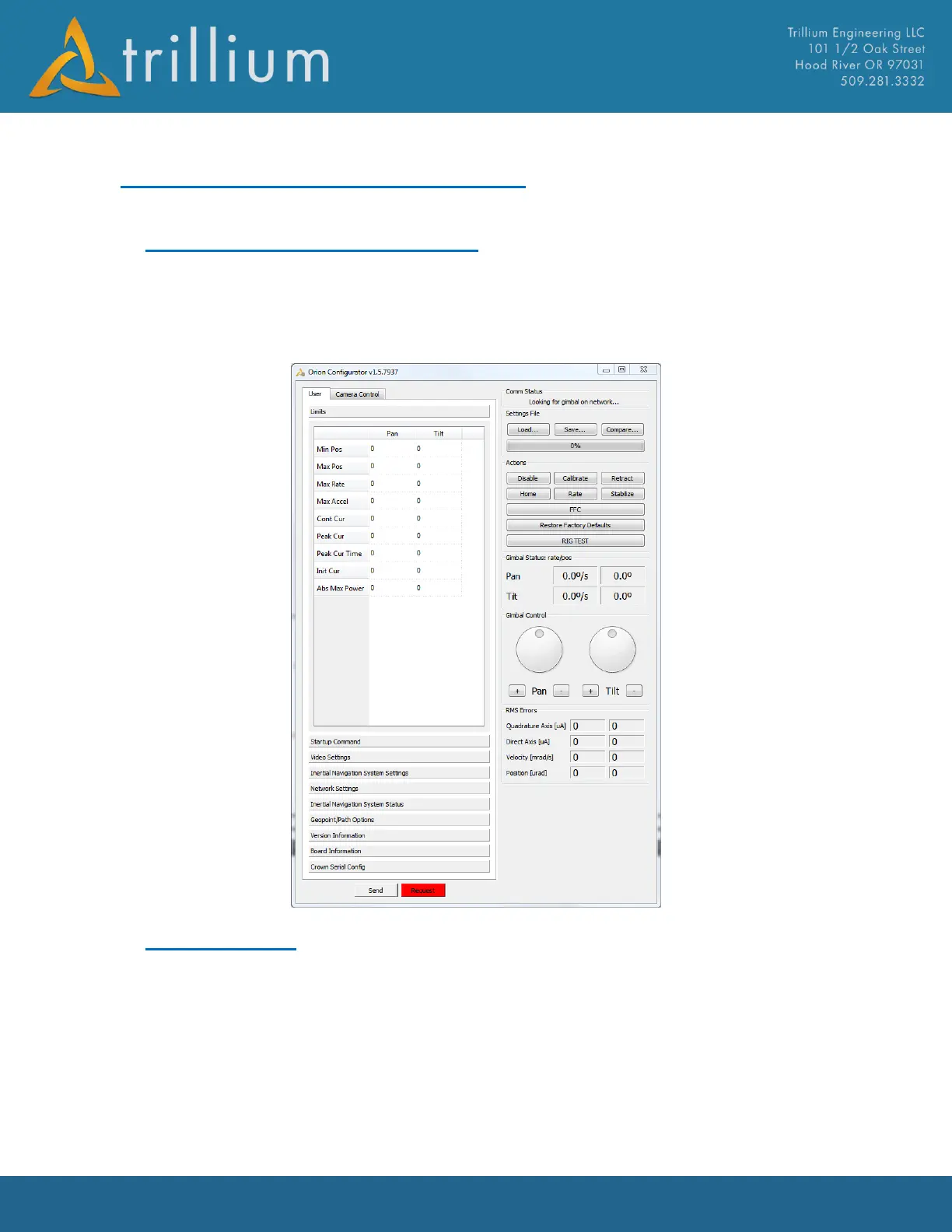
The OrionUI.exe application is used to change gimbal settings which allow the user to configure the
gimbal for their specific installation. OrionUI.exe is installed with the SkyLink installer to
C:\Program Files (x86)\Trillium\SkyLink\. When OrionUI.exe is launched it will automatically
connect to a gimbal on any available serial communication ports as well as a gimbal network
connection.
3.2 Settings Files
All of the configurable settings in a gimbal can be saved to a file or applied from a file. Settings files
can also contain a subset of configurable settings in order to change just the gimbal limits for
example.
WARNING: applying the wrong settings file can cause a gimbal to dysfunction, so care should
always be taken that the correct settings file is being applied.
Settings can be saved from a gimbal by going to Settings, Gimbal Settings in SkyLink and clicking
Save or clicking just Save in OrionUI. SkyLink will save all gimbal settings while OrionUI will allow a



 To Next Page