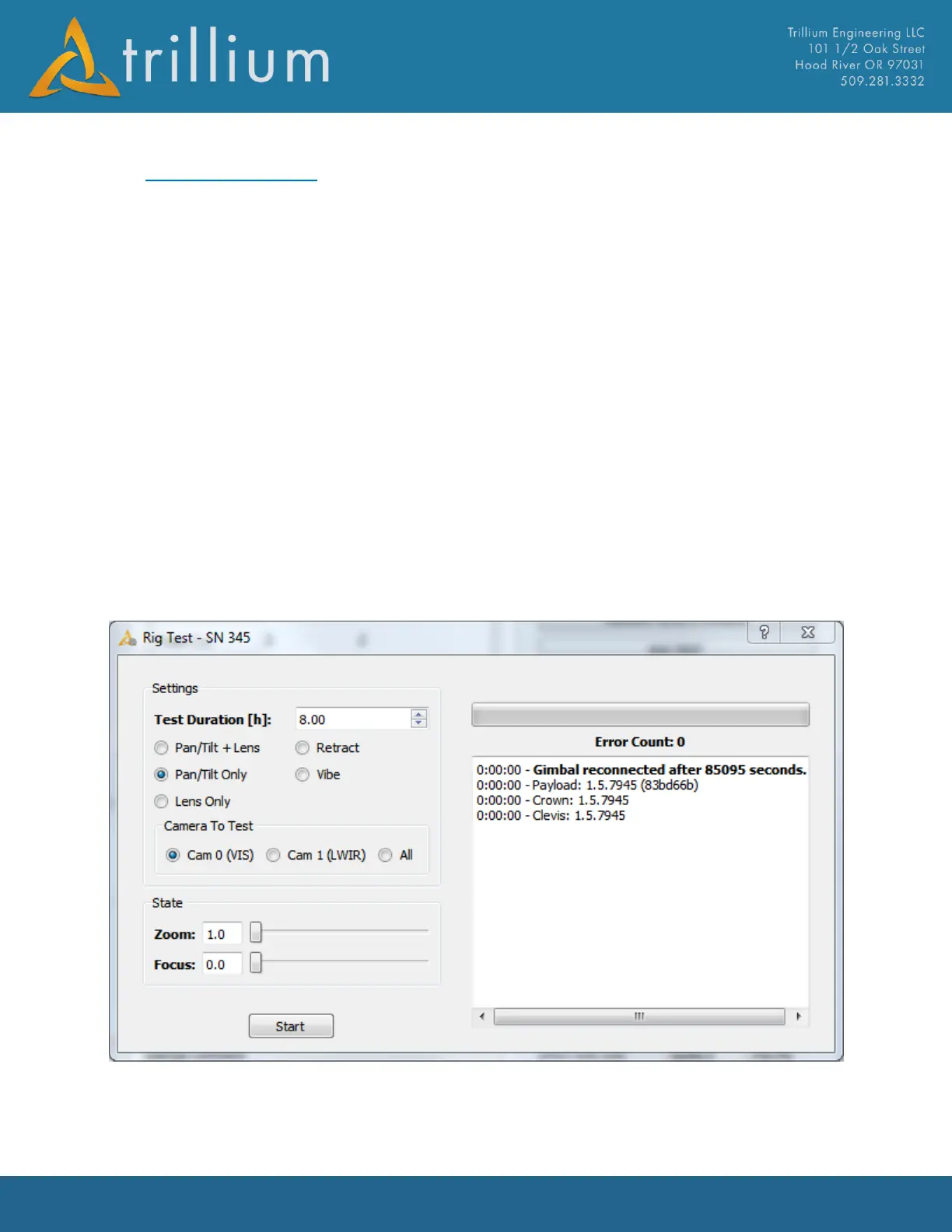
3.12 Rig Test Dialog
The Rig Test Dialog is useful for exercising the gimbal for a given period of time to help asses if it is
performing well. The results of the test will be stored under C:/Trillium/Rig Testing/SN_### where
“###” is the gimbal serial number.
Test Duration – Sets how long to run the test.
Pan/Tilt + Lens – Gimbal will drive to pan/tilt limits repeatedly while also driving zoom and focus.
Pan/Tilt Only – Gimbal will drive to pan/tilt limits repeatedly.
Lens Only – Only zoom and focus will be cycled.
Retract – Will repeatedly deploy and retract the gimbal when it is installed in a retract mechanism.
Vibe - Will drive the gimbal to fixed pan/tilt positions and average vibration data to help determine
if there are vibration issues at certain positions.
Camera to Test – If the gimbal has multiple cameras you can specify which camera will be active
during the test. Selecting “All” will perform 200 camera switches over the span of the rig test.



 To Next Page