LASER ENGRAVING&CUTTING CONTROLLER AWC608
、
32
3.4.2 Save File
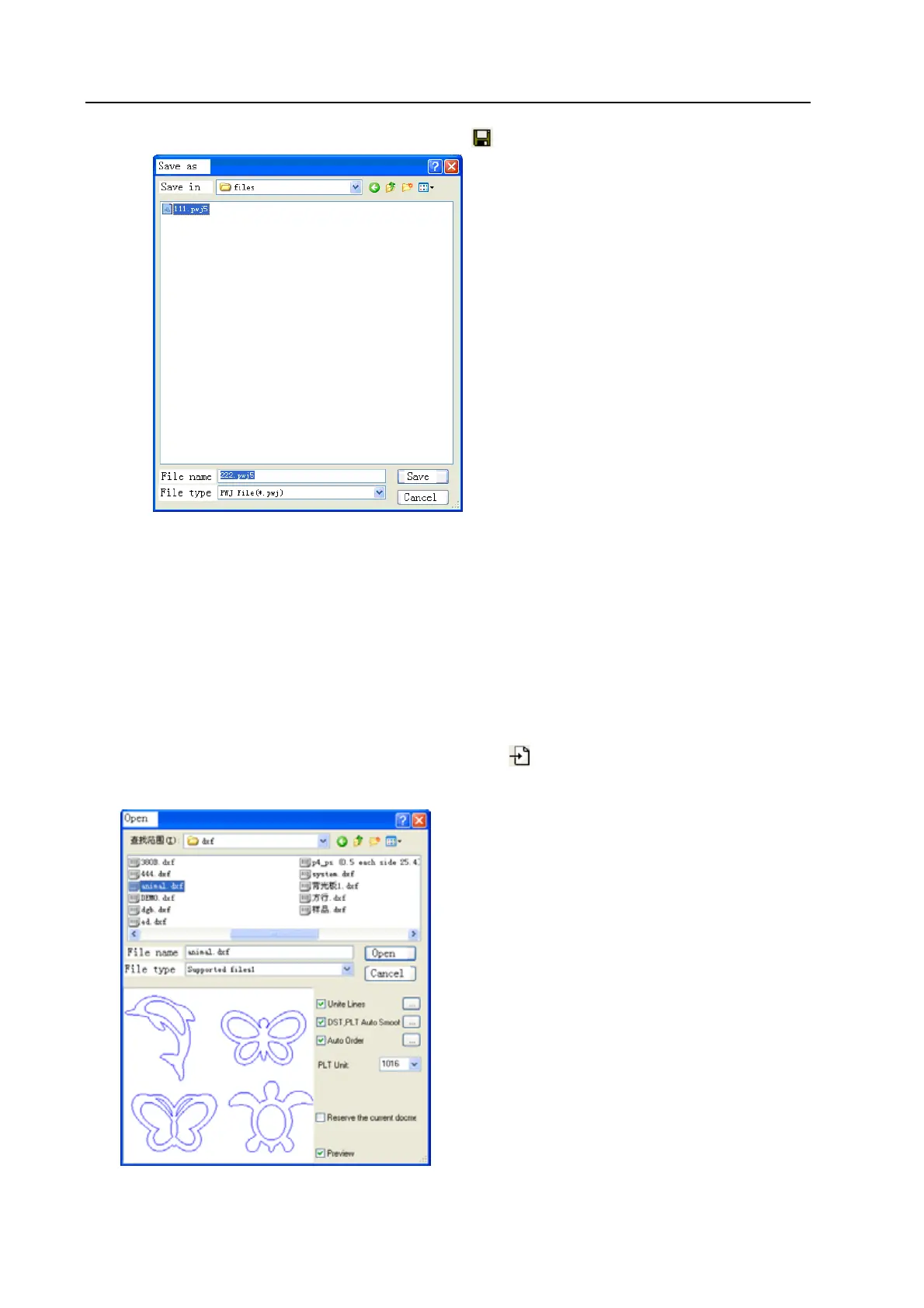
(1)Click [Save] option in [File] menu, or click icon, and open dialog box as below:
(2) Input file name in the edit box, then click [Save]
3.5 Import & Export Files
As the file format used in this software is pwj5, so importing is required when need to make or edit image
in other format, and exporting the current file to other image so that it can apply to other software.
Supporting importing formats are dxf, ai, plt, dst, dsb and so on; Exporting format supports: plt.
3.5.1 Import file
Click [Import] option or (Ctrl+I) in [File] menu, or click
icon, and open dialog box as below,
Select corresponding file and click [Open]
[Unite Lines]: Apply unite lines dealing when importing the image (Introduction of [Unite Lines],


 To Next Page