LASER ENGRAVING&CUTTING CONTROLLER AWC608
、
6
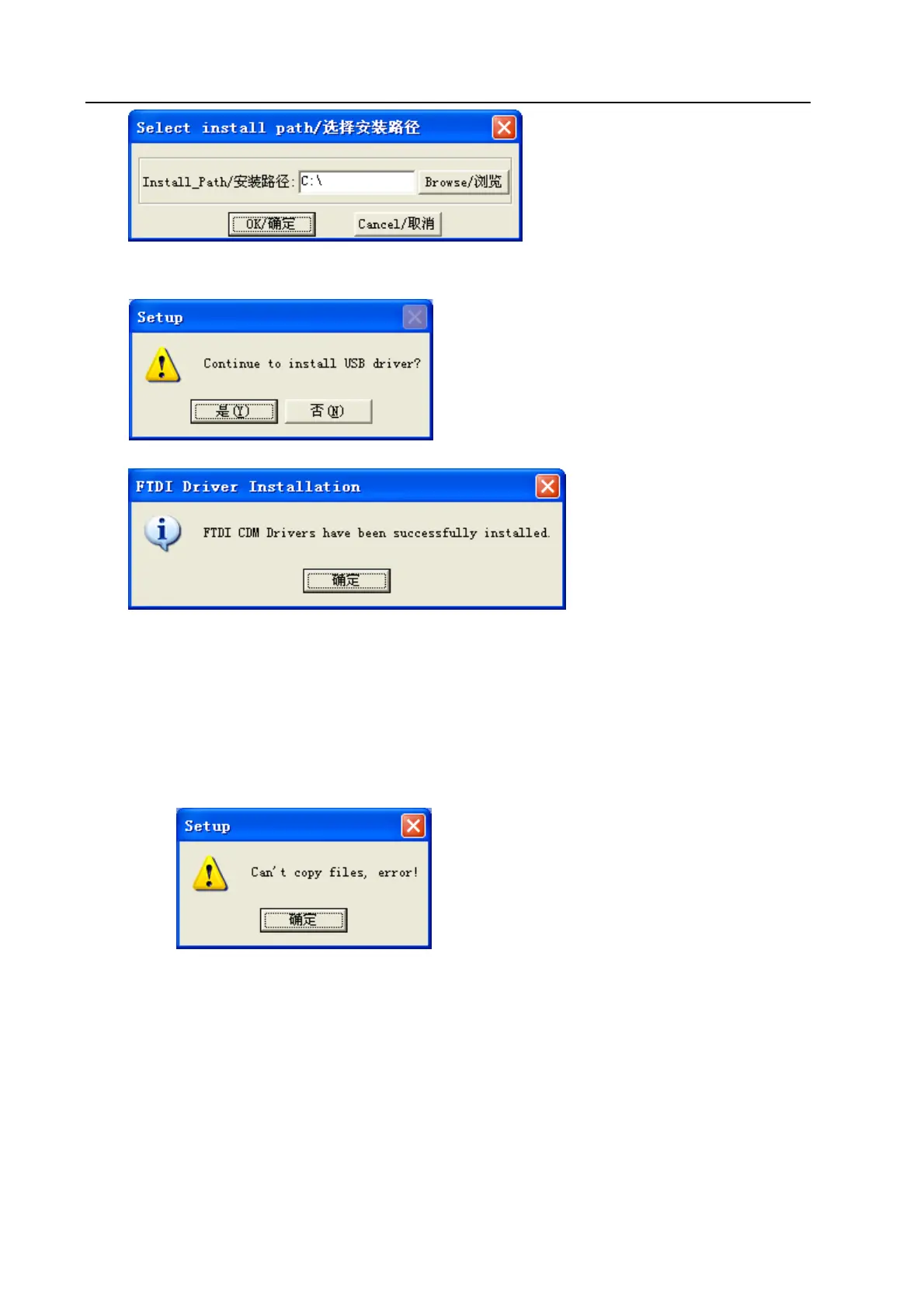
After confirming installation path, click 【OK/确定】. After installation, it will remind if need to
continue to install USB driver.
Click【是(Y)】:
Click【OK/确定】, the installation is done successfully.
2.2 Cautions
(1) Some antivirus software will take the file “LaserCAD/Setup.exe” in the installation directory
as virus. Please make sure the antivirus software will not delete this file.
(2) When the file “LaserCAD/Setup.exe” is damaged, below dialog will displayed during
installation:
If it’s happened, please go back to get “LaserCAD” installation package again.
Chapter 3 Basic Operation of LaserCAD
3.1 Main Interface
After the software being started, you can see the interface as indicated below. Being familiar with this
interface will be the basis of using this software to do laser machining.


 To Next Page