LASER ENGRAVING&CUTTING CONTROLLER AWC608
、
34
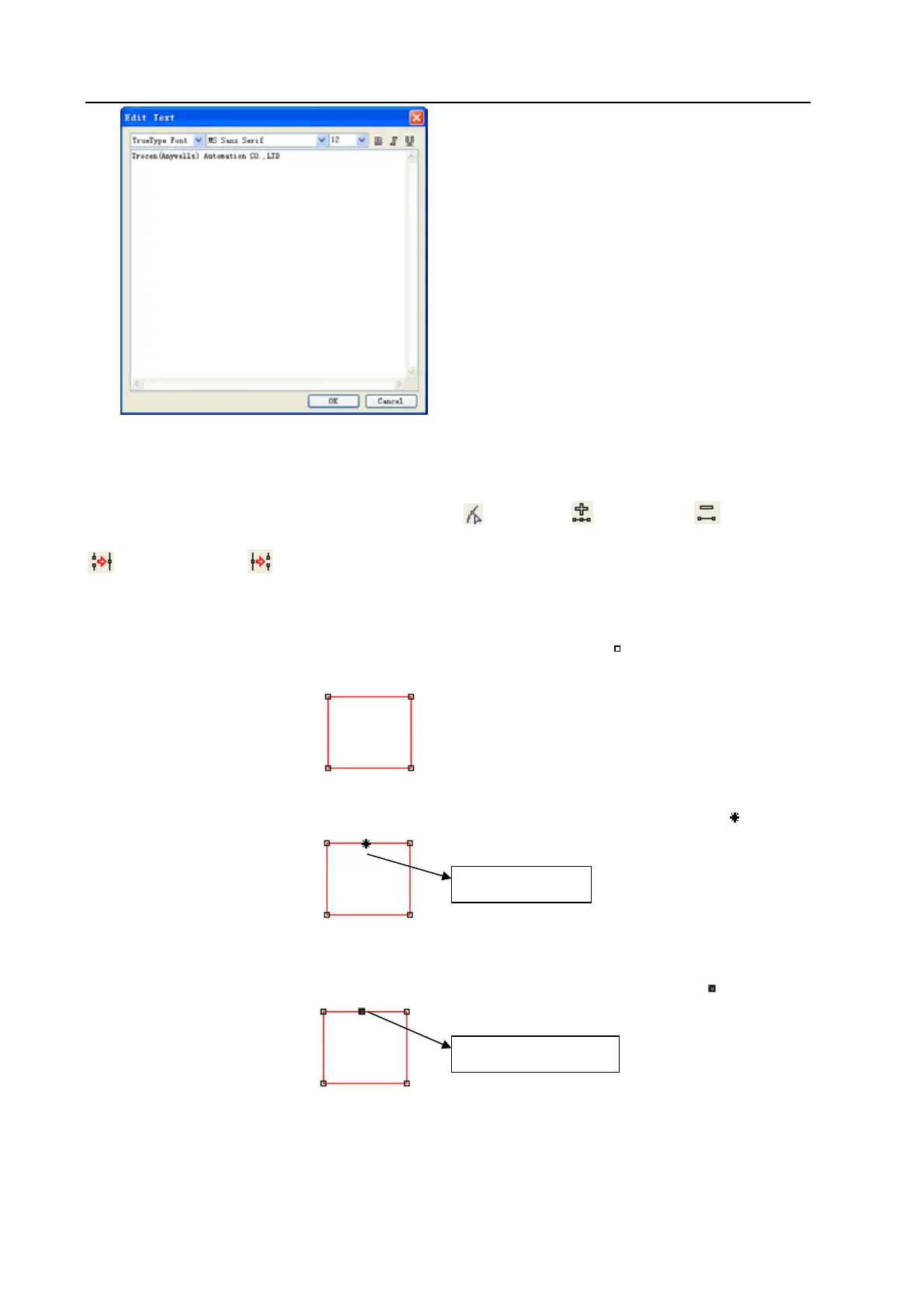
Choose font, input or select font size, input text and then click [OK].
3.6.2 Edit Node
Click [Node Edit] option in [Draw] menu, or click
.Then tools (Add node) (Delete node)
(Connect node) (Separate node) will be shown in the object operation bar.
◆ Select Object
Click the object to select it. Nodes of selected object are shown with “
”.
One selected rectangle is shown as below:
◆ Select point of object
Click the selected object, that is selecting one point from object, shown as below in “
”
◆ Select node of object
Click a node of the selected object, that is selecting one node shown as below in“
”
Remark: Click a node of the selected object and press “Shift” to select multiple nodes of objects.
◆ Add nodes
Select one node from the selected object as below:
Select a point
Select a node


 To Next Page