LASER ENGRAVING&CUTTING CONTROLLER AWC608
、
44
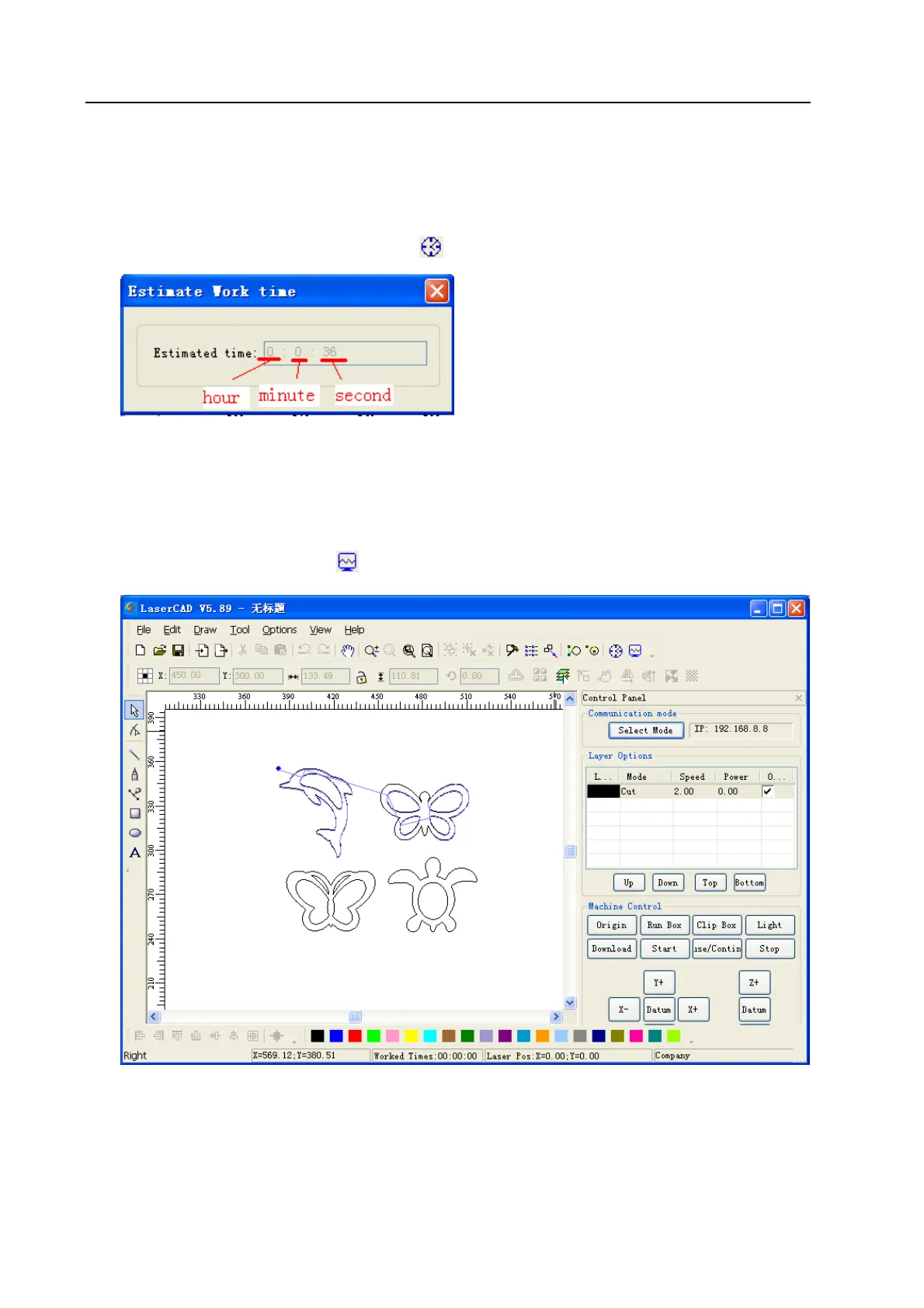
3.13.9 Estimate Work Time
[Estimate Work Time] will pre-calculate the processing time precisely according the current
parameter settings and image data size. The calculation will be very precise, with error no more than 1
min even for image data with heavy work loading.
Click [Tool]/ [Estimate Work Time] or click
on object bar, and open dialog box as below.
3.13.10 Simulate
【Simulate】 means simulating the working path displayed .During simulating, click “+/=”key on
keyboard to increase displaying speed; Click“-/-”to decrease displaying speed; click “esc” to quit
displaying.
Click [Tool]/[ Simulate] or click
on tool bar, then the image data will be simulated displayed..
3.14 Default Parameters
When user set incorrect settings to the software parameter, there could be abnormality to software
operation and laser output. Resetting software parameters to default will reset all parameter to proper


 To Next Page