LASER ENGRAVING&CUTTING CONTROLLER AWC608
、
43
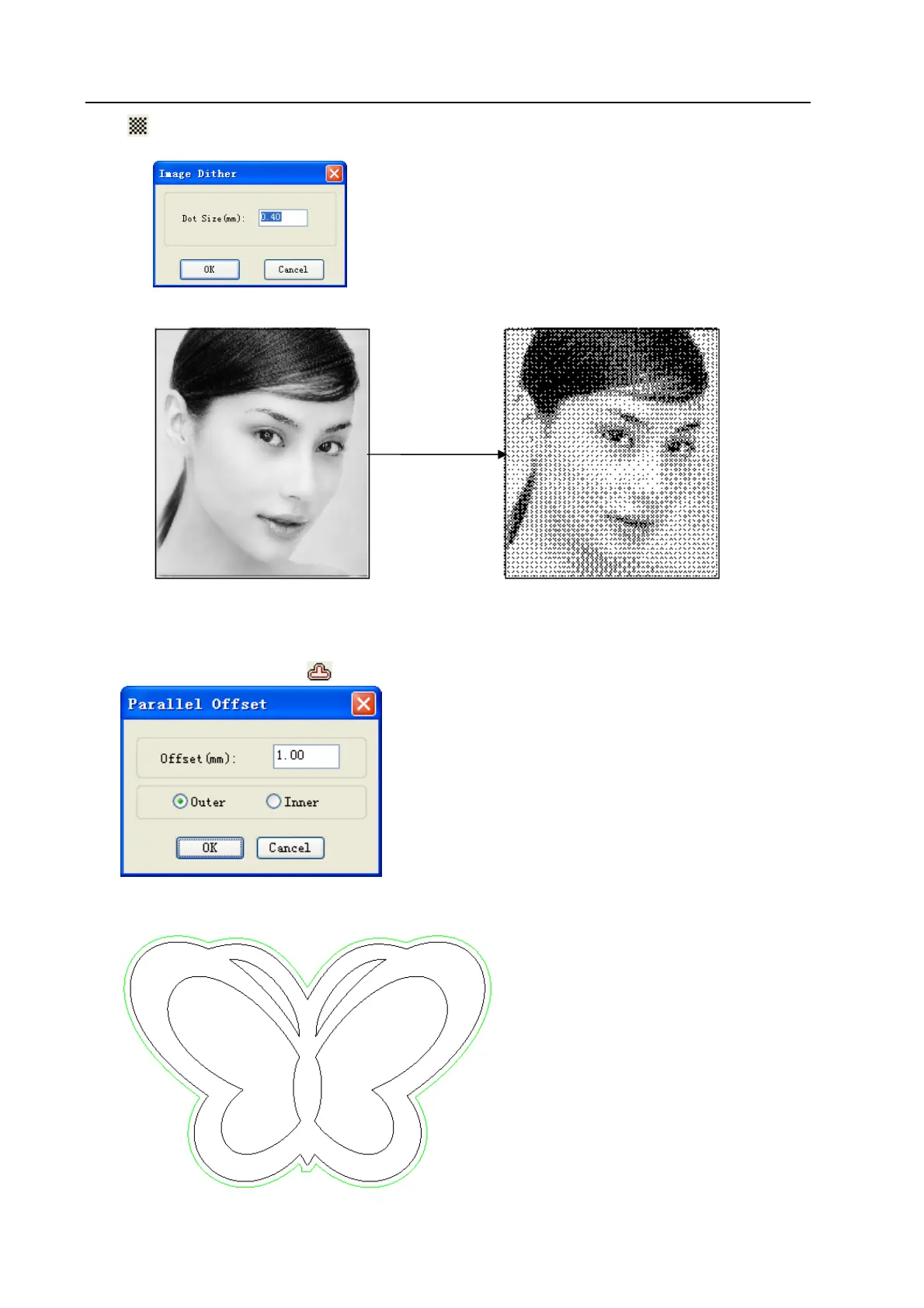
click
in objects operation bar.
Input [Dot Size], and then click [OK]
3.13.8 Parallel Offset
[Parallel Offset] is to offset inside or outside the vector graphics data. Select the data to be dealt, click
[Tool] / [Parallel Offset] or click
on object bar, and open dialog box as below.
Select the required parameter, then click [OK], then parallel offset line is created, and offset line will
generate a new layer automatically as below:
Image Dither


 To Next Page