LASER ENGRAVING&CUTTING CONTROLLER AWC608
、
72
Press
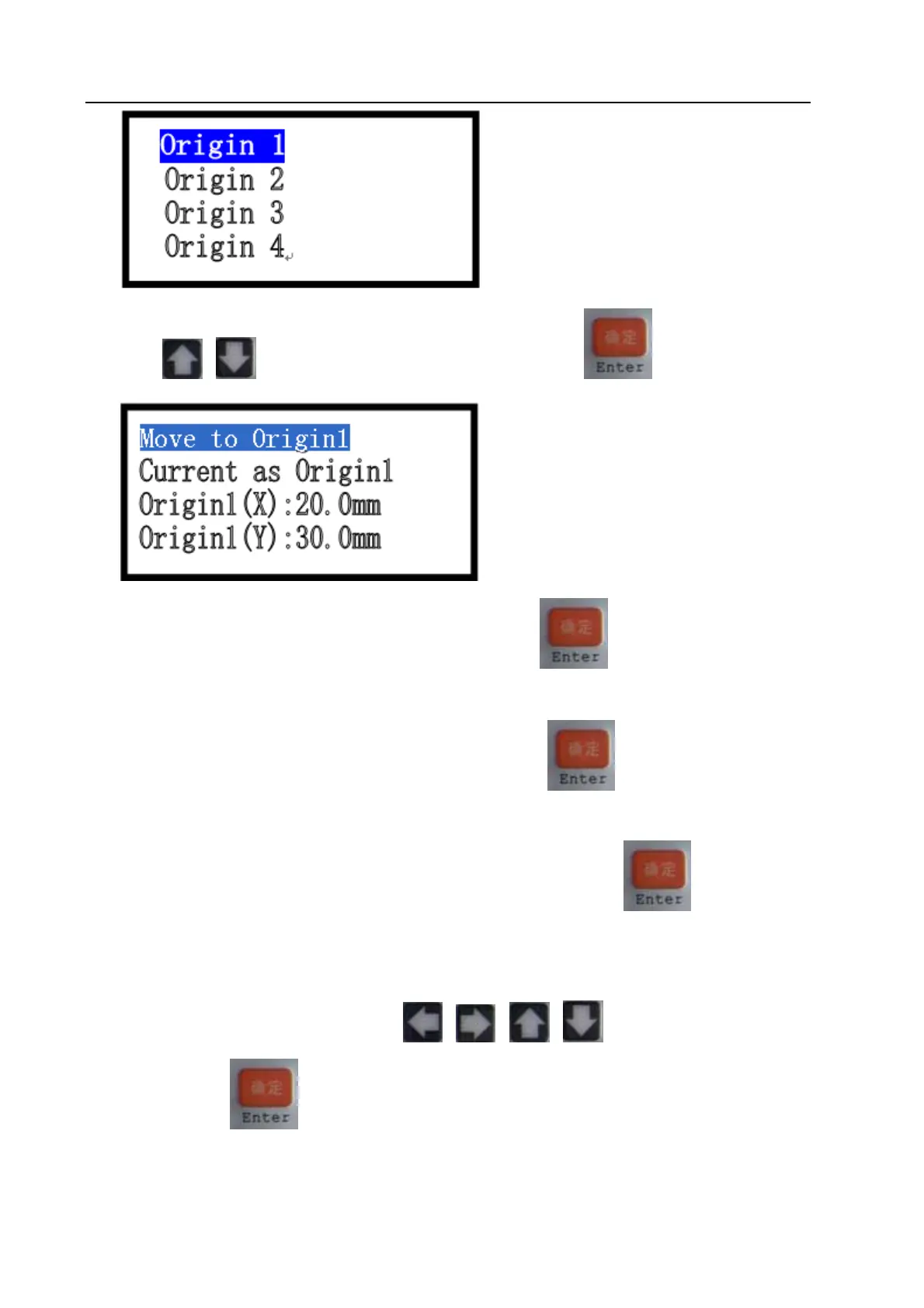
or to move cursor onto one item, and then press :
Move cursor onto item【move to origin1】, and then press
, system will move laser head to
the original position 1 (X=20.0mm,Y=30.0mm).
Move cursor onto item [Current as Origin1], and then press
, system will set the position of
current laser head as original position 1.
Move cursor onto item 【origin 1(X)】or item【origin 1(Y)】, then press
, it will enter into sub
interface to do modification manually on coordinate of original position.
7.4.4 Origin Mode (Refer to view 7-4)
Under the main menu interface, press
or or or to move cursor onto item【Origin
mode】, then press
to enter into【Origin mode】interface:


 To Next Page