LASER ENGRAVING&CUTTING CONTROLLER AWC608
、
90
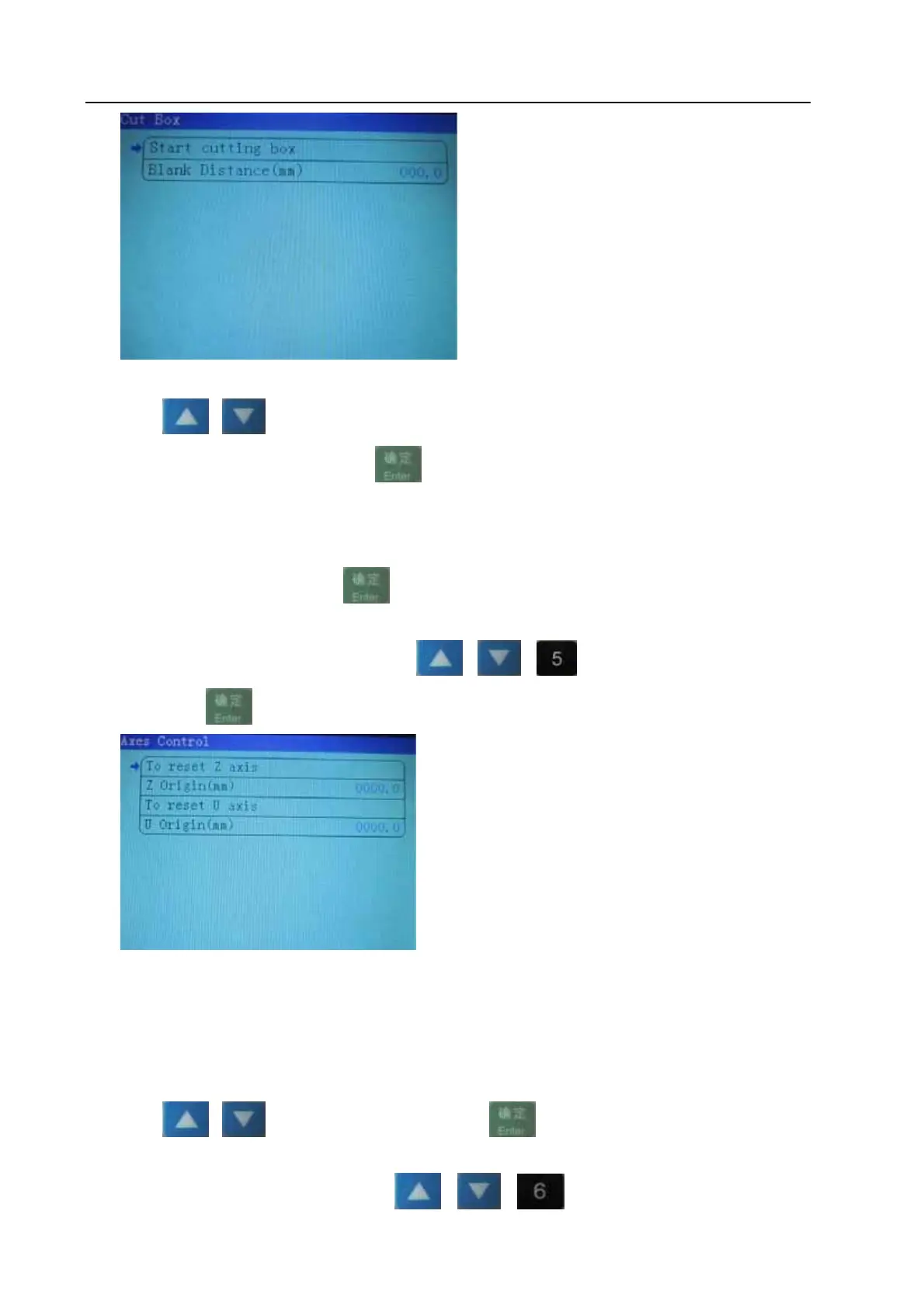
【blank 】:The distance between border of graphic and border of cut part.
Press
or to move cursor onto one item
When select item【cut box】, press
, system will cut outline border at the speed of 【Speed of
cutting border】 and at the power set in the main interface (Regarding【Speed of cutting border】, please
refer to 8.4.parameter setting; Regarding the power in main interface, please refer to 8.3 function
instruction of Main interface)
When select item【Blank】, press
to enter into sub interface to set【blank】.
8.4.5 Axes Control (refer to view 8-4)
Under the main menu interface, press
or or to move cursor onto item 【Axes
Control】, press
to enter into【Axes Control】interface:
【Z axis reset】:Z-axis starts to move to reset
【Z Origin:2.0mm】:the mobile distance of Z-axis in opposition direction after reaching limit.
【U axis reset】; U-axis starts to move to reset. U-axis can’t reset when U-axis is feeding
axis (Regarding the function and configuration of U-axis, please refer to 3.3.2.4 Function
and configuration)
【U axis orgin:3.0mm】:the mobile distance of U-axis in opposition direction after reaching limit.
Press
or to move cursor, and then press to do operation and setting
8.4.6Motion Parameters Settings (refer to view 8-4)
Under the main menu interface, press
or or to move cursor onto item【Motion


 To Next Page