LASER ENGRAVING&CUTTING CONTROLLER AWC608
、
71
(suffix of system upgrade file is ug5)。
7.4.1.4 Save Current parameter to UDisk(refer to graphic 7-5)
Under【UDisk file】interface, press
or to move cursor onto item【Curr config to UDisk】.
Press
, system will copy a parameter of control panel into U-disk. The file name is Params.cf5。
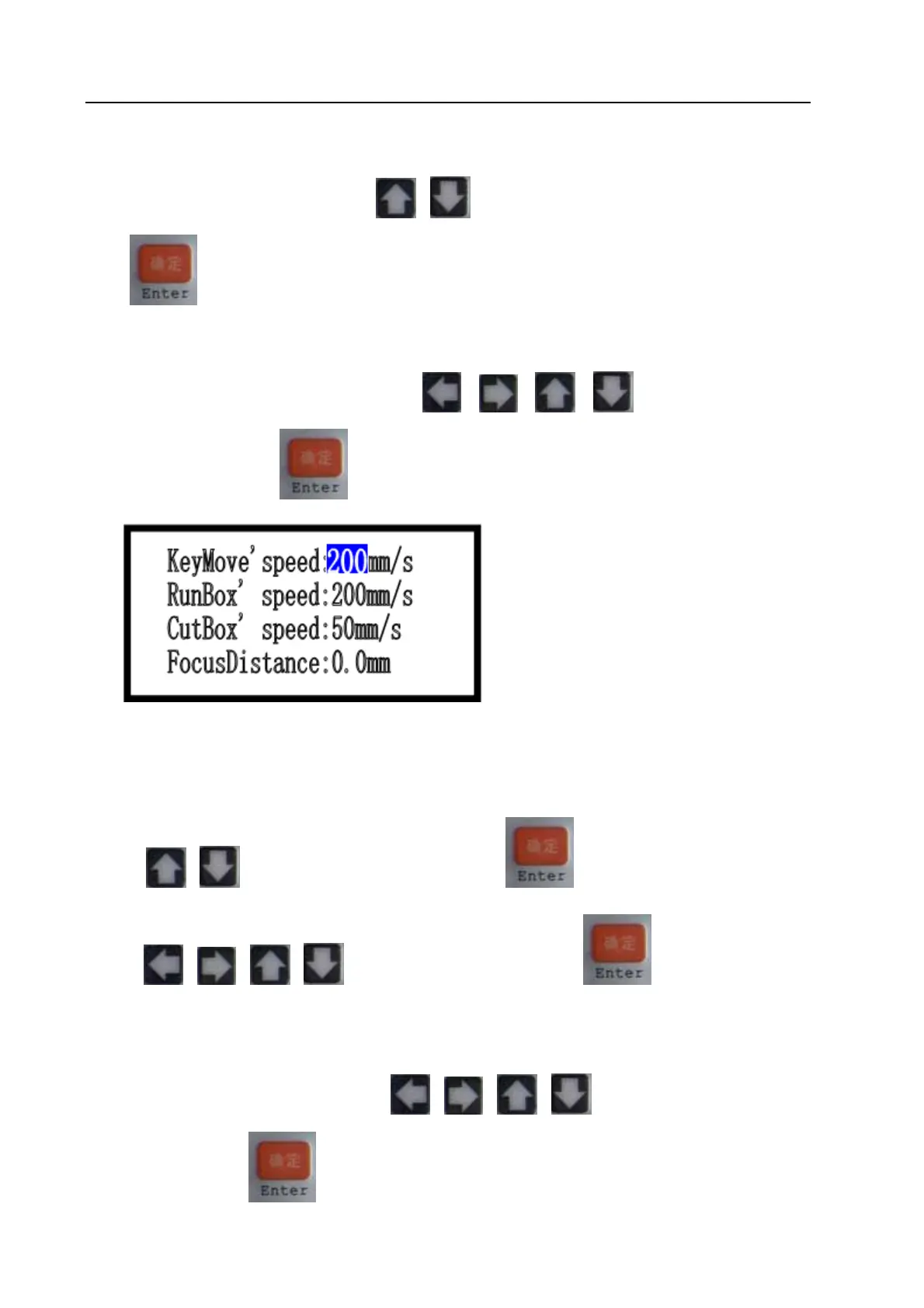
7.4.2 Parameter Option(refer to view 7-4)
Under the main menu interface, press or or or to move cursor onto item
【Params Option】. Press
to enter into 【Params Option】interface;
【KeyMove' speed】: Traveling speed of key on LCD panel.
【RunBox’ speed】: Traveling speed around graphic border.
【CutBox’ speed】:Cutting speed on graphic border.
【FocusDistance】:Autofocus distance of Z-axis.
Press
or to move cursor onto one item, press to enter into sub interface, and then
press
or or or to modify the value. Then press to finish the modification
of this parameter.
7.4.3 Origin manage (Refer to view 7-4)
Under the main menu interface, press
or or or to move cursor onto item 【Origin
manage】, then press
to enter into【Origin manage】interface:


 To Next Page