LASER ENGRAVING&CUTTING CONTROLLER AWC608
、
62
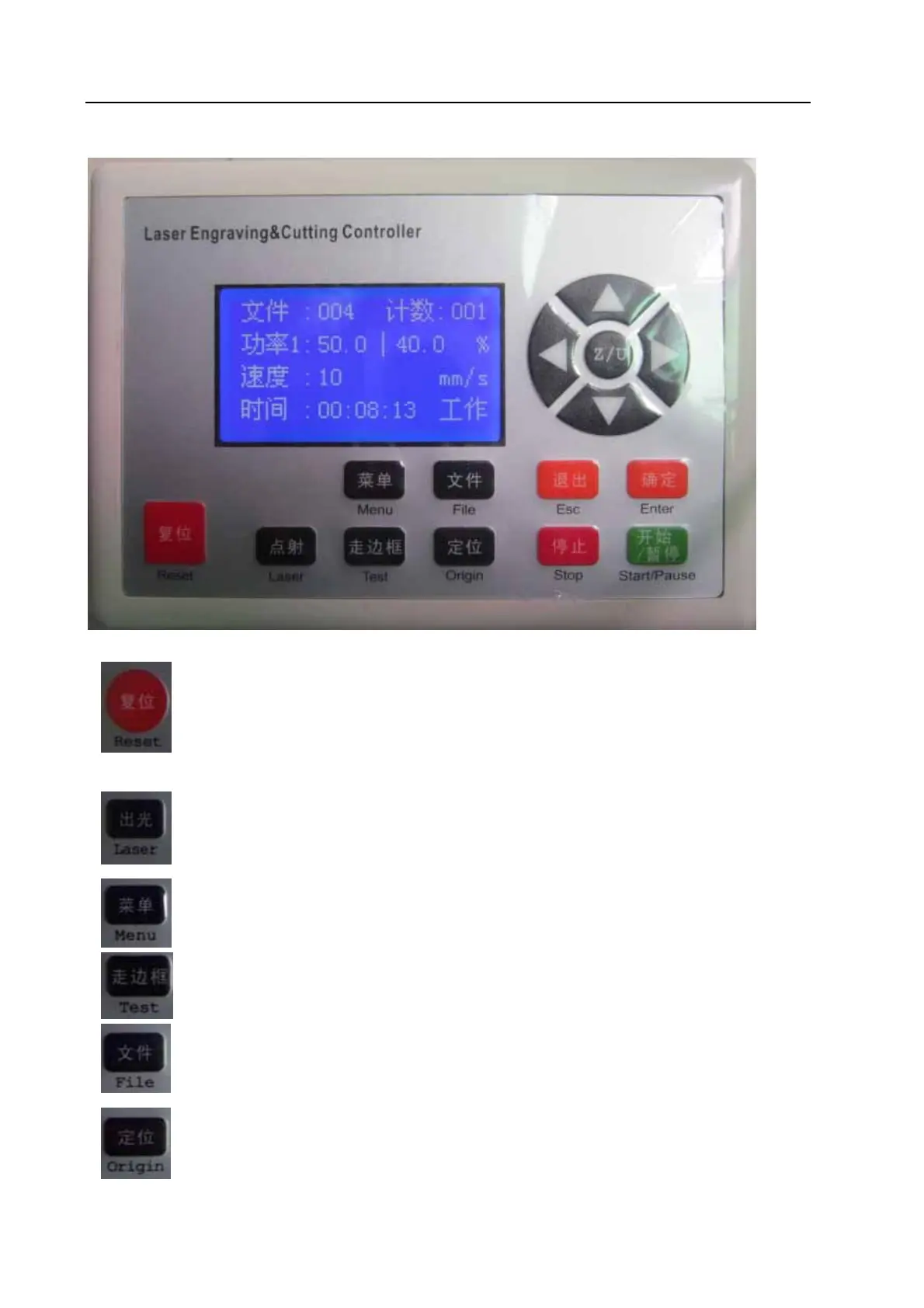
Chapter 7 Introduction Manual of blue LCD Panel
7.1 Function introduction to each key
1. “Reset” Key: Press this key, machine can enter into the state of reset under any
circumstances, and then go back to “Original point”
2.
“Laser” Key: Be applied to test Optical path. Press it to flash.
3.
“Menu” Key: Press this key to enter into main menu.
4.
“Test” Key: Be applied to test the size of graphic to be cut and test the current original point.
5.
“File” Key: Working files saved on control panel
6.
“Origin” Key: Can set starting point of machine


 To Next Page