LASER ENGRAVING&CUTTING CONTROLLER AWC608
、
40
3.13.1 Manual Order
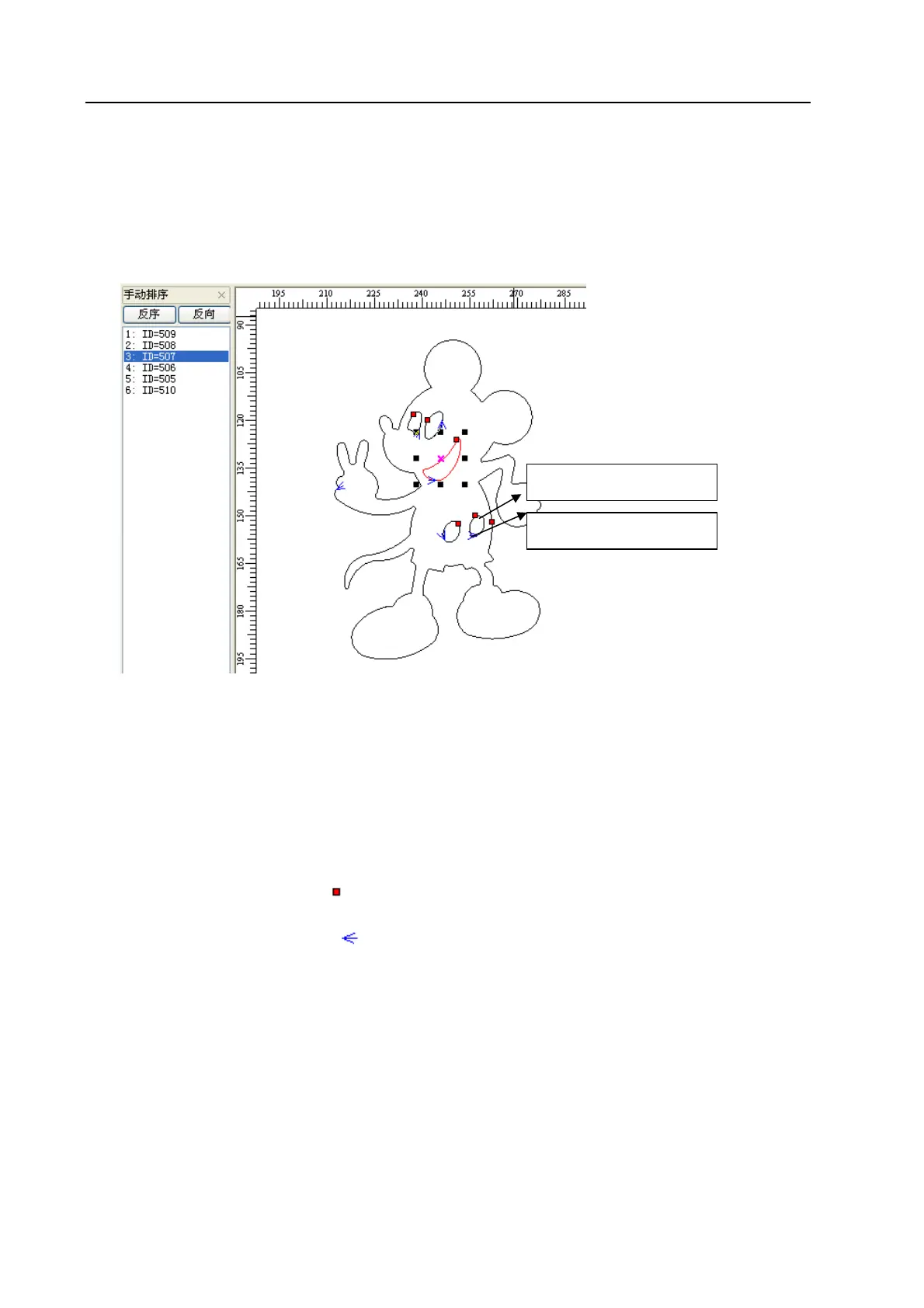
User can use [Manual Order] to set cutting serial number for each object, cutting start point and finish
point.
Click [Tool]/ [Manual Order], then [Manual Order] window will show at the left side of main interface as
below:
◆ Change serial number of object
(1)Drag items in the [Manual Order] with mouse, allow to change the item to top of cursor.
(2) Double click the item in the [Manual Order], will move it to the top
(3) Click [Rev-Order] will reverse all items.
Note: Items listed in the [Manual Order] window is related to the serial number of the
corresponding objects. The closer to the top the item is, the more prior the corresponding
object is to be processed.
◆ Change cutting start point of object
Cutting start point shown as “
”, click the object and change the cutting start point.
◆ Change cutting direction of object
Cutting direction is shown as “
”.The direction of arrow shows the cutting direction. Click [Manual
Order]/ [Rev-Order] allows to reverse the cutting direction.
3.13.2 Automatic Order
[Automatic Order] is used to set the objects order automatically in the current file. After automatic order,
the processing routine will be the shortest theoretically.
Click [Tool]/ [Automatic Order], open dialog box as below, and then click [OK].
Staring point
direction


 To Next Page