LASER ENGRAVING&CUTTING CONTROLLER AWC608
、
5
laser head.
¾ Multiple functions of Path Optimization and pause function during working.
¾ Multiple saving modes of image and working parameter, and can be recycle.
¾ Function of estimating working time and cost budget, intelligent input.
¾ Array input, immediately output and go back to origin to output orientation mode.
¾ Unique double laser systems working intermittently, working independently and motion trial
with function of offset and control
¾ Set the working start point, working path, dock position of laser head according to different
requirement.
¾ Be compatible with multiple communication modes. User can use USB communication and
network communication according to situation.
¾ Support CorelDraw direct output version, AutoCAD direct output version.
¾ Perfect continue to engraving function after outage; main board record working mode and
position of laser head in time, after outage, restart machine, machine can continue unfinished
work.
¾ Support 4 axes: X, Y, Z, U, Z-axis is used for elevating and U-axis is used for feeding.
¾ Autofocus, no need to adjust the focal distance between laser head and object, convenient to
new user.
¾ Engrave photograph directly, support rotating engraving, protect various communications, with
two limit ways: software limit and hardware limit
¾ Support slope engraving, main board online upgrade, all capacity and branded U disk.
1.5 Operating System Environment Requirement
⑴ Run on Windows( Window2000、Window XP、
Vista、Win7 ) system
⑵ Celeron 2.1G above
⑶ Suggest using 1G above memory.
Chapter 2 Installation
2.1 Installation Steps
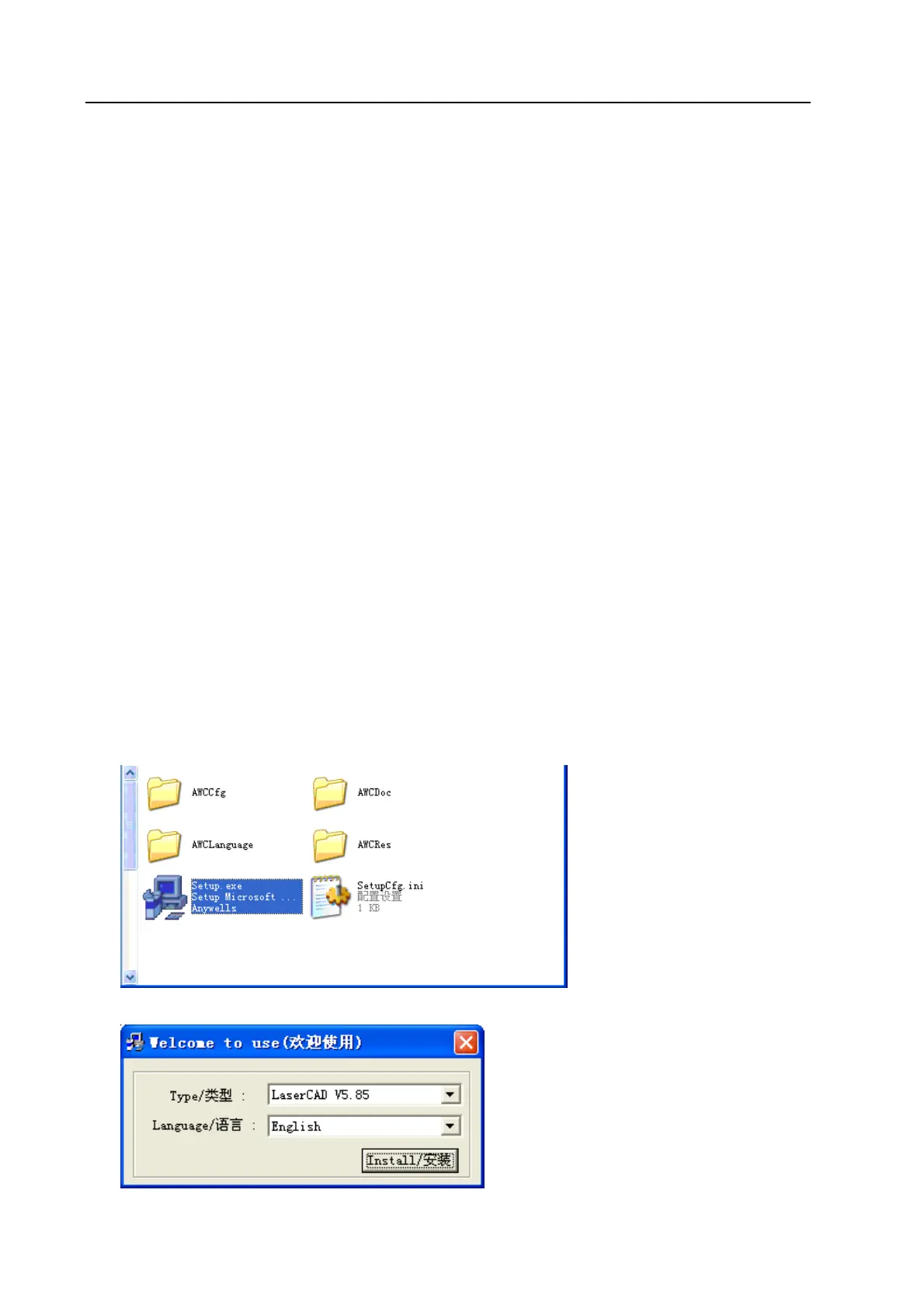
Access to installation directory:
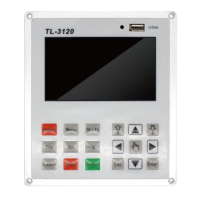
Double click Setup.exe:
Click【Install/安装】:


 To Next Page