LASER ENGRAVING&CUTTING CONTROLLER AWC608
、
84
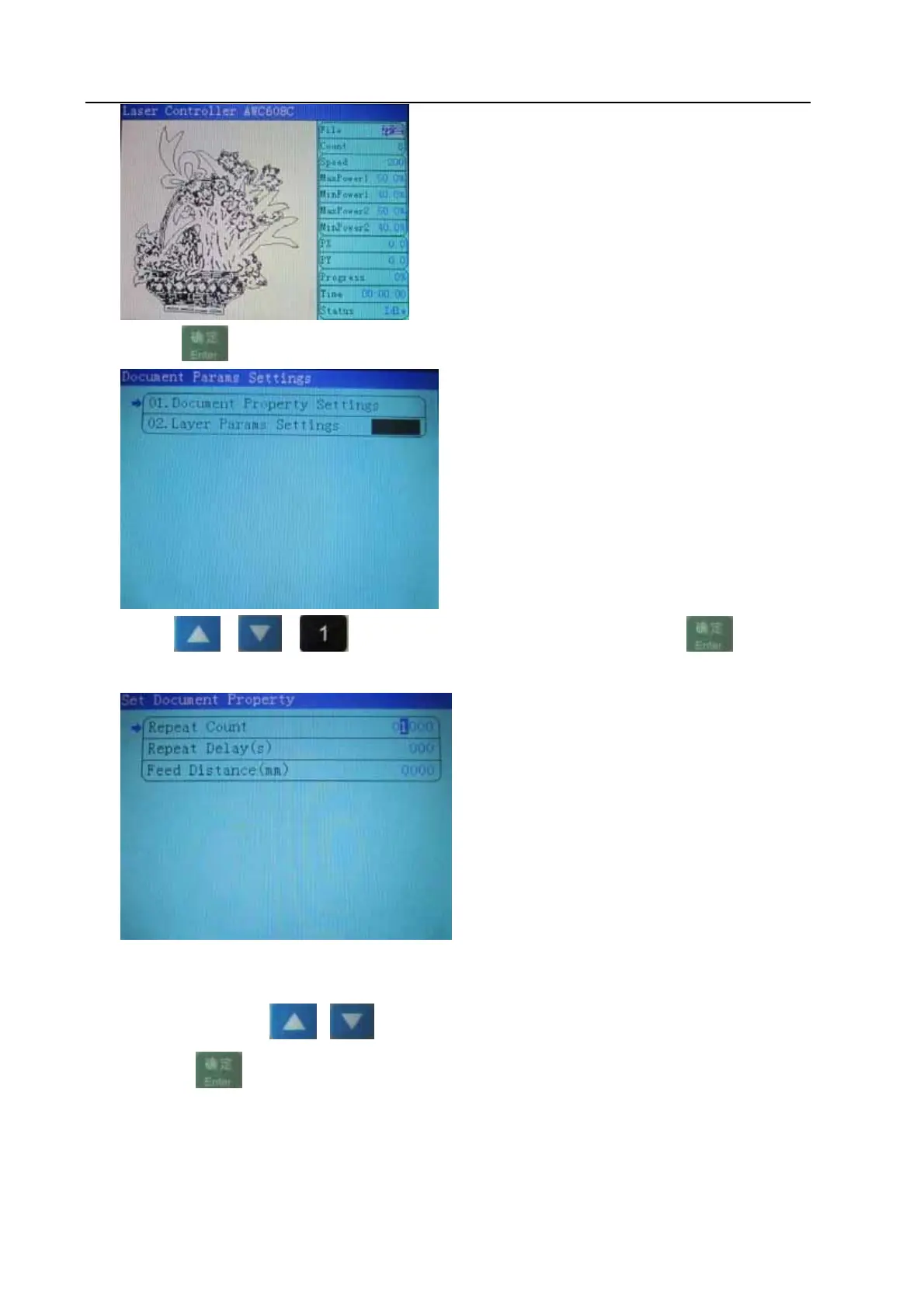
(2)Press
to enter into properties sub interface of file:
View 8-3-2
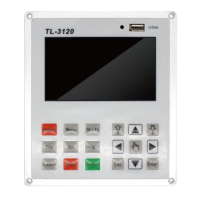
(3)Press
or or selec【Document Property Settings】,Press
To enter into Document property settings
View 8-3-3
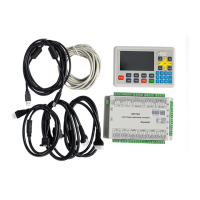
8.3.1.2 Alter the properties of current file
Take altering the【Repeat count】 of file for example, to explain how to alter the properties of files.
Refer to view 8-3-3,press
or or “the number keys” to move cursor onto item【Repeat count】
and then press
:


 To Next Page