FREQUENCY SEARCH
Use the Search function to locate active frequencies in one or
more bands
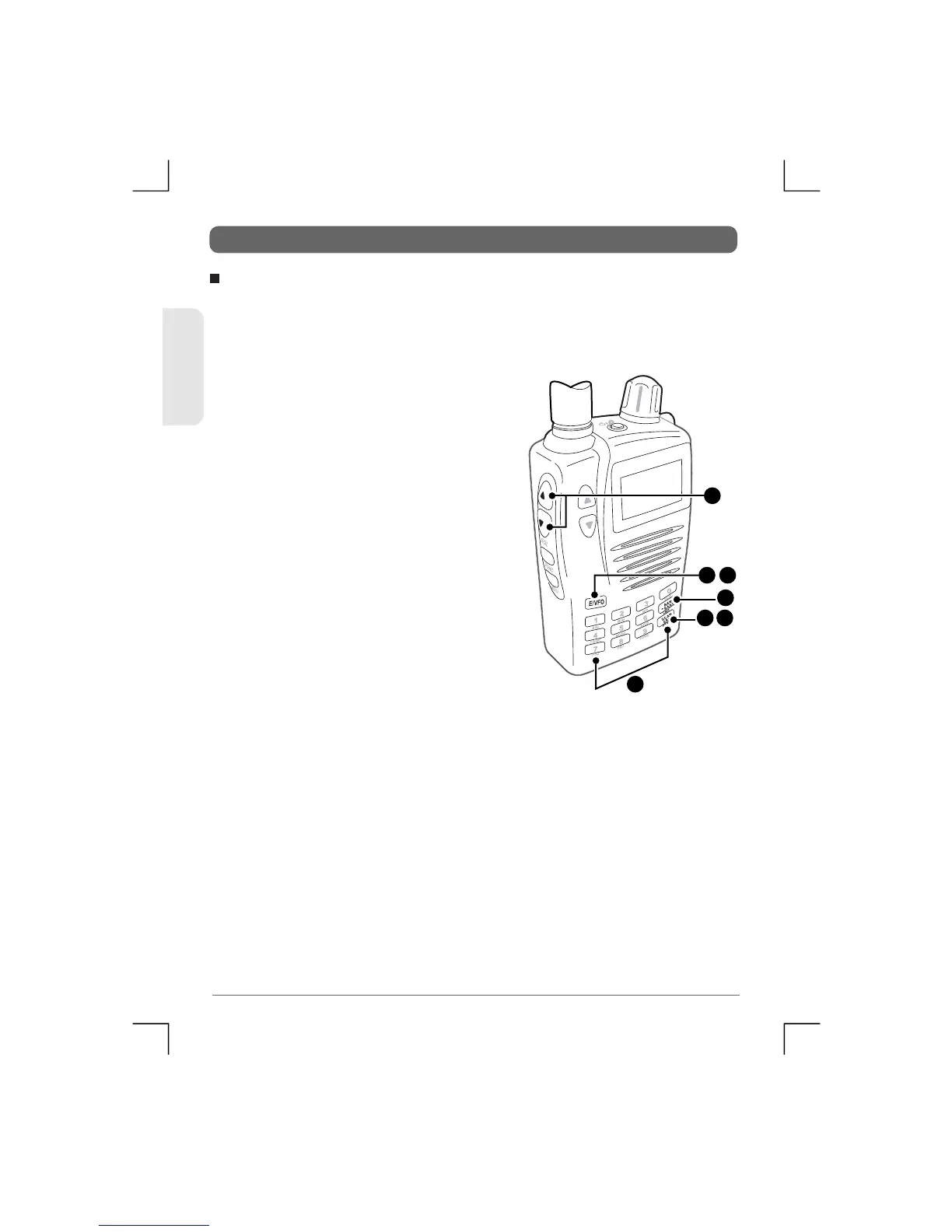
1) Press the E/VFO key to select VFO
M o d e . ( N o t e : t h e r e c e i v e r
automatically selects the VFO
mode when it is turned on).
2) Press the BAND key to select the
required Band. There are 10 factory
preset Bands to choose from (see
Frequency Band Table).
3) Set the Squelch level using the
Squelch or keys so that the
noise just disa ppears.
4) Select a start frequency to Search
f r o m . T o d o t h i s , e n t e r t h e
frequency on the keypad, then
press E/VFO key.
5) Press the SCAN SRC key briefly. The ‘SRCH’ icon will be
displayed and the receiver will Search the selected Band
starting from the start fr equency. Onc e the en d of the band is
reached the Search continues at the beginning o f the s elected
Band.
Band Search
2
5 6
1 4
3
4
23
TSC-3000R
ENGLISH


 To Next Page