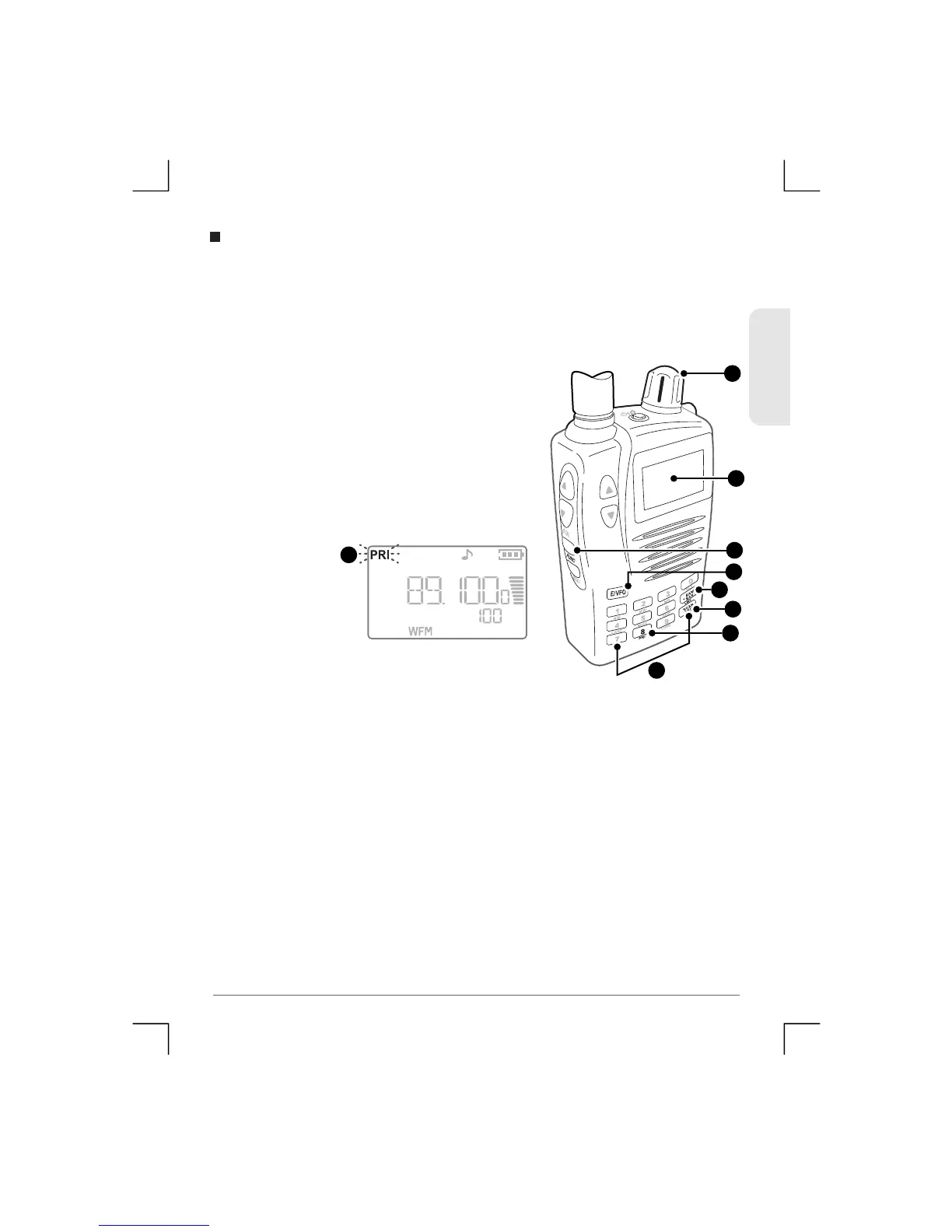
Priority Search allows you to insert a Priority Channel into the
frequency Search. When the Search is activated, t he receiver will
visit the Priority channel or frequency at an interval set by the
‘Priority Time’ in the Menu setup.
To perform a Priority Search using a
frequency as the Priority c hannel:
1) Enter the required Priority channel
frequency using the Keypad then
press E/VFO.
2) Press Func PRI. The selected
frequency is now the Priority Chann e l.
3) Press B an d/ Ba nk to select the required frequency band you
wish to scan.
4) Press Sc a n/S r c . The receiver will begin searchin g the selected
Band and will switch to the P riority c hannel at an i nterval set by
the ‘Priority Time’ setting in the setup m enu.
Priority Search
2
2
2
2
3
3
4
1
ENGLISH
28
TSC-3000R
1


 To Next Page