Use the Scan function to locate active channels among the
memorized channels in one or more banks.
Notes:
• If a signal is received, the receiver will remain on the active
channel for the duration of the 'Busy Timer' setting in the
Menu setup. If the 'Busy timer' is set to Busy the receiver will
stay on the active channel for as long as the signal is present.
• To change the bank while searching, briefly press Band/Bank
key.
• To change the scan direction while scanning, rotate the control
knob clockwise or counter clockwise.
CHANNEL SCAN
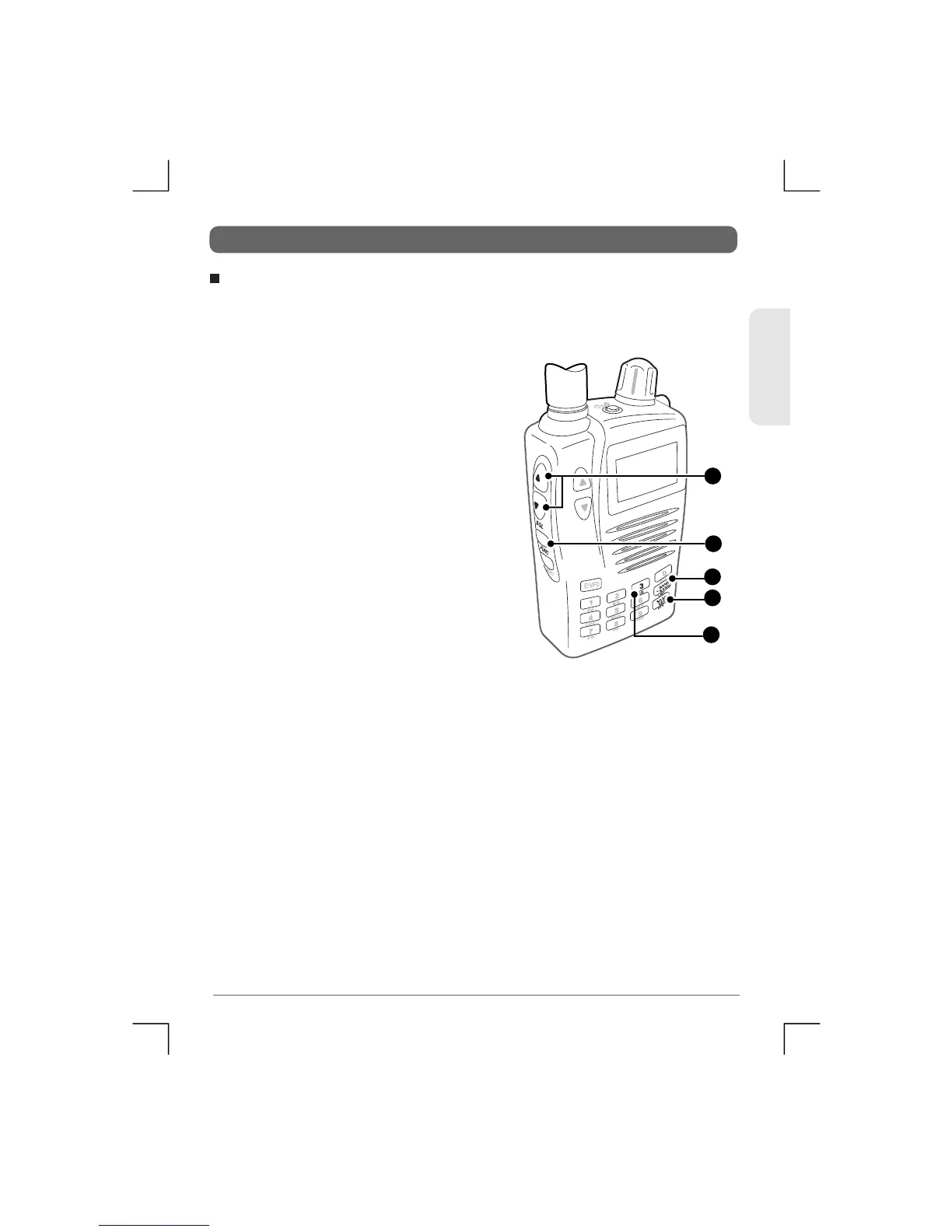
1) Press Func MR to select the
Memory Read mode.
2) Press Bank/Band to select the
preferred memory bank.
3) Set the squelch level to a point
where the receiver is just quiet.
4) Press Scan/Src. The receiver will
begin scanning the selected Band.
Band Scan
ENGLISH
42
TSC-3000R
2
4
1
1
3


 To Next Page