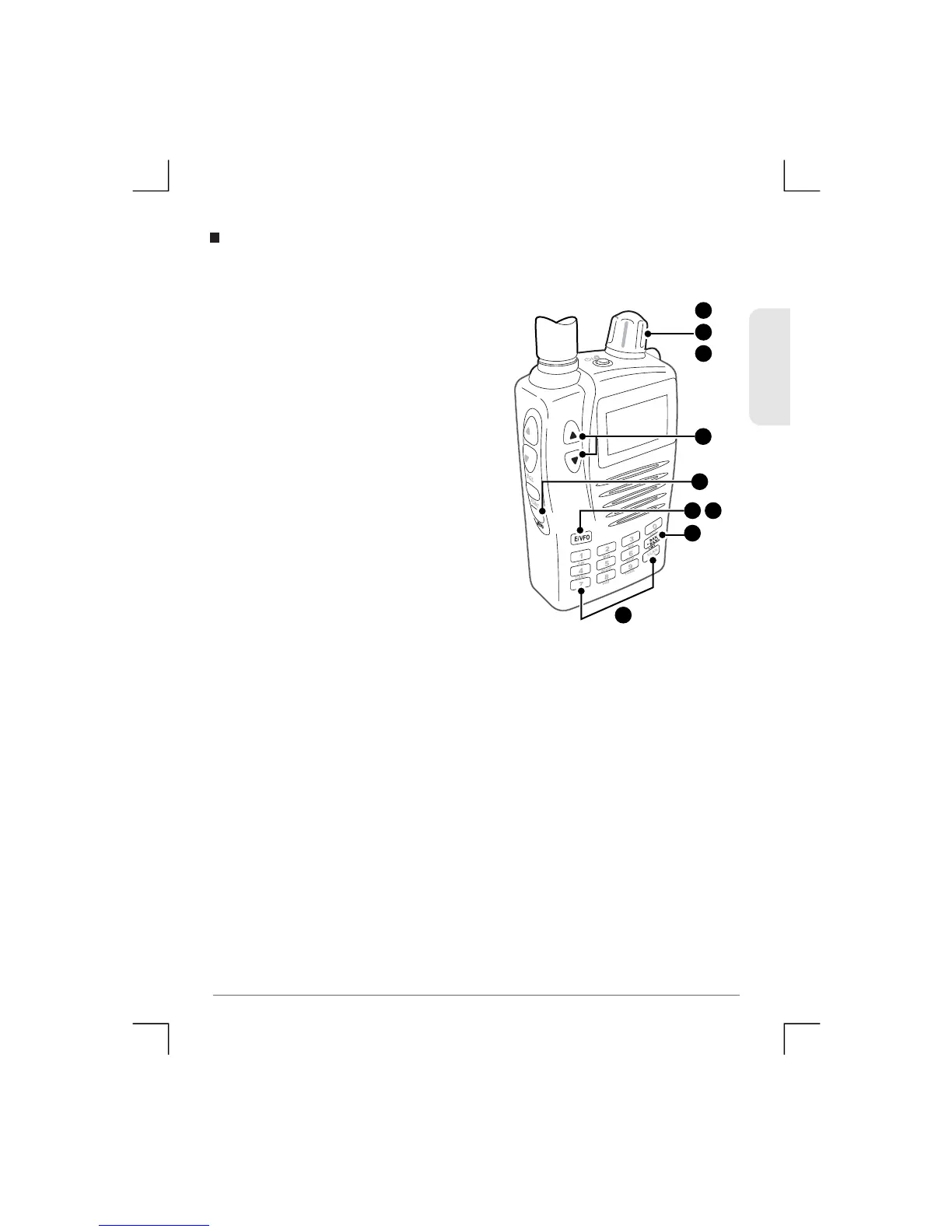
To copy one channel to another
1) Select the channel that you
would like to copy from.
2) Press Menu, then use the Control
Knob or the volume keys to
select ‘CH Copy’
3) Press E/VFO to accept. The
receiver will then automatically
select the n ext empty channel in
the sa me Bank.
4) If you don’t wish to use the empty
cha nnel selected by the receiver,
use the Control Knob, number
keys or the BANK/BAND key to
select the pr efe rre d channel and
Bank.
5) Press E/VFO again to copy the
original channel to the new
channel. The original channel
will rema in unchanged.
Channel Copy
ENGLISH
50
TSC-3000R
4
2
1
4
3 5
2
or
2
4


 To Next Page