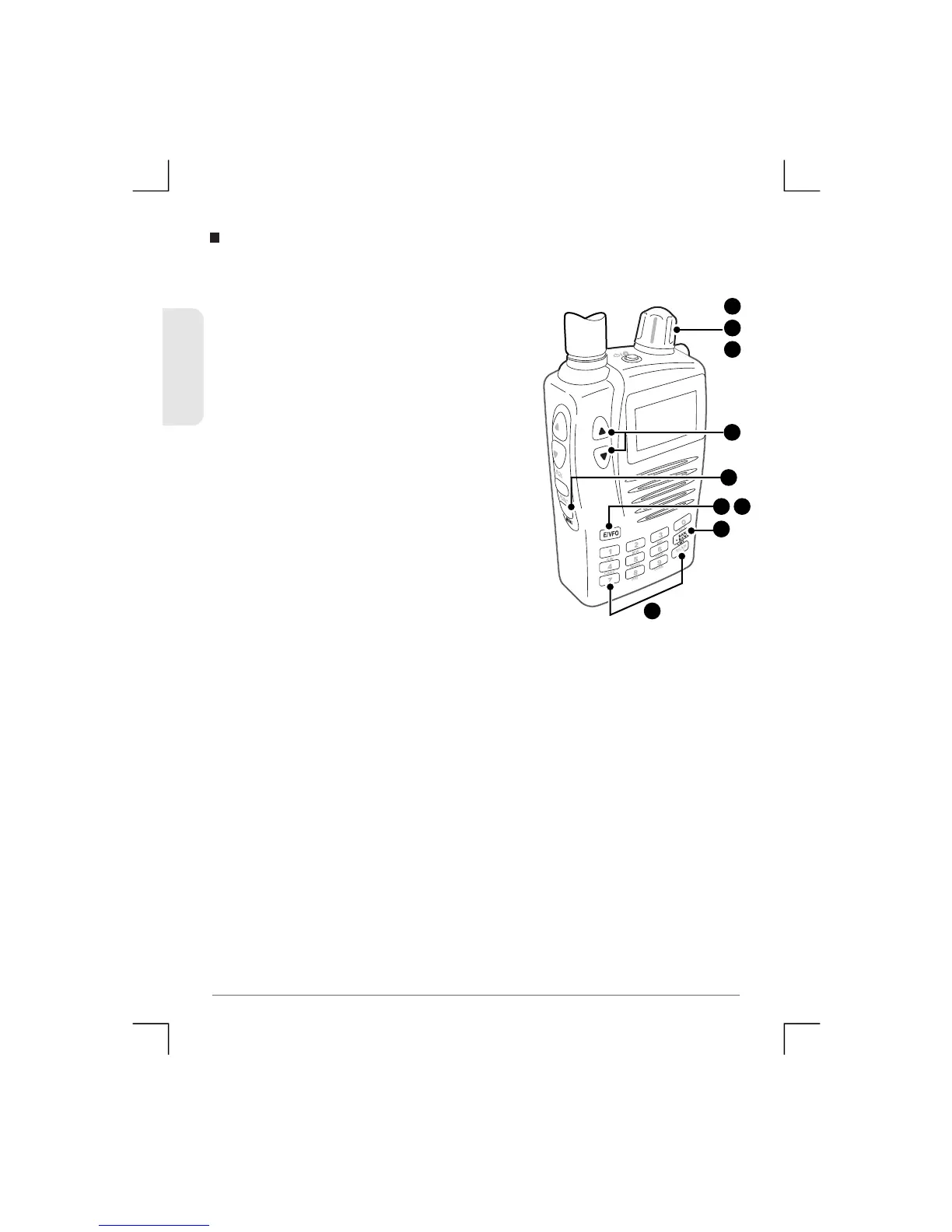
To Move one cha n n e l to another.
1) Select the channel that you would
like to move fr om.
2) Press Menu, then use the Control
Knob or the volume keys to
select ‘CH Move’
3) Press E/V FO to accept. The receiver
will then automatically select the
next empty channel in the same
Bank.
4) If you don’t wish to use the empty
channel selected by the receiver,
use t he Control Knob, number keys
or the BANK/BAND key to select the
preferred channel and Bank.
5) Press E/VFO again to move the
frequency to the new channel. The
original c hannel will no w be em pty.
Channel Move
4
2
1
4
3 5
2
or
2
4
51
TSC-3000R
ENGLISH


 To Next Page