48
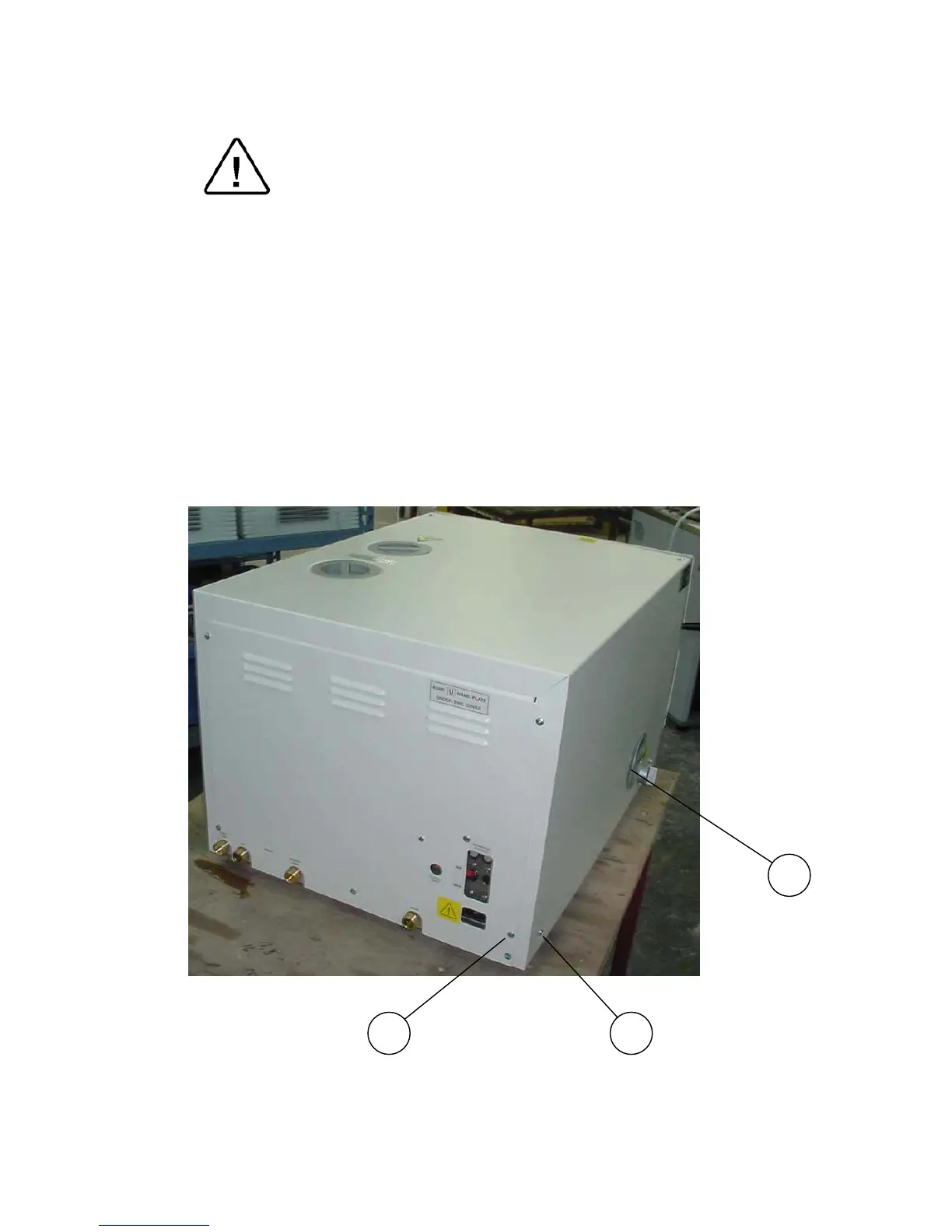
9.2 Removing the Autoclave’s Outer Covers
Caution!
Before starting, disconnect the instrument from the power
source and ensure that there is no pressure in the
chamber or jacket.
Allow the autoclave to cool before removing outer covers.
1. Remove the screws holding the rear cover (1).
2. Remove the screws holding the cover to the base (2).
3. Dismantle the air filter from the service opening cover (3).
3.1. Remove the screws holding the filter cover.
3.2 Disconnect the filter from the silicone tube
4. Remove the grounding wires from the cover.
5. Pull the cover upwards.
Note:
The following picture refers to model 2540
3
21



 To Next Page