89
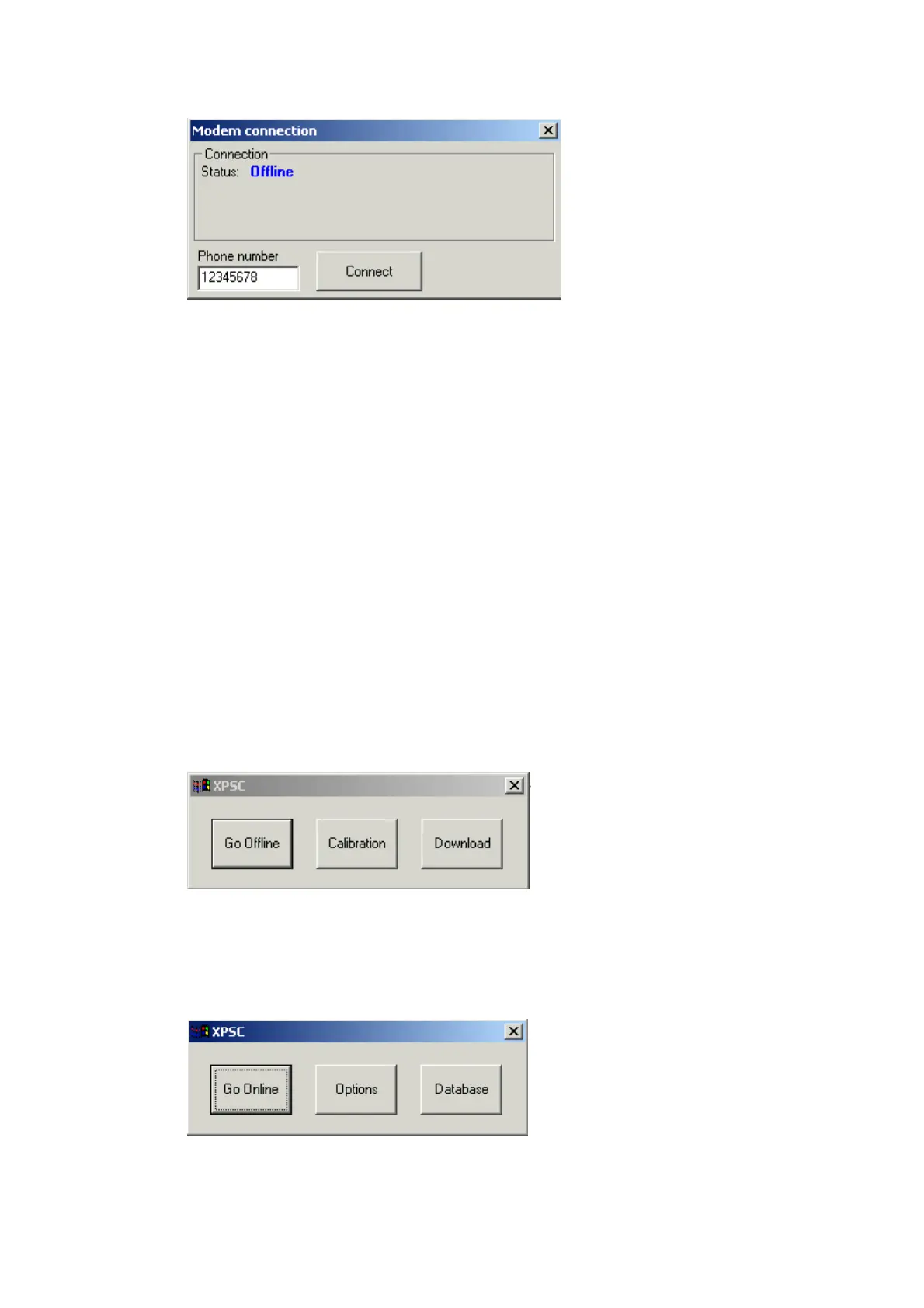
By pressing on 'Connect' button, program will try to connect to remote PCS
Target. Opening connection between remote PCS Target and PC, performing
next tasks:
♦ Check If COM Port is available.
♦ Detect modem.
♦ Dial a phone number.
♦ Wait for connection establishment.
♦ Check if remote target platform are connected.
If one of the tasks fails, the program will abort connection process and will
display relevant error message.
If 'Modem active' option not selected, by pressing on 'Connect' button, the
program will open communication port. In this case, communication
establishment tasks will be:
♦ Check if COM Port is available.
♦ Open COM Port.
Note: In this case the program not checking if target platform connected.
After connection was established, the main XPCS window will be displayed.
When program is online, buttons 'Go offline', 'Calibration', 'Download' will be
displayed.
Pressing 'Go Offline' button will close current connection and buttons 'Go
Online', 'Options' and 'Database' will be displayed on the main XPCS window:
Pressing on 'Calibration' button will display 'Calibration' window.
Pressing on 'Download' button will display 'Download' window.


 To Next Page
 Loading...