63
Using the machine
6.6.2 Display screens
After starting the machine, following the instructions in chapter
«6.5 Starting the machine», the display will show the images
indicating step-by-step the operations in progress.
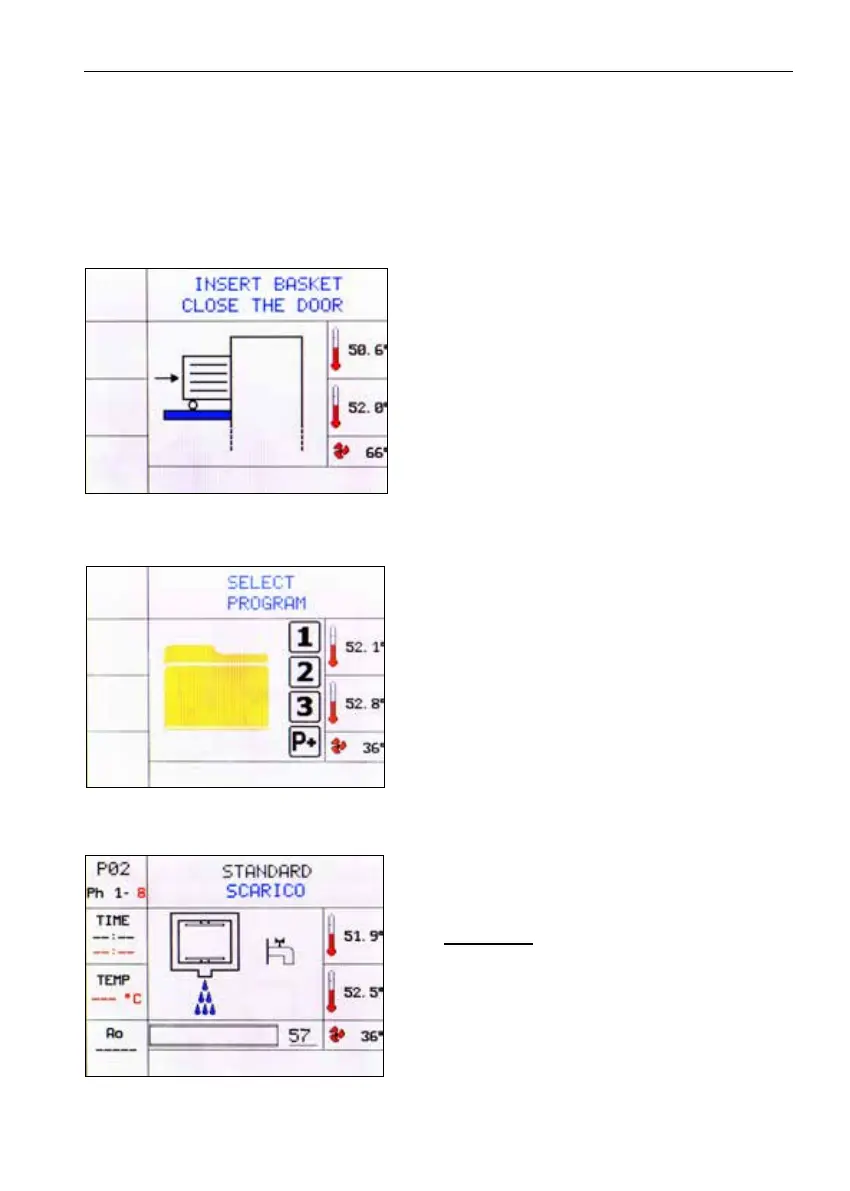
1) Once the machine has started, the dis-
play shows the screen indicating door
open and the invitation to insert the bas-
ket with the instruments to be washed.
Then insert the basket with the instru-
ments and close the door.
WARNING: The door must be tightly
closed until you hear the classic clos-
ing «click», otherwise the program will
not start.
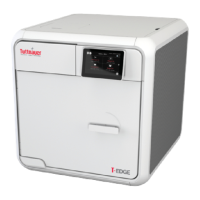
2) With the machine started and door
closed, the screen for selecting the pro-
grams will appear
Press the selected key (1 or 2 or 3 Fig.
12) on the control panel. To access sub-
sequent programs (if stored), press the
«P+» several times;
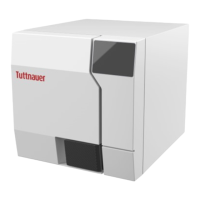
Program 2 STANDARD
3) PHASE 1. After pressing key 2 (STAND-
ARD), press the START key (7 Fig. 12).
With this operation the machine starts the
automatic work cycle and discharges any
residual water present in the tank.






 To Next Page